Skip to content

The first time I stumbled upon the Raspberry Pi 4. I was tinkering with small boards, trying to automate a home lighting system, and I needed something faster than my old setup. The Raspberry Pi 4 felt like a breath of fresh air, offering more muscle and broader capabilities than I had ever seen before. It builds on the older Raspberry Pi designs but dials everything up a notch, especially the processing power and connectivity features. This new model aims to power heavier tasks, from robust media centers to complex industrial projects, without losing the simplicity that made previous generations popular.
But you might wonder, what do those improvements look like in real-life applications? Let me walk you through the details.
Before I dive deeper into the Overview of Raspberry Pi 4’s Key Specifications, let me share a quick perspective. I once volunteered to set up a coding booth at a local community center. In that process, I discovered just how easy it was to show newcomers the difference between the Raspberry Pi 4 and its predecessors by focusing on a few core specs. Let’s talk about them now.
Overview of Raspberry Pi 4’s Key Specifications

I enjoy comparing details from multiple angles to see if they truly benefit everyday users. Sure, we can read the spec sheet, but how does each feature translate into real-world experiences? Let’s find out.
CPU and RAM
I’ve always respected the Quad-core Cortex-A72 processor for its jump in performance. On paper, it’s more powerful than earlier models. In practical terms, it handles web browsing, media playback, and even some development tasks without hiccups.
- RAM Options: You can pick 2GB, 4GB, or 8GB RAM configurations. That choice affects how many simultaneous applications you can run comfortably. I learned this the hard way when I ran multiple coding environments and browsers together on a lower RAM Pi. Upgrading made a difference in speed and stability.
I like to question whether everyday folks need that extra RAM. Often, yes. If you plan to use it for full desktop-like experiences, more RAM won’t hurt. But if you’re only running a simple kiosk or a single-purpose server, 2GB might be enough for many tasks.
A Quick Spec Comparison Table
| Model | CPU (GHz) | RAM Options | Use Case |
|---|---|---|---|
| Raspberry Pi 3 B+ | ~1.4 GHz Cortex-A53 | 1 GB | Basic coding, light web browsing |
| Raspberry Pi 4 | ~1.5 GHz Cortex-A72 | 2/4/8 GB | Multi-tasking, heavier workloads |
I believe in looking at these numbers but also questioning them. Does the RAM overhead really matter if you’re running a basic Python script? Sometimes, no. But for bigger projects, it’s crucial.
At this point, you might be curious about how well these specs interact with your peripherals. That’s why I’m moving on to Connectivity and Ports now. This is one of my favorite parts of the Pi 4 because it directly affects how flexible your entire setup can be.
Connectivity and Ports
From my perspective, ports can be a deal-breaker. The Pi 4 features two USB 3.0 ports and two USB 2.0 ports, which is a huge plus for faster data transfers. That means you can connect an external hard drive for media files and still have a separate slot for a keyboard and mouse.
- Dual micro-HDMI outputs allow for dual-monitor setups. I once used this feature to run a tiny digital signage system and a live monitoring panel simultaneously. It was powerful and convenient.
- Gigabit Ethernet steps up the connectivity game significantly, improving network speeds for those bandwidth-heavy tasks or remote operation scenarios.
- Wi-Fi and Bluetooth upgrades keep the Pi 4 relevant for modern wireless needs. I have found them reliable for streaming audio or connecting to portable devices.
But let’s not overlook potential drawbacks. Dual micro-HDMI means you need new cables if you’re used to standard HDMI. Also, more ports sometimes mean more potential confusion in cable management. Still, these are minor trade-offs for bigger benefits.
Ever wondered about the power demands of all these new ports and processing abilities? I did too. Let’s move on to Power and Power Supply Requirements.
Power and Power Supply Requirements
The Pi 4’s horsepower comes with a slightly higher appetite for electricity. When I first fired one up, I quickly realized it needed a dedicated 5V/3A USB-C power supply for full stability. Using an inadequate adapter led to undervoltage warnings, which reminded me how crucial a proper power source can be.
- Power Demands: The Pi 4 can draw more current, especially when all ports and functionalities are in use. If you plan to run a bunch of peripherals, consider a reliable adapter.
- Recommended Power Adapters: Official power supplies or well-reviewed third-party units are often worth it. I learned this after a cheaper adapter caused random reboots during big tasks.
Sometimes I ask myself if the extra power is worth it. For me, yes. The performance gains outweigh the additional energy cost. If you’re curious about the performance, let’s see how the Raspberry Pi 4 stands up under various benchmarks.
Performance and Benchmarks
I find benchmarking a fun, albeit imperfect, way to measure potential. One time, I ran a mini-lab experiment comparing different Pis in CPU and GPU stress tests. The Pi 4 came out on top, but let’s dig deeper.
CPU Performance
Comparing with the Raspberry Pi 3, the Pi 4’s CPU runs about 15-20% faster in many synthetic benchmarks. Multi-threading capabilities let it handle bigger tasks, such as data processing or compilation, without grinding to a halt.
I like to remind people that synthetic benchmarks aren’t everything. But they do give a good sense of how well the CPU might handle resource-intensive tasks, like AI inference or advanced image processing. The Pi 4 won’t replace your high-end workstation, but it can handle a surprising range of jobs.
GPU Improvements
The VideoCore VI GPU is a step forward too. It supports 4K video output, which opens up new possibilities for media-centric applications. I once set it up for a home theater system, and it delivered smooth playback for 4K streaming. No, it’s not the absolute champion of 4K content, but for a little board, it’s quite remarkable.
Again, let’s think critically: do you really need 4K? For me, it was fun to experiment. But if your display caps at 1080p, the Pi 4’s GPU advantage might not be groundbreaking for you.
Real-World Performance Tests
- Web Browsing: It handles multiple tabs in a modern browser without major slowdowns. That’s a big leap from older models.
- Productivity Tasks: I’ve run office suites, email clients, and basic design software. They are serviceable but not lightning-fast.
- Light Gaming and Emulation: Retro games run better than on earlier Pis. I had a blast playing classic titles from my youth with fewer frame drops.
Still, we should remember that the Pi 4 remains a compact hobby board. Expect snappy performance for simpler tasks and moderate power for bigger challenges. Next, let’s explore software ecosystems, because hardware is only half the story.
Software Compatibility and Ecosystem

When I think about the Pi’s ecosystem, I see a huge community. For me, software and community support can make or break a device. Even the best hardware needs a solid software backbone.
Operating Systems
Raspberry Pi OS is a popular choice. It’s lightweight and optimized for the Pi’s hardware. But I’ve also used Ubuntu and other distributions, each with different strengths. The Pi 4’s upgraded specs make these full-fledged operating systems run more smoothly.
I like to question how relevant alternative OSes are. For specialized tasks—like using the Pi as a network storage or running Docker containers—I often prefer a more specialized distro. However, Raspberry Pi OS remains the go-to for most newcomers, given its strong documentation and user-friendly design.
Developer and Community Resources
Official forums are a goldmine of tips. So are GitHub projects and community tutorials. Whenever I face a problem, I can often find answers from folks who’ve tackled the same issue. I once solved a tricky driver installation problem by referencing multiple guides and forum threads. If you’re a developer or hobbyist, you’ll likely find that sense of community invaluable.
I believe the best part of community support is the critical discourse. People share different angles, from educational projects to enterprise solutions. That fosters creativity and helps you see more possibilities. Next, let’s explore Thermal Management and Cooling, a topic that came up often in my early days with the Pi 4.
Thermal Management and Cooling

When I first pushed the Pi 4 to its limits, it got hot—hotter than previous models. That’s no big shock given its upgraded performance, but it means we need to pay extra attention to cooling methods.
Heat Issues with Raspberry Pi 4
The CPU runs at a higher frequency, and it can build up heat quickly under heavy load. Thermal throttling is the board’s way of protecting itself from overheating by reducing performance. If you notice your Pi slowing down, that might be the cause.
I’ve tried multiple stress tests to see how fast the temperature rose. While it never became dangerously hot in my setups, I did see performance dips during extended high-load tasks. That’s what got me thinking more about effective cooling solutions.
Cooling Solutions
- Heatsinks and Fans: A small heatsink can help, but pairing it with a fan keeps the Pi 4 running smoothly for prolonged periods. I once tried a fanless heatsink case, and it did okay for light tasks. But for heavier loads, active cooling was better.
- Enclosure Design: Good airflow can make a difference. Ventilation holes or purposeful design can reduce heat accumulation, especially if you’re placing the Pi in cramped spaces.
The question is: do you really need elaborate cooling? Maybe not for casual tasks or short bursts. But I’ve found it worthwhile if you’re pushing the CPU or GPU hard. Speaking of enclosures, let’s transition into Cases, Enclosures, and Customization, which is where we can get really creative.
Cases, Enclosures, and Customization

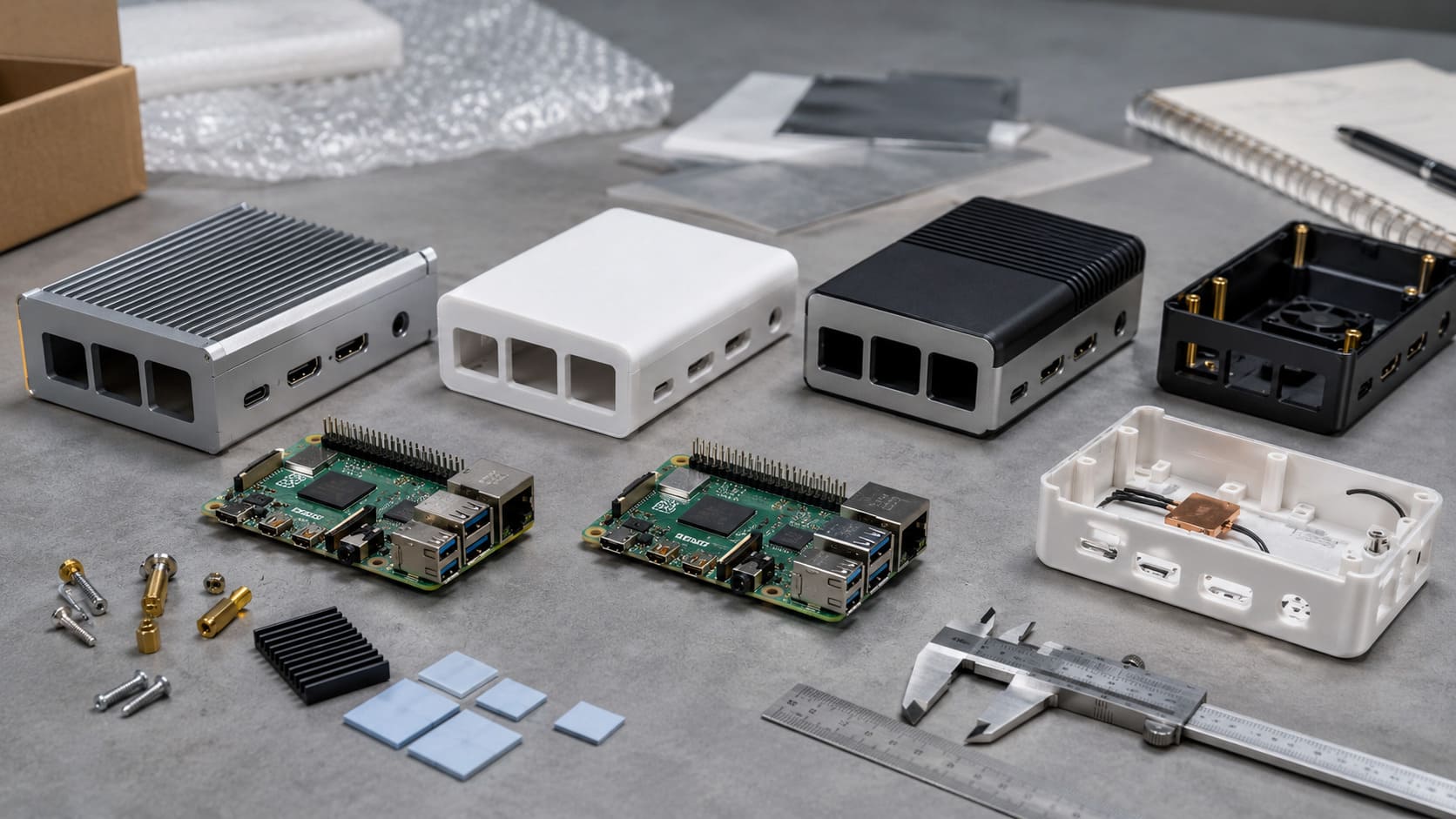
I love customizing my Pi setup. Sometimes I just want it to look cool, but often I need specific enclosures that support better airflow or certain mounting options. Let’s see why enclosures matter.
Importance of a Proper Enclosure
A good enclosure protects the board from dust, spills, and accidental knocks. It also helps manage cable clutter. I’ve seen a poorly designed case cause tangles and unexpected reboots if the cables pressed against the GPIO pins. On the flip side, the right design can neatly house your Pi and your custom accessories.
From a critical perspective, be sure to weigh design aesthetics against functionality. A sleek case might lack ventilation or easy access to ports. I learned this the hard way when I had to frequently remove the top cover to debug a sensor.
Official vs. Third-Party Cases
The official Raspberry Pi case is reliable but straightforward. Third-party offerings often include additional features like fans or vents. Some cases let you stack multiple boards. Others focus on style or color.
- Quality can vary. I suggest reading reviews or testing a sample if you’re buying in bulk.
- Cost is typically lower for simpler designs. But elaborate enclosures with custom printing options can get pricey.
This is where you have to decide what matters most: do you want function, flair, or a blend of both?
Branding and ODM Options
I love the potential for personalization here. Engraved logos and brand printing are amazing if you’re running a business or a project that needs a professional look. My own company, MaidaTech, offers wholesale and large-order customization, including logo engraving, for those who need an identity stamp on their devices. Having a brand presence on the Pi enclosure can boost perceived quality in customer-facing scenarios.
Again, think about your audience. If you’re setting up kits for educational purposes, maybe simple branding is enough. But if you’re distributing them as part of a commercial solution, professional customization can stand out. Let’s now weigh the Pros and Cons of the Raspberry Pi 4, to make sure we see the full picture before we jump into actual use cases.
Pros and Cons of the Raspberry Pi 4
I prefer evaluating pros and cons in a real-life context. Let’s look at the upsides first, but also acknowledge the potential pitfalls. Sometimes I’ve purchased boards only to realize the cons mattered more than I expected.
Pros
- Significant Performance Boost: It handles multi-tasking better than older models.
- Versatile Port Selection: Dual micro-HDMI, Gigabit Ethernet, and USB 3.0 add real flexibility.
- Strong Community Support: There’s almost always someone who’s done what you’re trying to do.
Cons
- Higher Power Consumption: Requires a better power supply and can lead to more heat.
- Potential Thermal Management Needs: May need a fan or improved enclosure.
- Price Considerations at Higher RAM Tiers: The 8GB version is more expensive, so weigh if you really need it.
I’ve found the Pi 4 to be a step forward, but that doesn’t make it perfect. Next, I’ll share how I’ve seen it deployed in different scenarios, which might help you imagine your own possibilities.
Best Use Cases and Applications

The Pi 4 is built to handle a wide range of tasks. Let’s explore three major categories, and I’ll share some examples and critical considerations in each.
Home Media Centers
One friend of mine turned a Pi 4 into a full-blown 4K media center. With software like Kodi or Plex, it streams and organizes his massive movie collection. The dual-monitor support even lets him add a second screen for browsing.
Yet 4K playback can challenge the Pi 4 when it’s juggling many tasks at once. If your library includes large 4K files, be mindful of potential buffering. Also, consider a dedicated cooling solution for smooth playback.
Industrial and Commercial Projects
I’ve worked with companies that use Pi boards for automation and remote data monitoring. The Pi 4’s faster CPU and Gigabit Ethernet can support real-time analytics or control systems. That’s a game-changer in industrial setups, especially when you need consistent performance. However, these environments can be tough on electronics, so robust enclosures and good cooling are vital.
Here’s a small table showing typical use cases in commercial scenarios:
| Use Case | Required Features | Challenges |
|---|---|---|
| Automation Systems | Stable Ethernet, GPIO | Environmental Durability |
| Data Monitoring | Wi-Fi/Bluetooth, Logging | Secure Network Config |
| IoT Solutions | Low Power, Remote Access | Firmware Management |
It’s essential to consider security and update strategies. Because these boards are often accessible online, strong cybersecurity practices matter a lot.
Educational and Hobbyist Projects
The Pi 4 remains a fantastic learning tool. With Raspberry Pi OS, you can teach programming, electronics, and robotics in a user-friendly environment. I sometimes volunteer at a coding club, and watching a kid’s face light up when their code moves a robot’s arm is priceless.
Still, a more powerful board might be overkill for some simple lessons. If you’re just flashing an LED or doing basic code, even older Pi models work. That said, having extra horsepower leaves room for growth as students get more ambitious.
Finally, let’s wrap it all up in the Conclusion so you can decide if the Pi 4 suits your needs.
Conclusion

The Raspberry Pi 4 has been a loyal companion in my tech experiments. It brings meaningful upgrades in CPU, RAM, connectivity, and graphics, making it more versatile for bigger projects. It can shine as a media center, a mini workstation, or a commercial workhorse. But be aware that these benefits come with slightly higher power demands and possible thermal considerations. For me, the performance gains and robust ecosystem are well worth the effort.
If you’re looking for a customizable and brandable enclosure solution to accompany the Pi 4, especially for larger orders, I’d be thrilled to help over at MaidaTech. After nearly a decade of working with Pi boards, I’m convinced that with the right case design, a fan or heatsink, and mindful planning, the Raspberry Pi 4 can elevate almost any project you have in mind.