 Skip to content
It started with a simple idea: run a script overnight. That’s when I asked myself—what if I just left it on?
Yes, you can leave a Raspberry Pi on 24/7, and many people do—but it depends on how you’re using it and how well you manage power, heat, and wear.
I’ve left mine running for weeks without touching it. But it’s not just plug-and-forget. There are things I’ve learned the hard way—and I’ll share them all here.
How long can I keep my Raspberry Pi on?
I used to reboot every night. Then I stopped. Nothing broke.
A Raspberry Pi can run for months—or even years—nonstop, assuming stable power and proper cooling.
What I learned from forgetting about it
One of my headless Pi servers ran under my desk for 89 days straight. When I finally checked, it was quietly doing its job. No drama.
Key to long uptime
- Stable 5V power source
- Passive or active cooling
- No frequent power cuts
If you treat it well, it won’t complain.
What are the risks of running a Raspberry Pi 24/7?
Leaving it on is easy. But risk? That hides in the silence.
The biggest risks are overheating, SD card corruption, and power fluctuations.
The quiet killers
Sometimes it’s not fire and sparks—it’s a corrupted boot sector or a fried chip. Cheap power supplies or brownouts can take you down.
What to watch for
| Risk | What It Looks Like | Prevention |
|---|---|---|
| Heat | Crashes, slowdowns | Heatsink/fan |
| Power issues | Reboots, corruption | UPS or filtered power |
| SD card wear | Files disappear | Use SSD or backups |
What is too hot for a Raspberry Pi?
Touch the top of the chip. If it stings, you’re pushing it.
Raspberry Pi 4 starts throttling around 80°C and shouldn’t exceed 85°C for extended periods.
What overheating feels like
I once hosted a Minecraft server. It lagged. Not network—heat. CPU was throttling without me knowing.
Quick guide
- Below 60°C → Cool
- 60°C–80°C → Warm
- Above 80°C → Danger zone
Install vcgencmd measure_temp or use a simple widget to monitor. Or, you know, feel the case like I do.
How much power does a Raspberry Pi consume when left on continuously?
You’d be surprised. It sips.
Depending on the model and peripherals, a Pi consumes between 2–7W when running 24/7.
The monthly cost
I measured with a smart plug. My Pi 4 with SSD and fan? Around 4.5W average.
| Model | Typical Idle Wattage | Est. Monthly Cost (US) |
|---|---|---|
| Pi Zero | 0.5W | ~$0.04 |
| Pi 3B+ | 2.5W | ~$0.20 |
| Pi 4 (4GB) | 4–6W | ~$0.40 |
Even if you forget it for a month, it won’t show up on the bill.
What cooling or heat-management measures should I take if the Pi remains powered on?
Airflow. Always airflow.
Use a heatsink, active fan, or a well-ventilated case to keep temperatures safe during continuous operation.

Cooling options
- Passive: aluminum case with fins
- Active: fan, even a tiny one helps
- Bonus: undervolt slightly if your Pi is idle most of the time
Personal tip
I once mounted my Pi upside-down under a shelf with a USB fan pointed at it. Ugly? Yes. Effective? Very.
Does leaving a Raspberry Pi on all the time shorten its lifespan?
Not really. But stress always adds up.
The Pi hardware itself can last for years if not exposed to extreme conditions.
What actually wears out
- SD cards (they really don’t like being written to constantly)
- Power supplies (some get noisy or unstable over time)
My oldest Pi—Model B, over 7 years old—still runs RetroPie for my nephew. No issues.
How does the filesystem and SD card endure continuous operation on a Raspberry Pi?
Here’s the truth: SD cards are fragile creatures.
Continuous logging and writes can wear out the SD card faster, causing corruption or sudden death.
Tips to protect your card
- Use read-only OS if possible
- Move logs to RAM with
[log2ram](https://www.reddit.com/r/pihole/comments/182q3bc/is_log2ram_necessary/) - Or use an external SSD—it changed my life
Real story
My first media server crashed after 3 weeks. Turns out, the log file wrote every second. I switched to SSD and never looked back.
What power-supply and backup options should you consider for a Pi that’s always on?
Your Pi is only as strong as the juice you feed it.
Use a high-quality 5V/3A power supply and consider a UPS for critical use cases.
What I use
- Official Pi power supply for most builds
- USB UPS HAT with battery for my outdoor weather Pi
- Smart plug so I can cut power remotely if something hangs
Avoid those $3 no-name chargers. They’re not worth the risk.
Are there specific use-cases where leaving a Raspberry Pi on 24/7 makes sense (or doesn’t)?
Absolutely. Some projects thrive on uptime. Others… not so much.
Use cases like home automation, VPNs, file servers, and IoT monitors benefit most from 24/7 operation.
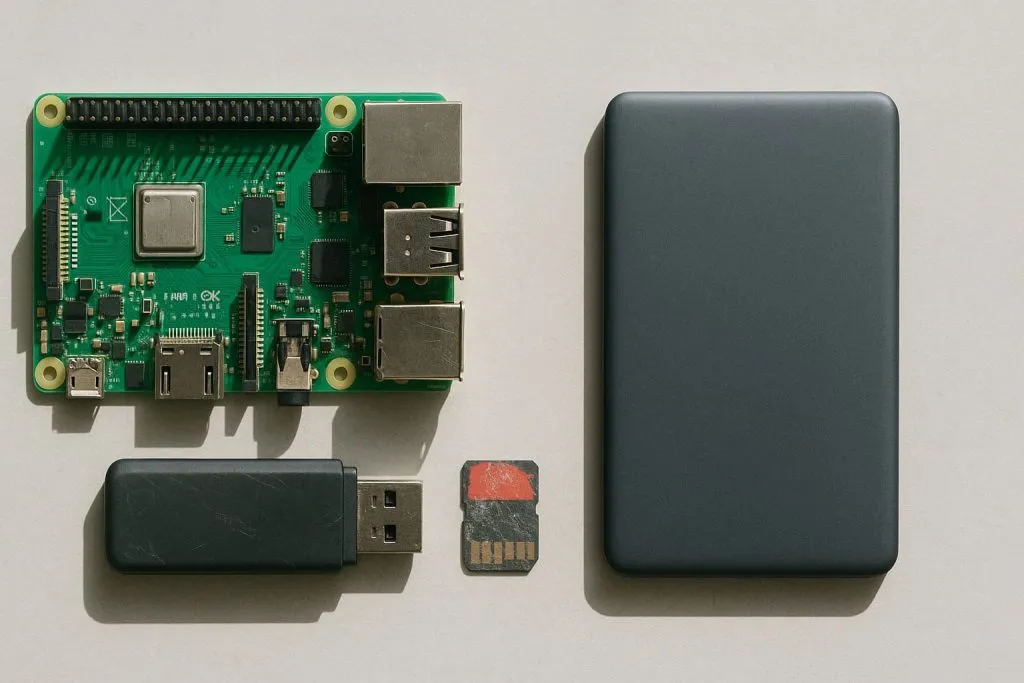
Makes sense for:
- Pi-hole (network-wide ad blocker)
- OctoPrint (3D printer controller)
- Plex server for local media
- HomeBridge or Home Assistant setups
Doesn’t make sense for:
- Casual coding
- Learning GPIO with kids
- Short-term experiments
Leave it on when it has a job. Otherwise, let it nap.
How do you safely shut down or reboot a Raspberry Pi that’s been running non-stop?
Yanking the cord is not an option.
Always shut down using sudo shutdown now or sudo reboot to avoid SD card corruption.
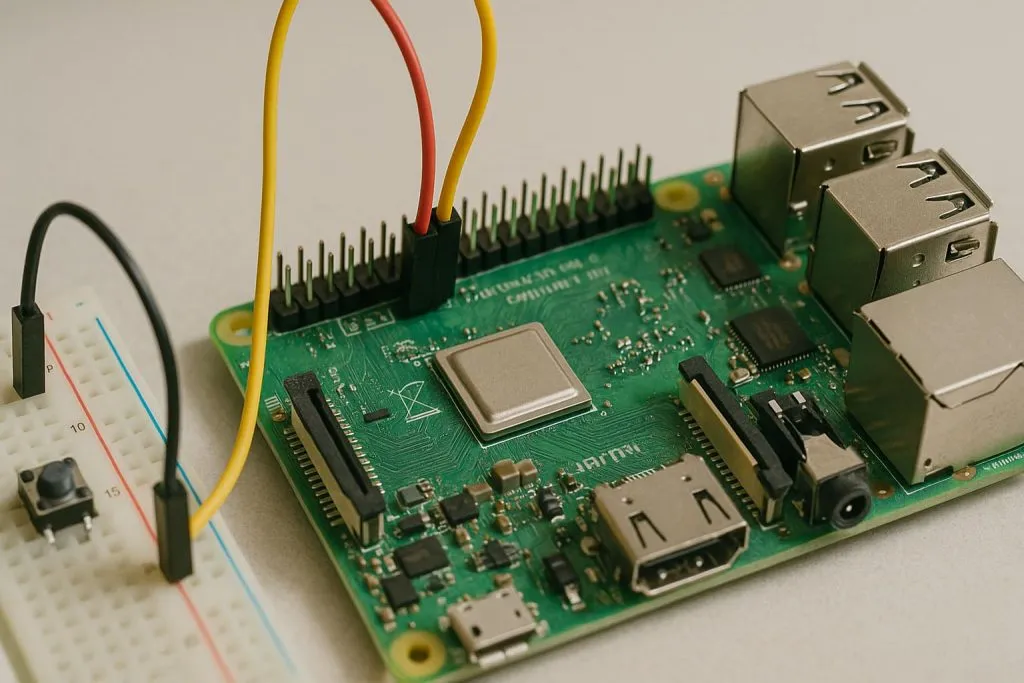
My habits
I keep a physical shutdown button wired to GPIO for easy, safe shutdowns. And yes, I also use SSH for remote commands.
Just don’t do what I did once—pull the plug after 10 days. It never booted again.
What settings or OS tweaks can optimize a Raspberry Pi for continuous operation?
A few changes make a big difference.
Use lightweight OS versions, disable GUI if unused, and tweak logging to reduce SD wear.
Checklist
- ✅ Raspberry Pi OS Lite
- ✅ Disable HDMI if not using display
- ✅ Install
log2ram - ✅ Set up watchdog timer to auto-reboot on crash
- ✅ Use ZRAM to reduce disk writes
You don’t need to overthink it. Just streamline it.
Conclusion
Yes, you can leave it on—just treat it like something you care about.







