 Skip to content
Creating a valuable Raspberry Pi project for your workspace can improve efficiency and make everyday tasks easier.
From setting up a network-wide ad blocker with Pi-hole to creating a lightweight file server, Raspberry Pi offers practical solutions.
You can develop a smart dashboard displaying schedules, weather, and team updates, or automate office lighting with IoT controls.
All of these projects are inexpensive and easily scalable, so you can make the most out of your office with a bit of ingenuity.
Why Use Raspberry Pi in the Office?

These unique features of the Raspberry Pi—its affordability, adaptability, and compact size—all combine to make it a perfect tool for improving efficiency in the workplace. Its compact but mighty design unlocks a world of possibilities for innovative, cost-effective computing, automation, scalability, and security.
Below, I take a deeper look at how Raspberry Pi can be used to address targeted office requirements without breaking the bank.
Cost-Effective Solutions
Raspberry Pi provides a cost-effective solution that reduces the financial burden of standard office equipment while still delivering excellent performance. Whether you need a basic desktop setup or a specialized device, the Raspberry Pi 5 functions as a fully capable computer, fitting into the size of a credit card.
Then, when you combine it with open-source software, you really start to save on expensive proprietary licensing fees. You can set up a cheaper network-attached storage server. Just plug in an external USB hard drive and you’ve got yourself a NAS box.
This configuration allows a ton of file storage without the need for upfront costs for costly servers, which makes it very suitable for small offices. Further, businesses can identify energy-efficient automation solutions, like automatically adjusting lighting or climate controls, that save utility costs and contribute to each company’s commitment to operating sustainably.
Automation and Efficiency
Minimizing redundant processes is yet another benefit to using Raspberry Pi in the office. Combined with some basic coding, it’s not difficult to imagine automating reminders, meeting room availability indicators, or even maintenance notifications.
For example, integrating a simple LED screen with a Raspberry Pi can display real-time room occupancy, saving time and avoiding scheduling conflicts. Raspberry Pi-based smart office systems can automatically adjust lighting and HVAC systems with real-time responsiveness.
They change according to occupancy patterns or time of day, improving workplace productivity and employee comfort. These solutions streamline processes to reuse funds and focus employees on more impactful, strategic efforts.
Customization Options
Raspberry Pi’s adaptability enables customized projects that meet unique office needs. Build custom dashboards for monitoring team performance or build interfaces for real-time inventory management.
With support for multiple programming languages like Python and JavaScript, it’s easy to modify existing projects to add bespoke features. You can grow a project that tracks energy use around the office.
By incorporating predictive analytics, it can deliver powerful guidance about how usage patterns will evolve.
Enhanced Security Measures
By using a Raspberry Pi as part of your security infrastructure, you add another layer of data security. You can create a tripwire-like system to compare expected network traffic against the actual output, raising a flag if any is detected.
Implementing two-factor authentication prevents unauthorized personnel from being able to access sensitive systems. Regular firmware updates of Raspberry Pi software ensure that vulnerabilities are consistently patched, helping to ensure a strong security posture always.
For IT pros, Raspberry Pi has been an indispensable resource for creating secure, scalable solutions from the start.
What Office Challenges Can It Solve?

Together with peripheral devices, Raspberry Pi provides a robust, flexible foundation to solve virtually any office challenge, especially in a smart home system. Its low cost and flexibility allow it to be a great starting tool for building custom systems that can address the unique needs of any workplace, making it an interesting project for home office setups. By incorporating innovative use cases, Raspberry Pi has the potential to transform workflows, foster collaboration, and increase overall office productivity.
Improve Meeting Room Management
Coordinating meeting room availability can be a nightmare without the right setup in place. Chris’s favorite option is using a Raspberry Pi to create a booking system that monitors incoming reservations live. By linking it with digital signage outside your meeting rooms, you create a quick-hit way to display room changes or session schedules.
Consider adding motion sensors that maximize meeting room use even more by sensing whether a room is occupied, so that spaces don’t go unused when reserved. Alerts for upcoming meetings—delivered via email or shown on dashboards—ensure teams stay updated and on time. Here are just a few of the ways these features can help add structure and order your office’s shared resources.
Automate Repetitive Tasks
Chores like data entry, reporting, and scheduling are easily automated with Raspberry Pi. Office challenges, and we still have the deep dives ahead of us! Even regular things, such as notifying applicants of upcoming deadlines or changing out office furniture, can be efficiently handled by an automated system.
With email notifications processed by Raspberry Pi, you’re guaranteed to never miss an important update. In any environment focused heavily on logistics, the system easily scans package labels. It automatically classifies items and sends them down the right path, saving time and eliminating manual sorting effort.
Enhance Data Security
Data security has become a critical issue in all offices. Raspberry Pi can be the backbone of a secure file-sharing operation, ensuring sensitive data is shared safely with encryption. A private cloud document management system can easily be established, minimizing the need to send your sensitive information outside of your control.
Through the use of encryption protocols, it makes sure that any data sent through the network is kept secure. Raspberry Pi can be used to monitor access logs, so you’ll know who opened or edited sensitive files, strengthening personal accountability.
Monitor Environmental Conditions
Keeping a pleasant and cognizant office space helps foster better output. A Raspberry Pi can run a weather station to measure temperature and humidity, and air quality sensors can proactively detect pollutants. You can set up automated alerts to keep staff informed when the environment around them changes.
For example, increased carbon dioxide might affect how well they can pay attention. By providing real-time data displays to keep employees informed about their environment, AirSphere upholds a healthier and more productive workspace.
What Useful Raspberry Pi Project Can I Build For My Office?

Raspberry Pi could be the nimble and cost-effective answer to make your office more productive and functional. Whether it’s improving resource management or streamlining workflows, these projects have the potential to create tangible benefits with little hardware cost.
I take a look at the options below to find the best fit for different types of offices, weighing user-friendliness, scalability, and long-term value.
1. Build a Centralized Print Server
A centralized print server makes it easier to manage print jobs from different devices. Attach USB printers to a Raspberry Pi to make them available to all computers on your office network. This simple setup saves on hardware costs and increases efficiency significantly.
Employees can send print jobs through a simple interface, as the system is designed to be used even by those without technical expertise. Effective resource allocation is achieved by monitoring printer usage, allowing you to identify who is using which printers and when.
2. Create a Digital Signage Display
With digital signage powered by Raspberry Pi, revolutionize how you communicate with employees in the office. Show dynamic announcements, production schedules, or promotional materials, keeping your content fresh and interesting.
Social media feeds or customizable real-time news updates can be added to make it even more functional. With remote customization options, you can update your displays wirelessly and remotely to communicate important information with everyone in no time.
3. Design a Meeting Room Booking System
Integrated with the Raspberry Pi, a meeting room booking system brings order and efficiency to the office space. Real-time room reservation through a web-based interface combined with calendar integration lets your employees get their schedules synced up effortlessly.
Raspberry Pi can drive large visual indicators outside of meeting rooms to indicate their availability at a glance. E-mail notifications alerting you of an upcoming meeting help with time management even more.
4. Develop a Network Monitoring Tool
For IT teams, network monitoring tools created with Raspberry Pi offer deeper insights. Monitor bandwidth consumption, identify chokepoints, and distribute resources accordingly.
Downtime alerting has every incident promptly addressed, reducing unnecessary downtime and distractions. With long-term data collection, agencies can analyze trends and make better-informed decisions on when to upgrade infrastructure.
5. Implement a Security Camera System
Raspberry Pi has the potential to power more affordable surveillance solutions. For compatible cameras, the remote monitoring of office premises and the storing of footage locally or in the cloud is possible.
Supplementing time lapse with motion detection alerts makes the area more secure by ensuring that staff are aware of suspicious activity immediately. In server rooms, connecting cameras to motion sensors monitors access, ensuring accountability.
6. Construct an Automated Attendance System
RFID or a facial recognition system can make tracking attendance a breeze. Employees’ attendance is tracked in real-time, and reports provide valuable information about any patterns or trends.
Like with payroll integration — which is able to automate administrative workflows by ensuring information can flow between systems seamlessly.
7. Make a Smart Office Assistant
Voice-activated assistants created using Raspberry Pi and AI are great for helping make these everyday tasks easier. These assistants would allow for deeper integrations with office tools, allow for smarter scheduling, and even help to simplify workflows.
With the power of natural language processing, you can create intuitive and personalized interactions specific to the needs of the office.
8. Set Up a VPN Server
A Raspberry Pi VPN server provides secure remote access to office resources. Encryption protocols help protect sensitive data, allowing staff to work securely while outside the office.
This is especially helpful in hybrid work settings where security is key.
9. Build a Low-Cost NAS Server
A Network Attached Storage (NAS) project goes a long way to support file sharing and collaboration. Raspberry Pi offers an economical way to store and backup important office data.
Components such as RAID configurations further bolster reliability, providing both data redundancy and protection.
10. Create a Plant Monitoring System
Raspberry Pi can take care of your office plants in a smart way by using soil moisture sensors and environmental condition trackers. Alerts notify staff when plants require care, and automated irrigation systems keep foliage happy with minimal manual effort.
This project makes an office more beautiful and embodies a respect for nature and promotes sustainability.
Integrate with Existing Systems
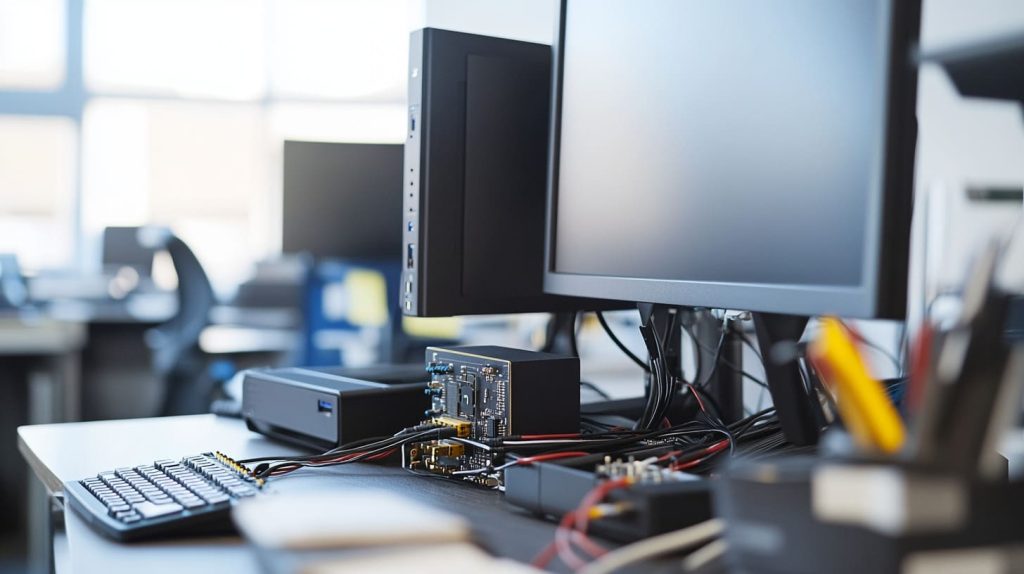
When implementing Raspberry Pi projects in a smart office, focusing on seamless integration with existing systems ensures efficiency and practicality. By working with what’s already there, you can get the most bang for your buck. Below, I explore how you can connect Raspberry Pi devices to your home network, incorporate peripherals already in use, and leverage cloud services to enhance operations.
Connect to Office Network
Connecting the Raspberry Pi to your home network can be accomplished via Wi-Fi or Ethernet. It's essential to configure the device with the right network settings for seamless communication. Depending on your needs, you can opt for a static IP or utilize DHCP for efficient management of your smart devices.
Technology brings numerous benefits, such as DHCP, which simplifies the handling of IP addresses across many devices in a smart house. After setting everything up, testing connectivity becomes crucial to ensure proper integration. This could involve pinging the Raspberry Pi from other machines or checking access to shared folders on your local network.
In smaller branch offices, the Raspberry Pi can host networking functions, enhancing connectedness. By connecting a USB Wi-Fi adapter, you can configure it as a network bridge, making it a valuable addition to your home office setups.
You can easily turn it into a budget-friendly NAS (Network Attached Storage) by simply connecting an external USB hard drive! This configuration offers shared file access around the workplace, maximizing your existing infrastructure investment.
Use Existing Peripherals
Raspberry Pi makes seamless integration with existing commercial office peripherals a snap, supporting widely used HDMI and USB interfaces. You can easily connect it to your monitors, TVs, and printers.
Start by taking an inventory of devices that work with what’s already in your office to find ways to improve project deliverables. For instance, you can reuse an existing display for dashboards or plug into shared networked printers to save on print production.
To guarantee seamless functionality, be sure to download the appropriate drivers and software for these external devices. This strategy saves on further expense while getting the most use out of current assets.
A Raspberry Pi can serve as an easy-to-use secondary display management system. This framework will allow us to actively visualize data in real-time of team productivity metrics.
Integrate with Cloud Services
Raspberry Pi projects can go all the way into the cloud, allowing for powerful, complex features. Through direct integration or connecting to these services through APIs, you gain seamless storage, retrieval, and editing capabilities of your data.
Cloud-based backup solutions offer smaller businesses a better way to protect data, which extends beyond your organization’s walls and doesn’t require purchasing and maintaining costly hardware.
Unlock new use cases by building solutions that connect productivity applications such as collaborative calendars or task lists that automatically sync with Raspberry Pi systems to simplify work.
Customize for Different Office Sizes

As you customize your Raspberry Pi project for your office, take stock of your available workspace. Prepare a strategy to maximize your unique landscape. Smaller and larger office spaces come with different sets of expectations. The flexibility of Raspberry Pi gives you a powerful tool for developing multi-system, tailored-to-fit projects.
These Raspberry Pi projects are addressing real needs and challenges that are common across small startups, medium-sized businesses, and large enterprises. They further improve effectiveness and output at every rank.
Small Office Solutions
Small offices particularly benefit from projects that are quick to install, affordable, and low-maintenance. You could create your own simple networked printer server using a Raspberry Pi. This lets every employee utilize the same printer, so you don’t have to spend money on costly hardware.
A second example is establishing a simple file-sharing system to keep and share sensitive documents safely. A small office might find value in a Raspberry Pi-based digital signage system for displaying team announcements or schedules on a compact screen. These projects are budget-friendly and don’t require much room—ideal for compact settings.
To get the most use out of them, think about using something like a checklist of necessities. This can include projects like a smart lighting control system, which adjusts brightness based on occupancy or time of day, and an automated visitor check-in system.
These systems are quick to install, low maintenance, and deliver real, visible benefits right away.
Medium Office Solutions
Medium-sized offices might need more robust collaborative and apolitical platforms. Another popular project connects several Raspberry Pi units to make a video conferencing center. Another cool application is creating a shared calendar in order to improve meeting room availability and reduce wasted time/resources.
Add Raspberry Pi devices to create a louder, more interesting environment. From there, you’ll be able to monitor and manage other IoT-connected hardware, such as smart thermostats and connected lighting. This saves energy and improves energy efficiency while it protects employee comfort.
Large offices can focus and manage team efforts by developing story maps or dashboards. Or they can build a notification system through RFID technology to allow employees to know when a desk is available.
These solutions present a happy medium where functionality meets complexity. They are meaningful tools with real impact that can be easily integrated into office infrastructure.
Large Enterprise Solutions
For big office environments, scalability and centralized management take the top spot. Raspberry Pi has the potential to power sophisticated systems. For example, it can power an agile desk reservation system that uses RFID tracking to display real-time desk availability on every floor.
One more scalable solution is a focused energy management system on a local or regional scale. It integrates lighting and climate control scripts to enhance energy savings even further while maintaining comfort in the workplace.
Enterprises could have the corporate-level centralized monitoring systems. For instance, they’ve been able to deploy Raspberry Pi clusters to monitor network traffic and security cameras.
These strong systems allow for more staff to focus on outreach and build a strong administrative infrastructure. They can simplify troubleshooting, which is why they’re mission even for large operations.
Enhance Functionality with Peripherals
Add accessories to expand your Raspberry Pi’s functionality. This real-world approach means you can tailor projects to directly address your particular office needs. By extending functionality with peripherals, you can leverage functionality that has more value, boosts productivity, and allows you to build tailored solutions.
Below, we discuss how peripherals like sensors, displays, and input devices can enhance your Raspberry Pi projects for the workplace.
Add Sensors for Data Collection
Sensors are a critical component in collecting valuable data that will inform data-driven decisions and result in better operations. For instance, environmental sensors—e.g., temperature, humidity, and air quality sensors—make it possible to keep tabs on office conditions that impact productivity.
You might want to pick up a DHT22 temperature and humidity sensor. It automatically monitors the indoor climate, keeping employees in comfort at all times. You might install motion sensors to improve building security or utilize ultrasonic sensors to monitor foot traffic in multi-use areas.
The MCP3008 8-channel analog-to-digital converter simplifies connecting your favorite analog sensors and more. With its assistance, you can create multifunctional apps, like a weather station that shows your area’s state. Software tools like Grafana can be used to turn this data into clear, visual insights, such as dashboards displaying real-time office metrics.
Use Displays for Information
Displays are an ideal way to enhance your Raspberry Pi's functionality and make it a more interactive information center. A cheap, HDMI-connected display can show live feeds like meeting calendars, team performance dashboards, or task completion trees to keep everything organized.
Combine the Raspberry Pi 4 with the Raspberry Pi Camera Module V2 to stream a live video feed. This configuration allows you to quickly see which offices are occupied or unoccupied. Interactive displays are especially great for presentations and meetings.
Add a large-format touchscreen display to produce immersive experiences that inspire discovery. You can take advantage of peripherals such as the Chromium browser for seamless web-based demos. For instance, remotely control display content with digital signage software like Screenly. This makes it really easy to ensure information stays relevant and up-to-date on any connected device.
Integrate with Input Devices
Add an extra level of intuition to your Raspberry Pi project with expressive input devices. Add peripherals such as keyboards, mice, and cameras to enrich your creations.
Add a ReSpeaker 2-Mics Pi HAT for voice command control to make it more user-friendly. For workplaces, touchscreens are especially well-suited for designing kiosks or self-service platforms. Pairing with input devices such as trackballs or wireless keyboards makes navigation easier for shared workstations or collaborative spaces.
Secure Your Raspberry Pi Projects
In an enterprise deployment, the Raspberry Pi is an adaptable tool. Whether they’re hosting websites, providing DNS server management, or hosting video surveillance systems, they do so with ease. Yet the accessibility and functionality that make devices like the Raspberry Pi useful make them attractive targets for security threats.
Develop a robust security posture to safeguard your Raspberry Pi initiatives. This should make them better, more productive, and reliable in office projects.
Change Default Passwords
Modify the default passwords on all of your Raspberry Pi devices immediately after setup. It’s one of the easiest and most security-conscious steps you can take. Default credentials are well documented and easily used against your projects by malicious actors.
Employ password policies that require users to create passwords using uppercase and lowercase letters, numbers, and special characters. For instance, the password “RpiSecure!2023” is much more secure than easier to guess passwords. Changing passwords frequently is recommended.
Set calendar reminders to help keep everyone in the office on track with this useful habit. Teaching your employees the importance of password security and how it helps safeguard critical office information will create an environment that promotes awareness.
Implement Firewall Rules
A properly configured firewall acts as a barrier to protect network traffic to and from your Raspberry Pi devices. You can use tools such as ufw (Uncomplicated Firewall) to configure rules to block all ports that are not needed. This makes sure that only verified, trusted connections are permitted.
The Raspberry Pi makes a great dedicated firewall. Together, this configuration secures your office network with an additional layer of defense. Keeping an eye on your firewall logs is a great first step to proactively detecting unexpected behavior like brute force login attempts or other unauthorized access.
Giving your staff a cheat sheet or step-by-step instructions to configure their firewalls will save time on basic troubleshooting if required.
Regularly Update Software
Keeping software updated is one of the most essential, effective aspects of cybersecurity. Automate maintenance checks/audits to streamline this process.
Automate monthly patches for Raspberry Pi OS and related software. Tools such as Pi-Hole help you block ads on your entire network. ZoneMinder offers full featured video surveillance. Both of them are very active in releasing patches as vulnerabilities are discovered.
Develop a monitoring checklist that features oversight items, such as confirming installed products’ security patches and making sure you actively adhere to systems update cadence. Staff should be equipped with knowledge on how legacy software can put their entire network at risk.
Maintain and Upgrade Your System

Whether you’re deploying Raspberry Pi in your workplace or for personal projects, getting the most out of your smart devices for years to come is key. A well-maintained system supported by regular updates and strategic upgrades can help you maximize its potential. This is true whether you're using it to create a wireless printer setup, smart home automation, or data storage. Join us as we learn the best ways to maintain and upgrade your Raspberry Pi-based home network systems.
Schedule Regular Backups
Creating and maintaining data backups of your Raspberry Pi projects is an important step in the prodev lifecycle. A solid backup plan protects your workplace’s most important documents. It further mitigates potential risks associated with hardware failure and/or accidental data loss.
Automated backup solutions such as rsync or other third-party alternatives make this pretty seamless to do, minimizing hands-on time. To make it as convenient as possible, pair local storage options such as an external SSD or standalone USB drive with cloud storage. Utilize redundant platforms like Google Drive or Dropbox to store resources.
Just as important as your consistent backup process is a regular testing of the restoration of said backup. By proactively validating the integrity of your backups, you can rest assured knowing data recovery will go smoothly when you need it most.
Monitor System Performance
Without proper monitoring, bottlenecks can develop and worsen without detection, negatively impacting the health of our system in the long run. Tools such as htop and Glances give you a quick overview of the system’s performance instantly. This enables you to monitor CPU usage, memory consumption, and disk activity.
Examine the data you’ve gathered to identify facility locations and types that are in clear need of upgrades, like more advanced cooling solutions or increased storage capacity. Establishing awareness and alerting via configuration management tools such as Nagios or Zabbix will help inform you about critical performance issues that demand immediate action.
A reporting system, whether a simple email summary or a shared dashboard, helps your team stay informed about the system’s status.
Plan for Hardware Upgrades
As tech advances, so do your Raspberry Pi hardware needs to make it able to withstand the heavy load needed by your office. Start by taking stock of what you’ve got. For instance, older ARM models have limited support for modern workloads, so a Raspberry Pi 3 or above would be a much more suitable option.
Look into compatible components like high-speed SD cards or other USB supplementary devices to improve usage capabilities. Set aside funding and develop a plan for implementing these necessary improvements.
For instance, upgrading to a Raspberry Pi 400 offers a powerful yet compact solution with built-in RAM, perfect for handling lightweight office computing tasks.
Overcome Potential Deployment Obstacles
Deploying a Raspberry Pi project in your company’s office R&D department can be a rewarding yet daunting experience. To ensure effective deployment of your smart home system, it’s crucial to overcome potential obstacles and develop feasible policies and procedures ahead of time. By focusing on key areas like network reliability and software compatibility, you can create a robust foundation for your home network while minimizing disruptions.
Plan for Network Issues
Given that many Raspberry Pi creations may find their homes in office environments as a more reliable alternative to PCs, the reliability of home networks becomes crucial. Start by developing contingency plans in case the networks get disrupted. For instance, have a mobile hotspot or alternative Wi-Fi network on standby to avoid losing connection during a crucial moment in your smart home system.
Other connectivity solutions include Ethernet connections or USB tethering, which offer even more stability in deployment for smart devices. If you ever need to troubleshoot network issues, we recommend installing Wireshark or tcpdump on your Raspberry Pi. These packet capture tools are invaluable aids in helping to find the root cause of connectivity issues within your home assistant setup.
Create a network performance dashboard using an open-source software package, such as Grafana, to display your current network performance. This way, you can address any potential obstacles before they even become an issue for your smart house.
Address Power Supply Concerns
While Raspberry Pi devices are quite power-efficient, an insufficient power supply can cause sudden shutdowns or an unstable system. Make sure the power supply provides the appropriate voltage and current for your particular Raspberry Pi model. Partner with experts in the field, and invest in power adapters with proven durability that are built for round-the-clock use.
For energy optimization, implement power management solutions that help you optimize peak performance while maximizing energy savings. Solutions like implementing a UPS system or deploying microgrids can help organizations continue to operate through outages.
This is very convenient when deploying the Raspberry Pi for mission-critical applications. For tasks like network-printing or distributed file-sharing, it shines, especially through standard services such as CUPS.
Manage Software Compatibility
Software compatibility is a major consideration, too. Begin by determining your project’s software needs and confirming that they are within the range of what the Raspberry Pi can handle. If applications don’t show compatibility, look into other software options or cloud-based, lighter applications that accomplish the same task.
For instance, set up a Raspberry Pi to be a media-streaming box and you’ll have greater flexibility than most off-the-shelf devices. Keep a record of successful software solutions used by other cities and create easy-to-follow instructions for choosing applications that best fit your office’s unique needs.
Deployment obstacles are anticipated from day one, keeping downtime to a minimum and getting your new project operational right out of the gate.
Conclusion

Raspberry Pi provides incredible opportunities to make simple tasks easier, and create better, more efficient office environments. Whether you’re looking to automate routine processes, monitor your workspace, or improve collaboration, Raspberry Pi is the solution. With Outpost’s hardware-free solution, it scales easily, seamlessly integrates with existing workflows, and flexibly adapts to offices of any size. Peripherals expand their capabilities. Regular updates ensure it stays dependable and safe against threats.
By tackling everyday office problems head-on, it delivers real-world solutions that help simplify a hectic workday. From budget-friendly deployment to tailoring features to your specific needs, it brings both flexibility and value. Instead, you can design smart tools that work for you without wasting money.
Begin your journey with these projects to make your office a little more intelligent and a lot more productive. Using the amazing Raspberry Pi, you’re just a couple of steps away from increased productivity and innovation.




