 Skip to content
A Raspberry Pi 4 might look like a tiny miracle—but trust me, it’s not a magic wand. I’ve burned hours trying to make it behave like a full-blown PC, only to watch it stutter, crash, or straight-up say “nope.”
You can’t reliably run Netflix, Photoshop, Fortnite, or many Windows and Android apps on Raspberry Pi 4 due to hardware, architecture, and software limitations.
It’s like trying to teach a hamster to pull a sled—it’s clever, it’s fun, but it has limits. Let’s dive into those.
Can I run Netflix on Raspberry Pi?
Netflix seems like a basic ask. Click. Stream. Chill.
But Raspberry Pi 4 doesn’t support Netflix out-of-the-box due to DRM issues and limited browser support.
Why DRM and browsers don’t play nice on Pi
Netflix uses Widevine DRM, which isn’t natively supported on Raspberry Pi’s default Chromium. There are workarounds—like installing a special Chromium build with Widevine—but they’re fragile and frequently break with updates.
| Solution | Stability | Performance | Verdict |
|---|---|---|---|
| Chromium w/ Widevine patch | Low | Choppy HD | Not reliable |
| Kodi + Netflix plugin | Medium | Better | Needs tweaking |
And don’t even think about 1080p streaming unless you enjoy buffering as a lifestyle.
Can a Raspberry Pi run Android apps?
It’s tempting to turn your Pi into a budget Android box.
Technically yes, but most Android apps won’t run smoothly—or at all—on Raspberry Pi 4 due to lack of native support and compatibility.
The real reason Android feels broken on Pi
- No access to Google Play Store by default
- Laggy performance for most touchscreen apps
- Compatibility issues due to ARM instruction set differences
Even with LineageOS or emulation, many apps either won’t install or crash on launch.
Can a Raspberry Pi 4 run PS1 games?
This one’s more fun—and surprisingly promising.
Yes, Raspberry Pi 4 can run PS1 games very well using emulators like RetroPie or Lakka.

I’ve spent entire weekends revisiting Metal Gear Solid on mine. But the minute you try to emulate PS2 or higher? Game over.
What runs smoothly—and what doesn’t
| Console | Emulator | Performance |
|---|---|---|
| PS1 | RetroPie | Smooth |
| N64 | RetroPie | Playable with tweaks |
| PS2 | Not supported | Unplayable |
PS1 emulation is one of the bright spots in the Pi world—just make sure you pair it with a decent controller.
Can Raspberry Pi run Windows 11 ARM?
It’s been done... sort of.
Yes, Raspberry Pi 4 can run Windows 11 ARM, but the experience is painfully slow and not practical for daily use.
Why Windows 11 is more pain than gain
- No official support
- Needs custom UEFI firmware
- Glitchy touchpad, Wi-Fi, and driver support
You’ll spend more time troubleshooting than working. It’s more of a science project than a tool.
Why can't Adobe Photoshop or Premiere run on Raspberry Pi 4?
This one stings—especially for creators.
Adobe’s tools are designed for x86 Windows/macOS systems, not ARM-based Linux systems like Raspberry Pi.
When pro software meets Pi limitations
- No native ARM builds of Photoshop or Premiere
- Emulation is possible but brutally slow
- No GPU acceleration support for editing workloads
Even web-based editors like Photopea struggle under heavy layers or 4K previews. The Pi was born to compute, not to create cinematic masterpieces.
Is it possible to run Zoom or Microsoft Teams natively on Raspberry Pi 4?
We all hoped the Pi could double as a WFH station during lockdowns. Sadly…
No official Zoom or Teams client exists for Raspberry Pi, and browser versions offer poor performance.
Why video calls are a nightmare on Pi
- Zoom’s Linux ARM builds are experimental at best
- Teams in Chromium lacks features like screen share
- Audio/video sync issues are common
It works—barely. But if you value your sanity during meetings, use something else.
Why won’t Roblox or Fortnite work on Raspberry Pi 4?
My cousin tried this. He’s still mad at me.
Roblox and Fortnite are built for x86 systems and require powerful GPUs—not Raspberry Pi’s modest hardware.
The ugly truth behind game compatibility
- No ARM version of Roblox player
- Fortnite’s anti-cheat systems block emulation
- OpenGL and Vulkan support on Pi is too weak
Unless you’re playing PiCraft (a Minecraft clone), forget triple-A gaming here.
Can I run Windows apps like Excel or Outlook on a Raspberry Pi 4?
I’ve seen some wild workarounds.
You can run web versions of Excel and Outlook in a browser, but full Windows apps won’t work natively.
Cloud tools work, but desktop apps don’t
- No Microsoft Office ARM native support for Linux
- Wine emulation fails on ARM
- LibreOffice is a good local alternative
For light tasks, web apps are okay. But the full Office suite? Out of reach.
Why do most x86-based apps fail on Raspberry Pi 4 even with emulators?
This one’s about DNA. The chip kind.
x86 apps are built for a different CPU architecture—emulating them on ARM is like translating a book word by word without understanding grammar.
Why emulation just isn’t enough
- Emulators like Box86 or ExaGear exist but are slow
- No hardware acceleration for x86 instructions
- Compatibility breaks easily
Emulating works for tiny apps like Notepad++. Not for things like Photoshop, AutoCAD, or Steam.
Is Steam gaming possible on Raspberry Pi 4? What are the limits?
There’s always that one gamer trying.
You can stream Steam games to Raspberry Pi via Steam Link, but running them directly is not feasible.
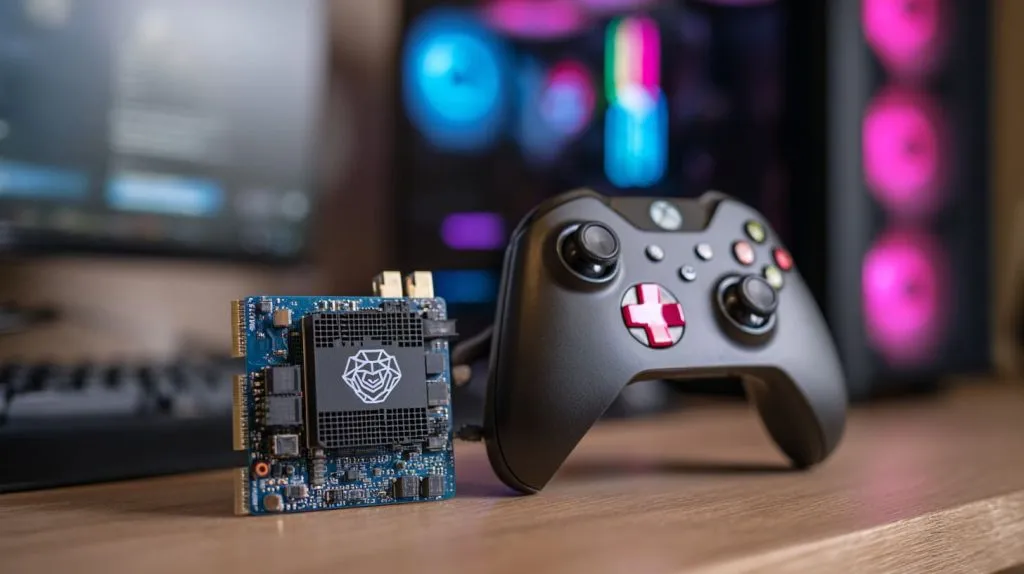
What works with Steam—and what doesn’t
| Steam Mode | Feasibility |
|---|---|
| Steam Link (streaming) | Good |
| Local game install | Not playable |
You’ll get decent performance streaming from a powerful PC. But forget local installs. They choke on dependencies and crash on load.
What limits Raspberry Pi 4 from running Android apps like Instagram or WhatsApp?
The answer lies in architecture—and support.
Android apps need proper libraries, UI responsiveness, and Play Services—all of which are flaky or missing on Pi.
Why popular apps crash or won’t install
- No official Android support from Raspberry Pi Foundation
- Limited GPU acceleration for touch-heavy apps
- WhatsApp needs phone verification; Instagram freezes
It’s not impossible—but it’s not pleasant either.
Can I use popular CAD software like AutoCAD or SolidWorks on Raspberry Pi 4?
This is one of those hard “no” moments.
AutoCAD, SolidWorks, and similar software require powerful CPUs, GPUs, and x86 Windows—none of which Pi 4 can offer.
Why design software is out of the picture
- No ARM builds
- Needs DirectX and OpenGL support
- Emulators fail on graphics-heavy tools
You can use FreeCAD or OpenSCAD. But if you're designing actual parts for clients? Stick with a proper PC.
Why is it risky to run full-featured video editing software on Raspberry Pi 4?
I tried. Once. The fan screamed. The screen froze.
Pi 4 lacks the horsepower, RAM, and GPU acceleration needed for modern video editing software.

Why video editors make the Pi melt
- 4GB or 8GB RAM is not enough for 1080p+ projects
- CPU throttles under load
- No Adobe or DaVinci Resolve support
For trimming short clips? Maybe. For editing a YouTube series or B-roll for product launches? Not even close.
Conclusion
Raspberry Pi 4 is smart—but it’s not a substitute for a PC.







