 Skip to content

I’ve been fascinated by compact computing boards since I started tinkering with tiny DIY projects in my makeshift workshop. I once tried building a small arcade emulator with a Raspberry Pi for my neighbor’s birthday. That project opened my eyes to how powerful these little boards can be. Now, many of us wonder which device suits us better: LattePanda or Raspberry Pi3. In this post, I will share what I’ve learned and explain who might benefit from either choice. By the end, you should have a clearer idea of how to make a decision that fits your goals.
Product Overviews: LattePanda vs Raspberry Pi3

I remember the first time I saw a LattePanda board. I thought it looked like a tiny Windows-ready powerhouse. Still, I couldn’t ignore the popularity of Raspberry Pi3, which pretty much dominates hobbyist circles. Let me compare them both side by side from a more critical perspective, so we can think beyond the usual hype and see what they actually bring to the table.
What is LattePanda?
LattePanda is a single-board computer that often comes loaded with Windows 10 or Linux compatibility. It offers an Intel-based processor and sometimes includes extras like an onboard Arduino co-processor. This kind of hybrid design can help hobbyists or professionals who need a Windows environment in a small form factor. It started as a crowdfunding project, and it gained traction by bridging the gap between typical maker boards and standard PC functionalities.
From my observations, LattePanda targets those who want straightforward Windows compatibility. It can be powerful enough for certain industrial applications or business demos. The product has evolved from its early days on Kickstarter to more refined versions with better RAM and faster processors. Some folks also love the built-in Arduino functionality because it can handle sensor inputs more directly.
What is Raspberry Pi3?
Raspberry Pi3, on the other hand, is a well-known ARM-based computer that usually runs Linux distributions like Raspbian. It was originally designed to help people learn programming, and it found its way into many creative uses—like media centers, gaming consoles, home automation, and even small-scale business solutions. Over time, the Raspberry Pi series improved CPU speed, added Wi-Fi and Bluetooth, and grew a robust support community.
In the maker space, Raspberry Pi3 is almost like a benchmark. Everyone compares new boards against it. I see this board in classrooms, labs, and factories. Some businesses rely on it for kiosk setups or remote monitoring because of its easy integration with various sensors and modules.
Comparative Background
Both LattePanda and Raspberry Pi3 emerged from a growing trend of mini-computers that can fit anywhere—often in a small plastic case. These boards have reshaped how we prototype projects. They impacted educational programs, hobbyist communities, and even commercial fields. When I attended a local tech meetup, people displayed everything from tiny home servers to real-time control systems built on these platforms. That’s when I realized that these boards weren’t just novelty items. They’ve influenced entire ecosystems and brought tech-savvy folks together, whether for school projects or serious commercial efforts.
If you’re still with me, let’s explore some hardware specifics next. I’ve found that hardware details often tip the balance for anyone deciding on a board.
Key Hardware Specifications
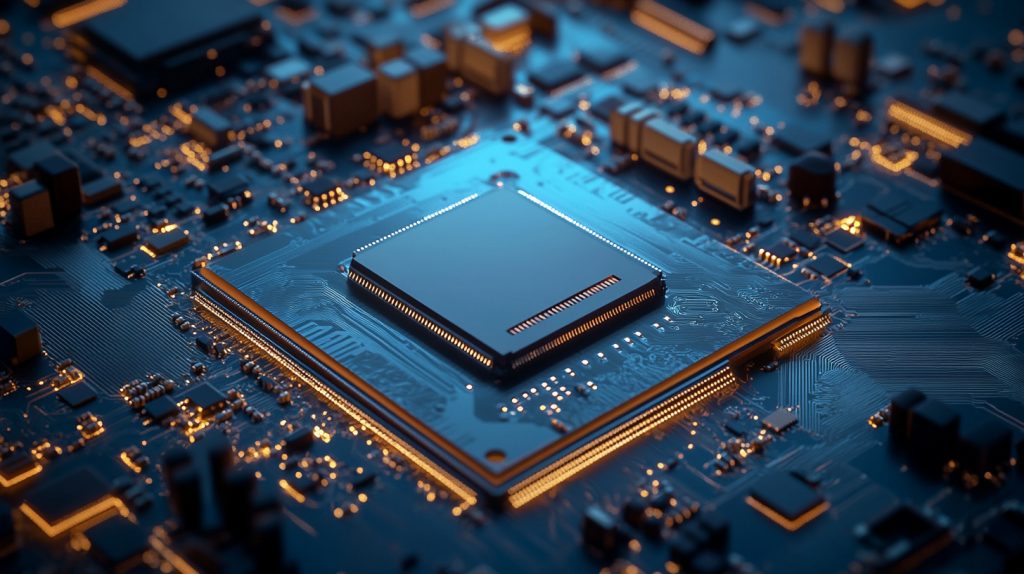
Once, I tried running a graphic-heavy simulation on my LattePanda. It got me thinking about the differences in CPU and GPU power across various mini boards. When I tested the same task on the Raspberry Pi3, the results told me a lot about performance headroom. Let’s check these hardware details closely so we can see if these boards fit our personal or commercial demands.
CPU and GPU Comparisons
LattePanda uses Intel processors, typically from the Atom or Celeron families. These can run Windows or Linux with x86 compatibility. The GPU is usually an Intel integrated graphics solution that handles full HD video or simple 3D tasks. In real-world scenarios, I found it can handle moderate multitasking, but it’s not a gaming rig.
Raspberry Pi3 uses an ARM Cortex-A53 CPU. It’s clocked at around 1.2 to 1.4 GHz, depending on the model. Its GPU is a VideoCore IV, which does well for basic multimedia tasks. It can handle 1080p video playback with decent smoothness, but it’s not designed for heavy 3D rendering.
Sample CPU/GPU Comparison Table:
| Board | CPU | GPU | Ideal Tasks |
|---|---|---|---|
| LattePanda | Intel Atom/Celeron (x86) | Intel Integrated | Windows apps, moderate multitask |
| Raspberry Pi3 | ARM Cortex-A53 (1.2-1.4GHz) | VideoCore IV | Linux apps, light multimedia |
Memory and Storage Options
LattePanda often includes 2GB to 4GB of RAM and built-in eMMC storage. I’ve seen higher-end versions with more RAM, which helps if you plan to run Windows or memory-intensive software. You can also expand storage using a microSD card or external USB drives.
Raspberry Pi3 typically has 1GB of RAM (for Pi3). It doesn’t come with built-in storage, so you use a microSD card. This design is simple and cost-effective. But it also means your system’s performance can depend a lot on the speed of your microSD card. If you need more storage, you can plug in an external drive.
Connectivity and I/O Ports
LattePanda has USB ports (often 3.0 and 2.0), HDMI, and sometimes onboard Wi-Fi/Bluetooth. It also has that Arduino co-processor which gives you GPIO pins for hardware interfacing.
Raspberry Pi3 has four USB 2.0 ports, HDMI out, and it also offers Wi-Fi and Bluetooth onboard. The 40-pin GPIO header is popular among makers who want to connect sensors or other modules.
By now, you might see a pattern in the specs. Both are strong in their own ways, but the real-world experience might matter more. Let me show you how these boards fare in performance tests.
Performance and Benchmark Analysis

I recall setting up a side-by-side test on my workbench. LattePanda on one side, Raspberry Pi3 on the other, each running a few standard benchmarks. As I watched them go, I realized these tests don’t always tell the whole story. Real projects have different demands. Let’s dissect these performance aspects more critically.
Processing Power and Speed
Benchmarks show LattePanda’s x86 CPU can outperform the Raspberry Pi3 in multi-task operations. For example, if you run a Windows-based software that needs more CPU threads, LattePanda often wins. However, if your project runs well on a Linux environment, Raspberry Pi3 can still be enough.
I tested some moderate image editing on LattePanda. It worked decently in a scaled-down environment. Raspberry Pi3 struggled with heavy image software, but it handled simpler tasks just fine. So the best choice might depend on your specific workload.
Graphics and Multimedia Performance
LattePanda’s Intel GPU is better for full HD video playback, and you can open multiple browser tabs comfortably. For advanced 3D, you might see stutters, but it gets the job done for typical office tasks. Raspberry Pi3 can handle 1080p video but might slow down if you run too many background processes.
If your main goal is a media center or streaming videos, both can manage that. But if you also need to run Windows-based editing software, the LattePanda can give you more breathing room.
Thermal Performance and Power Consumption
LattePanda tends to generate more heat because of its x86 architecture. You might need a cooling fan for heavy loads. Raspberry Pi3 is more energy-efficient. It can run passively cooled in many cases. But if you push it with continuous workloads, adding a small heatsink helps.
Sometimes, I leave my Raspberry Pi3 running 24/7 as a mini server. It’s nice not worrying about big energy bills. With LattePanda, I keep an eye on heat dissipation so I don’t degrade performance over time.
Now, what about cost and customization? If you’re anything like me, budget and brand modifications can tip the scale.
Price, Value, and Customization Options
When I first considered rebranding cases for these boards, I learned that pricing isn’t just about the sticker on the board. It’s also about customization, logistics, and after-sales service. I’ve seen business customers weigh these factors carefully because their profit margins depend on it. Let’s examine it from a multifaceted angle.
Cost Comparison and Market Positioning
LattePanda is generally pricier. You’re paying for the Intel-based CPU and its Windows compatibility. Raspberry Pi3 is cheaper, making it easier for beginners or bulk projects.
I’ve worked with clients who prefer Pi3 because they can buy larger quantities with a smaller upfront cost. Others choose LattePanda because they need Windows-based software. Here’s a quick table for reference:
| Device | Price Range (Approx) | Target Audience |
|---|---|---|
| LattePanda | $100 - $250 | Windows, x86 projects |
| Raspberry Pi3 | $35 - $50 | Linux, low-cost setups |
Customization and OEM/ODM Services
If you plan to do your own branding or create a specialized case, you’ll want to check how easy it is to get custom options. For instance, I run a factory in China that supplies custom Raspberry Pi cases. We also handle OEM/ODM services for those who want unique enclosures. LattePanda can be re-cased with some effort, but Pi3 has a huge accessory market, making it simpler to find or design custom shells.
Business buyers might prefer having their logos printed or engraved. In my experience, you can also bundle accessories like power supplies or heatsinks. If you’re reselling, your brand identity can stand out when you customize packaging or product appearance.
Impact on Business Users
Price affects your margins, so if your application doesn’t need x86 power, Raspberry Pi3 might be more profitable. On the flip side, LattePanda’s ability to run Windows can attract professional users who want to integrate standard software. For wholesalers and distributors, it’s crucial to weigh supply chain reliability. I’ve faced delays before, so it helps to have consistent communication with manufacturers.
Let me share an anecdote. A friend of mine decided to rebrand a small batch of Pi3 kits for a STEM education program. He could price them competitively, which boosted his sales. If he had chosen a pricier x86 board, those costs might have scared off some schools.
Next, I’d like to explore how these boards perform in different application scenarios.
Use Cases and Applications
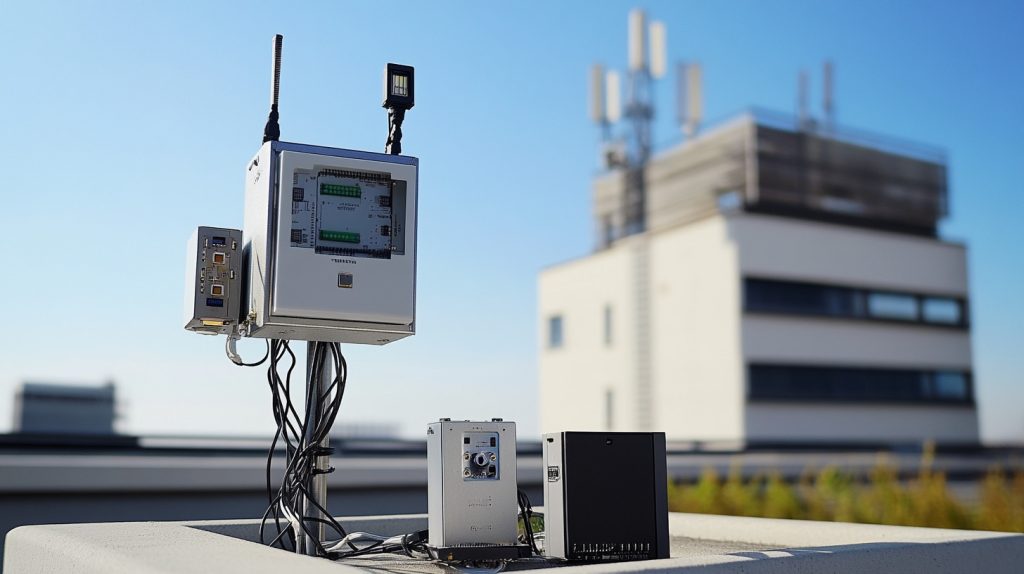
I once used a Raspberry Pi3 to set up a weather station for my rooftop garden. It tracked temperature, humidity, and even uploaded the data online. Meanwhile, a colleague used a LattePanda to power a mini digital signage system in a local café. These stories show how flexible these boards can be. Let’s break down the typical use cases.
Educational and Hobbyist Applications
For learning coding or building fun projects, Raspberry Pi3 is often recommended. Teachers find its community resources and support very accessible. Raspberry Pi Foundation has tons of guides online. LattePanda can work too, but it’s more expensive, which might be a hurdle if you’re buying classroom sets.
I’ve seen some makers attach sensors to Pi3 for robotics clubs. Others use LattePanda for more advanced Windows software training. To develop a “smart” product quickly, either board can be a good start, depending on your software and budget constraints.
Commercial and Industrial Applications
I know a small manufacturing firm that used LattePanda to run a scaled-down Windows application for machine monitoring. It was cheaper than a full industrial PC. Some warehouses also use Pi3 for basic automation tasks or IoT dashboards. These boards cut costs and save space.
From a critical standpoint, I’d caution you to verify reliability. Some industries demand 24/7 uptime. Check if the board can handle your environment (like high temperature or vibration). Add robust enclosures if needed.
Case Studies and Success Stories
I’ve heard of medical startups using LattePanda for portable diagnostic equipment because their software only works on Windows. Meanwhile, a local library system integrated Raspberry Pi3 to manage e-book kiosks due to lower costs. These success stories confirm that these boards can handle serious tasks if you plan carefully.
When I see these examples, I remember that community backing plays a big role in how smoothly these projects run. Let’s talk about the communities and resources available.
Community Support and Ecosystem

One reason I got hooked on Pi3 was the vibrant online forums. People share step-by-step guides, troubleshoot each other’s problems, and even swap design files for custom cases. LattePanda also has a dedicated user base, though smaller. How does this impact your decision? Let’s examine it.
Documentation and Tutorials
Raspberry Pi3 has official guides, plus countless third-party tutorials on everything from blinking LEDs to hosting game servers. LattePanda provides documentation, but it may require more digging around. I recommend searching for user-made video tutorials because they sometimes explain quirks you don’t find in official docs.
Solid documentation can save you countless hours. I once spent half a day trying to fix a weird GPIO issue on my Pi3. A forum post finally solved it. For LattePanda, expect to rely on official forums or specialized communities more often.
Developer Community and Forums
Both have active online communities. The Raspberry Pi forums are massive, covering broad topics like robotics, automation, and beyond. LattePanda’s community is smaller, but it’s passionate. If you have an odd problem, you might get more direct help since the community is tight-knit.
Peer-to-peer assistance is vital. I’ve made friends in these forums who helped me handle tough debugging sessions. It’s a neat way to learn, but also be ready to help others if they’re stuck.
Third-Party Accessories and Software
Raspberry Pi3 accessories are everywhere, from sensors to fancy cases. LattePanda has compatible shields (due to the Arduino pin layout) and Windows-based software options. You can even run the full Microsoft Office suite. For Pi3, you’ll rely on Linux equivalents unless you do some heavy workaround.
If third-party add-ons matter for your project, you might lean toward Pi3. But if you need Windows-based software or integrated Arduino features, LattePanda is unique.
Each platform has its strong and weak points. Let’s analyze them critically to see how they might impact our final choice.
Pros and Cons of Each Platform

I’ve worked with both boards on different occasions. Sometimes I love the raw power of LattePanda. Other times, the simplicity of Raspberry Pi3 is hard to beat. Let’s lay out the advantages and the hiccups they can pose.
Advantages of LattePanda
LattePanda shines with its x86 architecture. You can run Windows 10, which means you have access to a huge library of standard PC software. You can connect Arduino sensors without separate hardware. If your project depends on Windows applications, you’ll find LattePanda a perfect match.
However, you must consider cost. The Intel architecture also generates more heat, so you might need additional cooling. Those who want to do mid-range Windows tasks may be delighted, while those who only need a basic computing board might see it as overkill.
Advantages of Raspberry Pi3
The biggest advantage of Raspberry Pi3 is the strong community and lower price. You can find a wealth of educational resources. It’s also energy-efficient. Many people run it headless for IoT applications or small servers.
But it’s ARM-based, so you can’t run typical Windows software without some advanced emulation. If your code is Linux-friendly, though, it’s usually enough. With the Pi3, you might worry less about budgets, especially if you’re buying multiple units.
Limitations and Challenges
LattePanda’s cost is higher, and you might need active cooling. Raspberry Pi3 can’t natively handle Windows programs. Performance is also limited compared to typical desktop PCs, so large tasks might strain it.
Neither board is a universal replacement for a full computer. They’re both specialized tools. If we expect them to handle everything without compromise, we’re setting ourselves up for disappointment.
After reflecting on pros and cons, we might need to ask: “Who should buy which board?” Let’s consider some practical factors before I wrap this up.
Decision-Making Factors: Which One Should You Buy?

I once saw a friend buy a LattePanda for a project that only required light Python scripting. In hindsight, a cheaper Pi3 would have worked fine. On the flip side, I tried to force a Pi3 to run a Windows-based engineering tool—painful mistake. Let’s weigh the scenarios.
Considerations for Tech Enthusiasts and Hobbyists
If you just want to learn coding or run Linux-based projects, Raspberry Pi3 will serve you well. It’s simpler, cheaper, and has abundant resources. LattePanda might be great if you need Windows-based tasks or want that integrated Arduino for specific sensors. It also has more raw power for multi-tasking.
Reflect on your personal goals. Do you want to run a web server or make an interactive kiosk? Are you comfortable with Linux, or do you prefer Windows?
Considerations for Business Buyers and Re-Branding Users
If you’re a reseller or brand owner, customization and cost are vital. Raspberry Pi3’s lower price helps you maintain better margins. Plus, accessories and custom enclosures are plentiful. I’ve seen businesses brand Pi cases with engraved logos and then resell them on Amazon or local markets.
If you need a Windows solution, LattePanda can attract professional clients. However, weigh the higher cost and the possibility of more complex support. Consider lead times, shipping, and how quickly you can get stock.
Future-Proofing and Scalability Concerns
Technology evolves fast. Both boards have updated versions, so check if you want the latest releases. Consider how easy it is to swap boards or scale up your project. If your system grows, do you need an entire ecosystem of expansions? Raspberry Pi has more expansions available, but LattePanda’s x86 architecture might handle updates to Windows better.
At this point, you should have a decent overview of each board. Let me conclude by tying everything together.
Conclusion
Both LattePanda and Raspberry Pi3 offer compact solutions for diverse projects. LattePanda is stronger if you need Windows compatibility and a bit more horsepower. Raspberry Pi3 is budget-friendly and backed by a massive community of makers. For business owners looking to rebrand or customize cases, both have OEM potential, but Pi3 is generally cheaper to buy in bulk.
Ultimately, it comes down to your personal or commercial needs. If you want a basic Linux machine for IoT or educational tasks, Raspberry Pi3 is a solid bet. If you require Windows software in a tiny form factor, LattePanda can fill that gap. I encourage you to think about performance requirements, cost, and support resources before making that final call.




