 Skip to content
If you want to program a Raspberry Pi, start by learning Python. It’s the most popular programming language used to program this amazing device!
Learning some basic Linux commands will be useful as your Raspberry Pi runs on a Linux-based operating system.
Get to know GPIO (General Purpose Input/Output) pins, the hardware interface to the real world.
Visit tutorials such as those provided by the Raspberry Pi Foundation, which helps newcomers build projects and learn the device’s potential.
What Is Raspberry Pi
At its core, the Raspberry Pi is a small, inexpensive computer aimed at promoting programming and electronics to a new generation of people. Its versatility and diminutive size have made it popular with hobbyists, students, and experienced Python programmers alike. They appreciate the low cost as they experiment with code, create projects, or develop new concepts in enterprise development.
At first glance, the Raspberry Pi appears deceptively basic but looks can be deceiving. This little marvel packs a remarkable amount of computing power. It merges a CPU and GPU into a single chip, enabling various programming techniques. This integration allows it to address a wide range of use cases, from coding exercises to media streaming to AI app experiments, making it a great choice for young people interested in technology.
Since then, the Raspberry Pi has undergone a big transformation. The current generation is packed with impressive specs. Each iteration has them loaded with more powerful processors, more RAM, and more connectivity options like Wi-Fi and Bluetooth. These improvements have greatly expanded its use beyond simple projects.
Today, it is a general-purpose computing platform used in applications ranging from robotics to the Internet of Things (IoT) to software development, showcasing its adaptability in various domains.
Overview of Raspberry Pi
The Raspberry Pi family comprises multiple models, each one designed to serve unique needs. Below is a comparison of some popular models:
| Model | Processor | RAM | Connectivity | Price (USD) |
|---|---|---|---|---|
| Raspberry Pi 3B+ | 1.4 GHz Quad-Core | 1 GB | Wi-Fi, Bluetooth | $35 |
| Raspberry Pi 4 | Up to 1.5 GHz Quad-Core | 2–8 GB | Wi-Fi, Bluetooth | $35–$75 |
| Raspberry Pi Zero | 1 GHz Single-Core | 512 MB | Basic Connectivity | $5–$10 |
There are measurable advantages to using a Raspberry Pi in education. It opens up hands-on learning experiences, letting users learn the inner workings of a computer by building and programming one from scratch. This hands-on, interactive approach can help make complex, abstract concepts more tangible and engaging, particularly for beginners.
Arguably one of the most important design elements of the Raspberry Pi is its SD card slot. This slot is used for storage, but also for OS installation. It makes for much easier software management, both for general upgrades and the ease of re-installation.
Even older models such as the Raspberry Pi Zero are ideal for low-power projects. Their thermal efficiency and low power consumption makes them effective in applications like environmental monitoring or battery-operated devices.
Uses of Raspberry Pi in Projects
The adaptability of the Raspberry Pi allows it to be used in any project imaginable, making it a top choice for various applications. For example, it can serve as the hub of a home automation system, managing lights, thermostats, and other smart devices. This versatility makes it a great option for building media centers, letting you stream movies and music easily.
In educational environments, the Raspberry Pi has been an excellent resource for teaching the art of programming. Students can learn coding languages such as Python, JavaScript, or C++ by developing practical, real-world projects. Creative uses range from DIY weather stations to retro gaming consoles to small-scale servers.
These projects do more than just build technical skills; they help inspire students to be problem-solvers and innovators. Additionally, the Raspberry Pi has established itself as a bedrock in robotics and IoT experimentation.
In fact, its diminutive size and formidable processing power lend themselves to creating robots, new IoT devices, or prototyping future technologies. This tactile, hands-on experience is key to helping users link theoretical knowledge of coding and robotics to real-world applications.
Why Learn Programming for Raspberry Pi
Programming is the key to unlocking the true power behind Raspberry Pi. This small, low-cost computer is intended to promote tinkering and innovation, with limitless potential for collaborative or individual projects.
Learning programming is like leveling up your other technical skills. It opens the door to a world of practical applications and innovative careers. Read on, as I distill the most important reasons why learning programming for Raspberry Pi is so important.
Benefits of Programming Raspberry Pi
Learning to program with Raspberry Pi provides an experiential learning opportunity that is difficult to beat. When you’re writing code to control the Raspberry Pi’s 40 GPIO pins, you’re learning through experience.
You don’t just learn about concepts in the abstract, you literally work hands-on with hardware. For instance, you might create a motion-detecting security camera or program LED lights to blink using Python code. Through these hands-on endeavors, you will learn how hardware and software interact, an incredibly useful skill in our increasingly tech-driven world.
This platform encourages innovation and creativity. The Raspberry Pi works with many programming languages, including Python, JavaScript, and Java. You can tinker with everything from basic web servers to advanced robotics!
It was a friend of mine’s ingenious solution to a common problem with a Raspberry Pi. They used their sensors and programming to create an automated plant watering system.
The Raspberry Pi community is the other big gem. With millions of forums, tutorials and user groups, you’re never alone. If you are looking to learn the basics of machine learning, begin with introductory, step-by-step tutorials.
They’ll show you how to run TensorFlow on the Raspberry Pi! Having this type of support greatly simplifies the process of building your skills while executing fun and interesting projects.
Raspberry Pi programming is measurable too – it can get kids involved in income-generating opportunities. From selling custom-made hardware solutions to their local community to developing IoT devices for small businesses, the options are limitless.
Many of those people have gone on to turn their projects into thriving startups. This is the real evidence that the Raspberry Pi is more than an educational device.
Applications of Raspberry Pi Skills
The skills you gain are highly versatile, with applications in areas like:
- Home automation projects, like controlling home temperature or monitoring devices.
- Data collection and analysis for personal or professional research.
- Smart home innovations, from voice-activated digital assistants to smart lighting.
- IoT devices, enable connectivity between everyday objects.
Industries such as education, healthcare, and entertainment reap the rewards of Raspberry Pi programming as well. For instance, educators use it in their classrooms to teach students the basics of coding.
Healthcare professionals are investigating opportunities to use it to create low-cost medical devices. Knowing your way around Raspberry Pi makes you more desirable on the job market in any tech-related field.
Employers place great importance on practical experience with low-cost, high-impact computing.
Programming Languages for Raspberry Pi
Selecting the appropriate programming language can have a significant impact on your success with Raspberry Pi projects. It’s a key factor in the productivity of your work. Raspberry Pi provides amazing flexibility.
Its compatibility with many different programming languages means it is suited for any level of expertise and any type of project. Whether you are just starting out or are an expert programmer, knowing the strengths of each programming language will allow you to best determine how to accomplish your goals!
In this post, I’ll explain some of the most useful and common programming languages for Raspberry Pi. Let’s really pay attention to their unique applications and benefits.
- Beginner-Friendly Languages:
- Python
- Scratch
- Intermediate to Advanced Languages:
- C
- C++
- Java
- Web-Focused or Niche Languages:
- JavaScript
- Go
This is usually determined by the requirements of your project. For example, something hardware-intensive would be better in C, while an automation script would be best in Python. Pursuing languages beyond your primary interest area expands your knowledge and makes you more versatile to approach a variety of challenges.
1. Learn Python for Raspberry Pi
No wonder Python is the most popular programming language choice for the Raspberry Pi. It is very beginner-friendly, providing a clean and easy-to-read syntax that makes it a great choice for learners.
Nearly 90% of all Raspberry Pi projects are done in Python, meaning that there is a wealth of resources, tutorials, and community assistance readily available. This massive support network makes for easy and rapid troubleshooting and direction.
They allow you to leverage Python’s wealth of libraries to interact with hardware, such as GPIO pins. With Python, it’s easy to create automation scripts or create some cool projects like games, using libraries like Pygame.
It provides powerful libraries for advanced applications, such as data science and AI. For example, a beginner may begin with automating LED blinking and then move onto more advanced projects.
2. Explore C and C++ Basics
C and C++ are still important languages to learn for low-level programming and projects that require the most extreme control over hardware. Despite being more than four decades old, C is still extremely popular thanks to the performance and efficiency it offers.
C++ takes C a step further by introducing object-oriented foundations, which provide the infrastructure to support larger and more complex applications. Learning these languages provides you with profound insight into how Raspberry Pi works at the hardware level.
You’ll learn about memory management and how to interact at a low level with GPIO pins. Though they’re all considerably harder to learn than Python, it’s worth the effort when you’re in the trenches of performance-critical applications.
For more advanced practice, you could build a temperature monitoring system or use C/C++ to control servos.
3. Use JavaScript for Web Integration
Less traditional for use on the Raspberry Pi, JavaScript really shines in web development. Paired together with Node.js, it allows for server-side programming, which allows for full-stack development on Raspberry Pi.
This is especially handy if you’re creating web servers or APIs to control projects such as home automation systems from afar. Libraries such as Johnny-Five make it easier to use JavaScript with Raspberry Pi’s hardware.
For instance, you could go for a project where you build a web-based dashboard to visualize sensor data collected by a Pico W. Though not as universally adopted as Python, JavaScript gives developers the ability to easily combine web and hardware elements.
4. Understand Scratch for Beginners
Scratch provides an engaging visual programming experience, so it’s a great place to start for kids or just about anyone new to programming. It’s programming with drag-and-drop blocks to make games, animations, and other fun projects on Raspberry Pi.
By teaching programming through concepts instead of syntax, Scratch allows young people to understand the basics of programming more quickly. Scratch community communities help connect learners with project ideas and collaboration opportunities that improve the learning experience.
Creating a basic cat-and-mouse game will help you learn about logic and event handling. This understanding provides a great platform for your future programming projects.
5. Try Java for Advanced Projects
Java is a good choice for developing larger, more complex Raspberry Pi applications, particularly those that need to run on multiple platforms. Its cross-platform nature allows the same program to run on various operating systems seamlessly, which proves advantageous, especially for large-scale projects at an enterprise level.
Java excels at backend services, where it is a staple in enterprise settings. This opens the door for developers to use frameworks such as Spring or JavaFX to bring complex, rich functionalities to their Raspberry Pi projects.
For example, if you create a weather station that measures and displays information in real time, it demonstrates the power of Java.
6. Experiment with Shell Scripting
Shell scripting is incredibly useful for automating tasks and managing the Raspberry Pi environment. From executing simple commands to writing advanced scripts for system upkeep, it really makes workflows quicker and easier.
An example shell script that automatically updates installed software and backs up important files increases your productivity and reduces your workload. You can develop that proficiency by working through hands-on, real-world scenarios.
For instance, find out by designing a boot-up script for your Raspberry Pi-powered media server. Shell scripting is an important system administration and troubleshooting skill to learn.
It’s a powerful, highly useful tool, and one that every programmer should have in their toolkit.
Key Skills for Raspberry Pi Programming

When you program a Raspberry Pi, you’re doing more than just learning to code—you’re entering a world where software and hardware collide. This combined journey of learning technical concepts, developing practical skills, and enhancing problem-solving abilities is key.
Here’s a rundown of the key skills to develop for successful Raspberry Pi programming.
Understand Basic Electronics Concepts
To create more complex hardware, proper electronics knowledge is key. Ideas such as voltage, current, and resistance are the building blocks of circuit design. For instance, understanding how to calculate resistance through Ohm’s Law will keep you from overloading a circuit.
Making connections with common components like resistors, capacitors, and sensors always comes in handy for Raspberry Pi projects. One hands-on project could include wiring up a temperature sensor and programming the Pi to show the temperature readings in real-time on a monitor.
Making something with your hands is the best way to strengthen what you learn in theory. Constructing basic circuits with a breadboard and LED lights, for example, teaches you to understand how electrical current travels through components.
The Sense HAT, an add-on board with sensors and an LED matrix, is another wonderful resource. It’s an ideal introduction to fetching data such as temperature and displaying it graphically, combining both electronics and programming closely together.
Learn Linux Command Line Skills
The Linux command line is at the heart of controlling a Raspberry Pi. Commands for navigating directories, creating and deleting files, and checking system performance are key. For example, simple commands like ls to list files or stop to watch server performance can save a lot of time.
Whether installing software, like Python libraries, or anything else, it’s just plain faster to do it all via the command line. Like many things, regular practice helps build confidence.
Maintaining Docker containers or debugging SSH setup from system logs are typical tasks on Raspberry Pi projects. If you need remote access, securing your SSH service with RSA keys is strongly suggested. This not only improves security but makes for more efficient project development.
Practice Debugging and Troubleshooting
Debugging is perhaps the most important skill for getting past programming mistakes and hardware problems. If your Raspberry Pi project isn’t working, don’t panic—start by checking all the connections. You may be able to check logs or run diagnostics to help identify what’s wrong.
Tools such as docker stats for monitoring container performance are invaluable for troubleshooting and debugging. Patience is the name of the game here.
If it’s updating an old script or figuring out why a sensor isn’t working, persistence will get you to a better solution. Debugging is in equal parts a process of learning from one’s mistakes and repairing them.
Develop Problem-Solving Techniques
Often, doing something with the Raspberry Pi means solving a big problem. Reducing challenges to bite-sized pieces brings them within reach. Learn the basics of animation logic to code a sprite’s movement from one side of the screen to the other.
Once you’ve got that mastered, you can tackle more advanced ideas. Partnership is key. Collaborating with other students or sharing work with online education communities can create positive pressure to find more innovative solutions.
Testing in an iterative fashion makes sure that every step does what it should. If a home automation script doesn’t perform as expected, testing individual components like sensors or dynamic DNS configurations often reveals the issue.
What to Learn for Raspberry Pi Projects
Here’s what to learn before you launch into your Raspberry Pi projects. Once you gain this level of understanding, you’re on your way to success! Raspberry Pi straddles the line between hardware and software, so you should have a good mix of learning to do both. This knowledge is more than just the how-to of programming but includes an understanding of networking, communication protocols, and real-world applications.
Below, I’ll outline the main areas you need to learn about and why they’re important.
Master GPIO Pin Programming
GPIO (General Purpose Input/Output) pins are the heart of connecting the Raspberry Pi to the physical world. These GPIO pins let the Raspberry Pi control and communicate with other devices, like sensors, LEDs, buttons, and more. If you’re going to be controlling external hardware, learning how to program GPIO pins is a must.
As such, Python is the go-to language for the job. Libraries such as RPi.GPIO makes controlling the pins themselves much easier. Alternatives such as C or JavaScript could be used for more specialized requirements.
Safety is an important consideration when programming GPIO. If you don’t take the right precautions, you risk permanently damaging your Raspberry Pi. For instance, always use a resistor in series with an LED to control the current and prevent a short circuit.
Getting hands-on with beginner projects such as turning on an LED or reading input from a button will help cement these ideas. These beginner projects give you confidence and lay the groundwork for more complex projects.
Work with Sensors and Modules
Sensors and modules—these components are what really give your Raspberry Pi projects life by recording physical data from the world around us. Some examples of common sensors are temperature sensors (such as the DHT11), motion sensors (such as the PIR sensor), and light sensors.
Modules like cameras or GPS units can provide some pretty cool functionality to your projects. Learning how these pieces fit together and how to make them come alive is key.
Communication protocols like I2C (Inter-Integrated Circuit) and SPI (Serial Peripheral Interface) are essential in linking various sensors and modules to the Raspberry Pi. These protocols provide for robust data exchange between these devices.
These protocols dictate how data is sent and received between devices, and knowing these will open up a world of components you can implement in your projects. Hands-on experience is just as critical in this regard.
For example, set yourself the goal of creating a weather station with a temperature and humidity sensor. It’s a realistic and fun way to learn about the data collection process.
Create IoT Applications
The Internet of Things (IoT) is all about connecting devices to share information and automate actions from anywhere. Raspberry Pi is a great platform to use for IoT projects, providing great flexibility and processing power.
When building IoT applications, you should consider the collection and storage of data and how you will access it remotely. You can build your own simple sensor to check indoor air quality. Then it pipes that data to a cloud-based service for analysis.
Security is an important factor in any aspect of IoT. Encrypting data in transit and at rest as well as securing network connections prevents your project from exposure to many threats.
Learning to use platforms such as Adafruit IO or ThingSpeak can drastically streamline IoT development, allowing you to focus on application and functionality rather than the underlying infrastructure. These tools pair nicely with Raspberry Pi, widening the door for IoT projects.
Build Robotics Projects
There’s simply no better way to learn than by building amazing robots with Raspberry Pi. Robotics projects bring together the physical world with motors, wheels, servos, etc., along with the software world to control them.
For instance, in building a robot you may use a motor driver to control the robot’s wheels but need to connect a sensor to detect obstacles. More advanced programming concepts, such as pathfinding algorithms, can help your robot be a better and more efficient robot.
More often than not, collaboration is essential in robotics projects. Collaborating with others provides opportunities to wrestle with real-world problems and learn from diverse perspectives.
Begin with something simple like a line-following robot or a basic rover. These projects teach you how to combine mechanical and electronic components with computer science. This combination provides the best possible foundation for taking on more advanced robotics challenges.
Resources for Learning Raspberry Pi Programming

The Raspberry Pi, a tiny, credit-card-sized single-board computer, was originally developed to get more young people excited about programming and computer science. In the years since its release, it has grown into an invaluable resource for makers, teachers, and professionals worldwide.
In order to program the Raspberry Pi properly, it’s important to be able to learn from the best resources available. Below, I’ll explain what I’ve found to be the most useful tools and platforms for learning both the basics and the nitty gritty of the skills.
Online Tutorials and Guides
Free online tutorials are a great way to get into Raspberry Pi programming. There are plenty of platforms for both new and experienced programmers. Check out the main Raspberry Pi site for a trove of resources.
Here you will find step-by-step learning pathways, projects, and important documentation to get you started! Instructables provide another priceless resource. Their free Raspberry Pi Class provides a complete introduction, taking you step-by-step from hardware setup through coding fundamentals.
Working through guided tutorials leads to a more orderly learning process, an important aspect for beginners just getting started with programming. Resources like Adafruit, SparkFun, and even TutorialsPoint are particularly helpful, with in-depth walkthroughs and explanations.
These online platforms have created accessible, project-based tutorials that accelerate hands-on learning. For instance, you can learn how to create a temperature sensor or use it to make a retro gaming console. Bookmarking these guides can be helpful for revisiting concepts and exploring advanced projects as your skills grow.
Books for Raspberry Pi Programming
There are some great books available that provide an in-depth look at Raspberry Pi programming. These are great titles, both for newcomers and seasoned users. Here are a few must-reads:
- A versatile guide packed with practical tips and solutions.
- This book focuses on Python, the go-to language for Raspberry Pi, making it ideal for a quick but thorough introduction.
Specialized books, like those focused on robotics or IoT projects, can provide more focused learning as well. Digging into these resources increases more than just technical knowledge—it opens eyes to better ways to approach and solve problems.
When you start sharing book recommendations with the Raspberry Pi community, you find the real hidden gems. These hidden gems can make all the difference in your learning journey.
Communities and Forums for Support
Online communities and forums are an incredible resource when working with Raspberry Pi. Platforms like the Raspberry Pi Foundation forums and Reddit’s r/raspberry_pi are popular spaces where users share projects, ask questions, and offer advice.
Participating in these communities opens up access to peer support and tactics to address shared challenges. If you want to learn in person, local Raspberry Pi clubs or meetups offer great ways to connect with others and learn together.
It’s these communities that ignite a dynamic culture of shared learning. Through this immersive experience, users can explore their peers’ journeys and stay abreast of emerging trends.
Video Courses for Step-by-Step Learning
Video courses are ideal for visual learners who learn best through demonstrations and step-by-step guidance. Additionally, platforms like Coursera, Udemy, and YouTube have countless courses dedicated to teaching Raspberry Pi programming.
Udemy has a lot of beginner-oriented classes focusing on Python-based projects. At the same time, Coursera offers more extensive lessons tailored to more specific applications such as AI or home automation.
This series of courses takes learners through a wide range of topics, from the basic setup of the Raspberry Pi to more advanced programming skills. They connect with personal interests and project goals, be it automating a home or making a media server.
By selecting courses that align with your learning speed and area of interest, you can ensure a more enjoyable experience and learning experience.
Conclusion
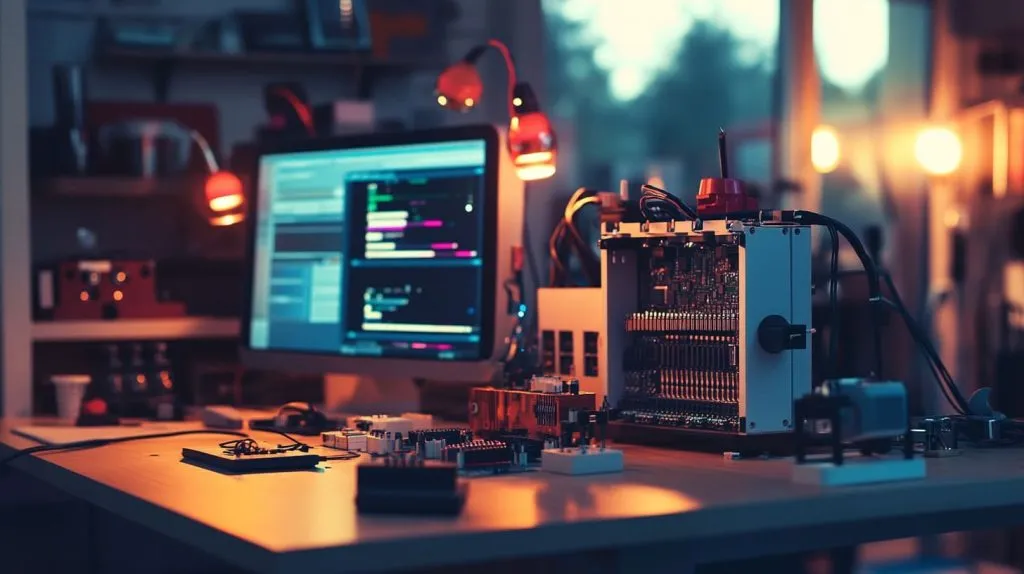
Once you learn how to program a Raspberry Pi, the possibilities really are endless. It provides you with real-world coding, electronic, and troubleshooting experience. Find projects you want to work on, such as automating your lights. Then, move on to more advanced projects, like creating your own home security system. No matter your focus, the skills you learn are hands-on and applicable to many real-world problems.
You don’t have to learn it all, all at once. Learn the fundamentals, leverage resources such as online tutorials, and never stop tinkering. Each project, no matter how small, provides a valuable learning experience and instills more confidence.
If you’re determined to get going right away, pick up a Raspberry Pi, pick a project that inspires you, and get started today. After all, the best way to learn is by doing.







