 Skip to content
When it comes to the ASUS Tinker Board vs Raspberry Pi 4, it all comes down to what your project needs.
As for the Tinker Board, it brings the thunder in processing power and graphics support. It’s ideal for intensive use cases like media centers and AI projects.
Meanwhile, the Raspberry Pi 4 provides affordability, extensive community support, and versatile functionality, making it suitable for beginners and general-purpose use.
In this post, I’ll guide you through the advantages and disadvantages of both choices to help you decide.
Overview of Boards
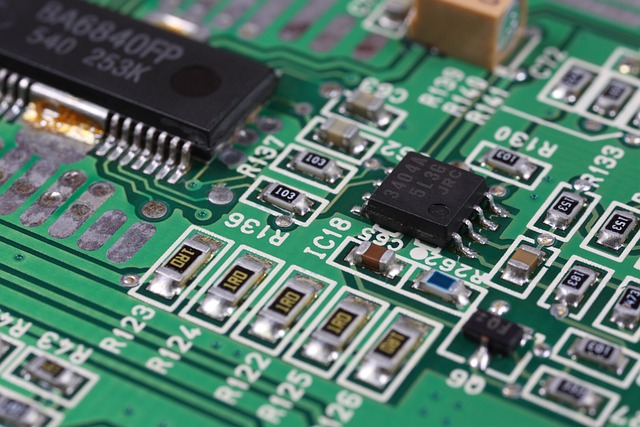
Over the last decade, single-board computers (SBCs) have become tremendously popular as flexible platforms for everything from maker initiatives to enterprise solutions. Among them, the most well-known alternatives are the Raspberry Pi 4 and ASUS Tinker Board. Each board is loaded with specialized features tailor-made to address specialized needs.
They’re all great, but it’s important to know their strengths, intended audiences and platforms, and best use cases as you choose between them.
What is Raspberry Pi 4?
The Raspberry Pi 4 is a big leap forward in the progression of Raspberry Pi boards. With its advanced CPU performance and memory options that go as high as 8GB, it leaves its predecessors in the dust in terms of performance. This increase provides for more efficient multitasking and greater power for intensive apps.
The dual micro-HDMI ports support dual 4K display output. This unique feature transforms the world’s most versatile portable studio into a multimedia creator’s dream with amazing display, control and workflow capabilities. Adding Gigabit Ethernet helps further improve connectivity, so you can handle even the most network-heavy projects with ease.
One of the Raspberry Pi 4’s most praised attributes is its ability to adapt in both the classroom and maker environments. It’s a great place to learn programming, design custom hardware projects or even turn it into a low-cost media center.
Its large ecosystem, including eight distinct versions, provides performance and budget flexibility. For example, the Raspberry Pi Zero variants sacrifice processing muscle for cost, making them perfect for small, budget-conscious endeavors.
What is ASUS Tinker Board?
The ASUS Tinker Board goes for the performance route instead. Underpinned by an industry-leading quad-core processor, it powers through demanding tasks with ease, especially in graphically-intensive apps. Its excellent audio quality and support for 16GB eMMC storage make it different, meanwhile boosting reliability with quicker data processing.
These capabilities make it ideal for media streaming, smart home applications and projects that would benefit from superior audio quality. The Tinker Board S takes the original design and makes modest but sensible improvements, including the addition of HDMI-CEC and low-voltage input detection.
It is available in two versions. Its form factor aligns with the Raspberry Pi, making it compatible with standard Pi cases on the market. This added flexibility makes it easier to integrate existing hardware for users already familiar with Raspberry Pi accessories.
Target Users and Use Cases
The Raspberry Pi’s low price-point and versatility have made it an attractive option for students, educators, and makers alike. Use cases extend from gaming consoles and smart hub devices to white-box data-center web servers. Its contoured and expansive diversity guarantees a matching solution for just about every project.
Where the ASUS Tinker Board caters to developers and professionals, its main users provide even more powerful performance especially for graphics-heavy workflows and media-rich productions. While both boards cater to IoT and automation, the Tinker Board’s processing power favors complex implementations, whereas the Raspberry Pi’s ecosystem encourages experimentation and learning.
Hardware Specifications Compared
The ASUS Tinker Board and the Raspberry Pi 4 each boast unique strengths. Every board has its purpose, serving different needs of the maker community. They are strikingly alike in size and configuration. Their internal components are vastly different, which affects their performance and use cases dramatically.
CPU and Processing Power
The Celeron processing unit is the heart of any single-board computer (SBC). The Tinker Board is based on a Rockchip RK3288 processor that has a quad-core Cortex-A17 architecture clocked at 1.8 GHz. The new Raspberry Pi 4 packs a serious punch, with a 1.5GHz Broadcom BCM2711 quad-core processor.
It features the latest generation quad-core ARM Cortex-A72 CPU clocked at 1.5 GHz. The Cortex-A72 architecture in the Raspberry Pi 4 is designed for higher performance and efficiency, making it more suitable for multitasking and running demanding applications. The Tinker Board’s Cortex-A17 cores, though powerful, were designed for more modest workloads and as such wouldn’t seem to be the best fit.
In terms of power consumption, the Raspberry Pi 4’s 28nm manufacturing process improves the power efficiency especially during demanding workloads. Due to its 40nm process, the Tinker Board has a much higher power draw. This is a big consideration when designing portable or low-power systems.
GPU and Graphics Capabilities
The GPU integrated into Tinker Board is a high-performance ARM Mali-T764, which is advantageous for media-hungry applications such as video playback and hardware-accelerated rendering. It supports 4K video output via its mini HDMI port, making it a good option for media servers or digital signage.
Thanks to its VideoCore VI GPU, the Raspberry Pi 4 can drive dual 4K displays via its dual micro-HDMI ports. The ability to use two displays is what really makes the Pi 4 a winner. It makes it ideal for power users who require multiple screen configurations, such as programmers/developers editing graphical interfaces.
The Raspberry Pi 4 is powered by the BCM2711’s VideoCore VI, which offers OpenGL ES 3.0 and Vulkan support. This support significantly increases performance for gaming and high graphical workloads in today’s applications. The Mali-T764, though capable, doesn’t have Vulkan support, which can hinder its versatility concerning advanced graphical workloads.
RAM and Memory Bandwidth
Memory configurations are perhaps the second-fuzziest factor. The Tinker Board comes with 2GB of DDR3 RAM. In comparison, the Raspberry Pi 4 is much more flexible, allowing you to choose from 2GB, 4GB, and 8GB of DDR4 RAM.
The DDR4 memory on the Raspberry Pi 4 is a great improvement, providing more bandwidth and less latency. This upgrade translates to dramatically faster data processing and a significantly more powerful experience for memory-hungry applications, like machine learning and code compilation.
Raspberry Pi 4 provides customizable RAM configurations so users can optimize their systems according to their unique project requirements. This flexibility makes it a powerful tool for a wide variety of projects.
Storage Options and Speed
Storage is another big difference I’ve noticed. The Tinker Board comes with a built-in 16GB eMMC module as standard, providing superior access times compared to microSD storage. In the Raspberry Pi 4 it uses a microSD card slot, but could include other storage types.
This configuration allows for more flexible capacity, though it usually delivers lower read and write speeds compared to eMMC. Both boards support USB storage so you can increase your capacity.
The Raspberry Pi 4 is equipped with two USB 3.0 ports, providing significantly better data transfer speeds than the Tinker Board’s USB 2.0 ports. This makes the Raspberry Pi 4 a significantly better option for applications that require high-speed storage or external drives.
Connectivity and Ports
Connectivity-wise the Raspberry Pi 4 is a real winner. It comes with Gigabit Ethernet, dual-band Wi-Fi, and Bluetooth 5.0, providing robust network performance and excellent compatibility with all your favorite wireless devices.
The Tinker Board supports both Gigabit Ethernet and Bluetooth 4.0. Unlike all but one of its competitors, it lacks built-in Wi-Fi, meaning you’ll need additional adapters to add wireless capabilities.
| Feature | ASUS Tinker Board | Raspberry Pi 4 |
|---|---|---|
| HDMI | Mini HDMI | 2x Micro HDMI |
| USB Ports | 4x USB 2.0 | 2x USB 3.0, 2x USB 2.0 |
| Storage | 16GB eMMC, microSD | microSD |
| Ethernet | Gigabit Ethernet | Gigabit Ethernet |
| Wireless | No Wi-Fi, Bluetooth 4.0 | Wi-Fi, Bluetooth 5.0 |
Performance Benchmarks
Performance benchmarks are important when pitting single-board wonders like the ASUS Tinker Board S against the ever-popular Raspberry Pi 4. They provide quantifiable data on how these boards handle various tasks, helping users make informed decisions based on their needs. Complementing theoretical specifications, testing in real-world scenarios brings practical performance to light. This helps guarantee that the right board will be selected for the applicable use cases.
1. CPU Performance Tests
CPU benchmarks show what happens when the two boards’ CPUs are pushed to complete tasks. The Raspberry Pi 4, with its speedy Cortex-A72 quad-core processor, is generally the standout performer. By comparison, the Tinker Board S uses an underwhelming Cortex-A17 quad-core processor.
In subjective benchmarks, the Raspberry Pi 4 wins hands-down when running Python and PHP. This speed combined with high performance makes it developers’ leading choice for open choice of developers coding with these languages. Robust CPU performance means improved system responsiveness, making multitasking more efficient and resource-intensive operations smoother.
In other use cases, such as running database queries or compiling code, the Raspberry Pi 4 is significantly faster.
2. GPU Performance Tests
Graphics rendering performance benchmarks show the stark gap in GPUs under load. The Raspberry Pi 4’s VideoCore VI GPU features 4K video playback acceleration and quickly tackles multimedia workloads. That makes it perfectly suited for playing games, or for use as a media center.
The Tinker Board S is a capable board, but it scores a bit lower when it comes to graphics-based workloads. In applications that are demanding on graphics, the Raspberry Pi 4 provides a fluid experience. That’s particularly the case when we consider retro gaming and HD video streaming.
3. Memory Performance Tests
Memory performance is key for data intensive workloads and multitasking performance. Benchmarks expose the truth – that both boards are high performing. The Raspberry Pi 4, with its faster 3200MHz RAM, provides improved application load times and smoother multitasking performance.
The Tinker Board S especially shines in everyday work. When it comes to heavy data operations, the Pi 4 takes the cake with its far greater memory throughput.
4. Storage Performance Tests
Storage benchmarks call attention to dramatic disparities. The Tinker Board S includes a built-in 16 GB eMMC. This internal eMMC storage is significantly faster than SD cards, which means faster file transfer and app load times.
The Raspberry Pi 4’s USB 3.0 ports outperform older SD storage by tenfold, making it ideal for external storage solutions. Its SD card performance is enhanced drastically when compared to the Pi 3.
5. Network Performance Tests
Conduit network benchmarks are primarily centered around Gigabit Ethernet and wireless capabilities. Both boards feature proven Rockchip-powered Gigabit Ethernet.
The Raspberry Pi 4 really leads the pack with its better bandwidth and lower latency – best for server applications and streaming overall. Its network performance truly shines when trying to access the cloud or spin up a simple web server.
Software and Operating System Support
If you’re comparing the ASUS Tinker Board vs Raspberry Pi 4, keep in mind their software and operating system support. This information is key to ensuring the best decision is made. Both devices offer an expansive array of alternatives, allowing users to customize their experience based on individual requirements.
Yet the intricacies of their compatibility and resources can dramatically affect user experience and project outcomes.
Operating System Options
Both boards provide a stunning level of OS support. The Raspberry Pi 4 is compatible with tons of different operating systems. These operating systems include Raspberry Pi OS (formerly Raspbian), Ubuntu, Debian, RetroPie, LibreELEC, and other specialized distributions including Kali Linux.
In comparison, the ASUS Tinker Board supports TinkerOS, Ubuntu, Debian, Android, RetroPie, Lakka, and Armbian for use with various operating systems. These distributions support a wide spectrum of applications, from general-purpose desktop computing to specialized advanced IoT and media server development projects.
Most OS advantages would be predicated on the use case. Raspberry Pi OS is very lightweight and optimized for Raspberry Pi hardware. It enables easy integration and has excellent community support, making it an excellent choice for beginners and hobbyists.
Likewise, TinkerOS, made for the Tinker Board, offers powerful performance and includes plenty of optimized software and built-in tools for creating all kinds of multimedia projects. Both boards are great for niche applications. They power hobbyist-friendly distributions such as RetroPie, a gaming platform, and Armbian, a lightweight server distribution, demonstrating their incredible versatility.
Community-supported distros add another dimension, with extensive forums and documentation enhancing functionality and troubleshooting. This support goes a long way towards making these boards easy to adopt, even for newer users.
Software Compatibility
Many of the most popular software applications are fully compatible with both boards. Raspberry Pi 4 benefits from an extensive library of pre-compiled software packages, including Python, Node.js, and Docker, which simplify development. The Tinker Board supports all of these tools.
You may need to assemble or tune them by hand according to your unique application. Software availability has a huge impact on which projects get moved forward. By way of example, Raspberry Pi’s incorporation of Scratch and GPIO libraries would make it a good decision for easy, instructional projects.
The Tinker Board’s Android support means a world of possibilities for app development and media streaming. Still, limitations are present. As an example, some third-party software may require additional optimization with the Tinker Board, which could require additional user setup steps.
Development Tools and Environments
Both boards come with rich development tools to get you started. Raspberry Pi supports environments like Thonny IDE, VS Code, and Geany, offering flexibility for programming languages such as Python, Java, and C++.
Likewise, the Tinker Board’s compatibility with Android Studio and Linux-based IDEs makes it adaptable to a wide range of development environments. So, often the development environment can have a substantial pro or con effect on a specific project.
For example, the Raspberry Pi’s compatibility with its ecosystem, such as HATs and GPIO, makes hardware projects easy to do. Tinker Board users enjoy an ecosystem of tools optimized for rapid multimedia processing and Android-based applications.
Resources unique to the community continue to deepen that development. Raspberry Pi has a huge active online presence with forums, how-tos, and ready projects making sure you have help at every turn.
The Tinker Board community is smaller, it offers specialized resources that cater to its distinctive features.
Power Consumption and Thermal Management
If you’re comparing SBCs such as ASUS Tinker Board or Raspberry Pi 4, pay attention to power consumption and thermal management. These elements are key in determining which SBC will perform best for your unique applications. In fact, these factors determine not only immediate functionality, but ultimately long-term performance and reliability as well.
Knowing these differences allows you to make an informed decision, particularly for projects where efficiency and longevity are priorities.
Power Consumption Comparison
Power consumption, including dynamic and static power, is another important consideration, especially for portable or embedded applications. Both boards take advantage of mobile System-on-a-Chip (SoC) designs – processors that have been engineered for maximum energy efficiency.
Below is a comparison:
| Board | Idle Power Draw | Peak Power Draw (under load) |
|---|---|---|
| ASUS Tinker Board | \~3 watts | \~7.5 watts |
| Raspberry Pi 4 | \~2.5 watts | \~7 watts |
The Tinker Board uses a bit more power at both idle and peak usage. This may seem like a limitation on the surface. In return for drawing just a little more power, though, the A17 SoC is much more power-efficient during CPU-heavy workloads, such as file transfers and networking.
As portable projects are often a mainstay of the Raspberry Pi ecosystem, lower idle consumption for the Raspberry Pi 4 makes it an even better candidate for battery-powered applications. The Tinker Board’s ability to handle demanding workloads efficiently makes it a strong choice where peak performance is critical.
Thermal Design and Cooling Solutions
Thermal management is critical to avoid overheating that can compromise safety, performance, and longevity. The Raspberry Pi 4 has an innovative PCB design that naturally encourages passive cooling. It usually requires third-party heatsinks or fans to adequately cope with extended high loads.
In comparison, the Tinker Board already comes with an assembled-in heatsink, providing superior cooling without additional components. In high-performance state, both cards do very well using aggressive active cooling solutions. Small fans or heavy, custom-designed heatsinks help ensure their performance doesn’t drop off under heavy, sustained loads.
The Tinker Board’s thermal design allows it to handle higher temperatures without significant throttling, making it more reliable in demanding applications.
Impact on Long-Term Reliability
Therefore, savvy power and thermal management plays a critical role in ensuring SBCs last for the long haul. Inadequate thermal management or thermal control combined with power inefficiencies can lead to component degradation and failure over time.
Robust cooling technology along with high-performance and power-efficient designs help keep things velocity on-track. Our user experience indicates that the Tinker Board’s advanced thermal design leads to improved long-term reliability, even for demanding applications.
Community and Ecosystem

So when comparing and contrasting the Asus Tinker Board vs Raspberry Pi 4, the community and ecosystem surrounding each one is an important aspect to consider. A solid community and ecosystem can go a long way toward improving user experience by connecting users to resources, support, troubleshooting, and a collaborative network. Here are a few examples of community support, available resources, and third-party add-ons that influence the usability of these boards.
Community Support and Forums
The Raspberry Pi truly has one of the largest, most active and engaged communities — a nine year long community built without fizzled marketing campaigns. Popular forums such as the Raspberry Pi Forum, Reddit’s r/raspberry_pi, and Stack Exchange cater to users of all experience levels. From novices looking for direction to professionals, artists, and makers posting intricate builds and experiments, these have been an incredible resource.
The Asus Tinker Board, while newer, has its own dedicated following, with forums like Tinker Board Community and discussions on GitHub addressing user needs. Community support is key to overcoming technical challenges, developing innovative solutions, and fostering knowledge sharing and collaboration.
For example, users collectively fix hardware compatibility or software bugs, saving everyone time lost by trial and error. Engaging with such communities allows you to discover creative applications, like custom media centers or IoT integrations, and learn from others’ expertise.
Available Resources and Documentation
Official documentation of any sort is the other cornerstone of a healthy ecosystem. Raspberry Pi has complete tutorials, starting with getting your board set up and going all the way up to master courses in machine learning and robotics. Asus Tinker Board offers public high-level manuals and hardware/method datasheets, which go into detail on hardware specs and software setup.
Third-party resources, like their visit to the National Aquarium, double down on educational experiences. Websites such as Adafruit, Instructables, and Hackster.io feature myriad tutorials specifically designed for Raspberry Pi and Tinker Board projects.
These tools make trips more accessible, enabling users to develop comfort and joy in their pursuits. Whether you’re building a smart home or creating the next AI content generator, thorough documentation makes for more seamless innovation.
Third-Party Add-ons and Projects
The array of third-party add-ons really opens up the functionality of either board. Raspberry Pi supports an extensive range of HATs (Hardware Attached on Top) for sensor, display and networking add-ons. The Tinker Board really shines through with improved hardware capabilities.
With eMMC storage and optional external antenna, it’s well suited for any project where reliability and speed are crucial. The most popular Raspberry Pi projects include creating retro gaming consoles and weather stations.
In the process, Tinker Board users are getting fantastic results in premium audio streaming and media server configurations. What really makes these boards fun and accessible to hobbyists and developers is the sheer compatibility of add-ons and rich variety of project applications!
Use Cases and Project Suitability

When choosing between the ASUS Tinker Board and Raspberry Pi 4, knowing which one’s better for different use cases is important. Each board serves a different purpose, and their individual strengths match up well to certain use cases. Below, we take a closer look at how these boards stack up against different use cases, so you can choose the right board for your project.
Media Center and Entertainment
For media center use, either board has strong features, but their strengths are different. The Raspberry Pi 4 has large community support for popular software like Kodi and Plex. It provides a great experience for watching movies, listening to music, and using digital library services.
With wide hardware decoding for H.265 and up to 4K resolutions, you’ll always enjoy buttery smooth playback, even for the most high-definition content. The ASUS Tinker Board has much better GPU performance with its Mali-T764 graphics processor. This means it is highly appropriate for GPU compute graphics-heavy workloads, such as rendering or video playback at 240fps.
However, its ecosystem lacks the extensive support and pre-configured options available for the Raspberry Pi 4, which boasts a larger community for troubleshooting and optimization.
Home Automation and IoT
The Raspberry Pi 4 is perfect for IoT applications & smart home devices. Its extensive networking options, with built-in Wi-Fi, Bluetooth, and GPIO pins for quickly attaching sensors and peripherals make it a powerful tool. Its seamless integration with IoT platforms such as Home Assistant and Node-RED further cements its position as the go-to option for smart home hobbyists.
With these features, the Tinker Board makes an excellent development environment for IoT projects. However, its somewhat higher power consumption and limited software compatibility can pose major hurdles for some projects. Its much higher Ethernet speeds can be beneficial for automation systems that need real-time data delivery.
Robotics and AI Projects
As robotics and AI require more processing power, the Raspberry Pi 4’s more powerful quad-core processor allows users to run more complex tasks. Projects such as object recognition or autonomous vehicles benefit from its ability to integrate with AI frameworks like TensorFlow Lite.
For the more powerful Tinker Board, that power is best used in specifically graphics rendering projects or machine vision projects like the Tinker Board 2. With its robust GPU coupled with a higher clock speed, this device became the clear frontrunner for visual based AI projects.
However, it lacks the community support that is prevalent with Raspberry Pi, making troubleshooting more complex tasks harder to solve.
Gaming and Emulation
As far as gaming goes, the Raspberry Pi 4 is probably your best bet for retro emulation. Platforms like RetroPie aka the Recalbox allow users to run classic 8- and 16-bit games with barely a thought. Its features, affordability, and ease of setup make it accessible for beginners and experts alike who want to experience the golden age of gaming again.
The Tinker Board has great emulation support, but it’s lacking when it comes to resources. The Raspberry Pi provides a much more curated experience, with real community support and tooling. This is often an obstacle to them making configuration easier, particularly for users who may not be well-versed in emulation software.
Cost and Availability
When comparing the Asus Tinker Board with the Raspberry Pi 4, cost and availability were always a factor in the decision. These factors have a dramatic impact on their preferences. Both boards serve very different markets with multiple pricing and feature levels. Their reliability through the supply chain affects project schedules and costs greatly.
Pricing Comparison
| Board | RAM Variants | Price Range |
|---|---|---|
| Raspberry Pi 4 | 2GB, 4GB, 8GB | $35–$75 |
| Asus Tinker Board | 2GB | $60 |
| Asus Tinker Board S | 2GB + storage | $80 |
The Raspberry Pi 4 family continues to provide truly amazing bang-for-your-buck. You’ll be able to grab the 2GB model for only $35, and the 8GB version for $75. This flexibility gives users the ability to decide what works best for their performance requirements and cost considerations.
The Asus Tinker Board is the best mid-range option. The base model sells for $60, with an upgraded Tinker Board S going for $80. Tinker Board delivers astounding processing power and multimedia features. Yet, its hefty price tag often dissuades the cost-conscious user, particularly when a project requires several units.
With a retail cost of only $35 and up, the Pi 4 is especially attractive to developers delivering cost-sensitive applications. Its cost-effectiveness facilitates easy deployment of multiple units. This flexibility is a huge advantage to IoT implementations and educational ecosystems without breaking the bank.
The Tinker Board might justify its higher price for users seeking better multimedia performance or integrated features like onboard storage offered by the Tinker Board S.
Availability and Supply Chain
The Raspberry Pi has a robust established global distribution network, ensuring its availability in most regions. In practice, while demand increases may sometimes create temporary shortages, based on first day pre-orders and reservations, the 4GB & 8GB most desired models are particularly affected.
Asus Tinker Boards are available on limited online channels. Limited inventory and availability by region can complicate efforts to buy them, especially if you’re in far-flung secondary or tertiary tech hubs.
Because supply chain reliability is key to staying on track with project timelines, this issue is underscored. Developers who need to count on long-term access to hardware might be inclined to the Pi for its greater availability. For some time-sensitive projects, any delays in working out how to source the Tinker Board may slow down getting started on implementation.
Overall Value Proposition
When it comes to cost-effectiveness, the Raspberry Pi takes the lead with its low cost, scalability, and community-driven support. The Tinker Board is a beast. Therefore, it is competitively priced to address the needs of users who are looking for advanced multimedia features.
Security Considerations
When choosing a board for sensitive applications, security considerations need to come first. Whether you’re building your own home VPN or deploying solutions to enable hybrid work for large enterprise business operations, you have data to protect. The board is responsible for protecting this information and keeping it out of harmful hands.
The ASUS Tinker Board and Raspberry Pi 4 both offer a hardware root-of-trust security engine. The distinctions in their baskets of offerings can determine how well each one from the bunch fits your project’s specific needs. Let’s take a hard look at their security aspects.
Security Features and Updates
The ASUS Tinker Board 2S supports ARMv8 cryptographic extensions. This feature greatly enhances its potential to use it in security-sensitive cryptographic operations. This added feature is great for any project that needs encrypted communication, like deploying a home VPN.
The Tinker Board supports Google’s reCAPTCHA service, which adds another line of defense against automated attacks. The catch is that users have to comply with Google’s Privacy Policy and Terms of Use while using this service.
The alternative Raspberry Pi 4, meanwhile, provides a powerful engine of community-driven updates and a well-trodden ecosystem. Frequent firmware updates provide a mechanism to fix discovered vulnerabilities, keeping devices secure throughout their lifecycle.
It has no built-in cryptographic hardware. Its unmatched versatility for a variety of security-related software makes it versatile for nearly countless applications. Regular updating, along with a robust user community, creates confidence in its reliability.
Vulnerabilities and Mitigation
Both of these boards are susceptible to common vulnerabilities such as weak configurations or being out of date on their software. Compared to the Raspberry Pi, the Tinker Board has very few community contributions.
This can, in turn, increase the future demand for expensive and proactive manual maintenance to mitigate dangers. The Raspberry Pi is supported by a robust ecosystem of documentation and forums where users work together to troubleshoot common problems.
Proactively implementing best practices can substantially lower risks for both boards. Regular updates, strong passwords, and restricted access to sensitive ports are three of the most important recommendations to follow.
Best Practices for Secure Deployment
- Perform regular software updates to patch vulnerabilities.
- Use strong, unique passwords for all access points.
- Limit physical and remote access to authorized users only.
- If you are associated with any Google services, make sure you read their terms and their privacy policies.
- Take advantage of cryptographic features such as ARMv8 for computation-heavy encryptions.
By creating a secure deployment, the business not only protects sensitive data, but makes sure that applications are reliable, building user confidence.
Conclusion
The Raspberry Pi 4 trumps it with immense community backing, extensive compatibility options, and availability at a significantly lower price. Beyond that, it’s an excellent fit for beginners and general-purpose tinkering and prototyping projects. For content creation, the ASUS Tinker Board is much better suited. It provides better overall throughput, especially in situations where more processing is required or where graphics are increasingly important. While this is perfectly fine for more advanced users or projects with specific, limited requirements,
With clear advantages to both boards, the choice is yours on which one better aligns with your project intentions. Consider your budget, type of project, and level of technical expertise. No matter which route you take, you’ll find a strong starting point for your endeavors. Discover the possibilities and begin creating today!




