 Skip to content
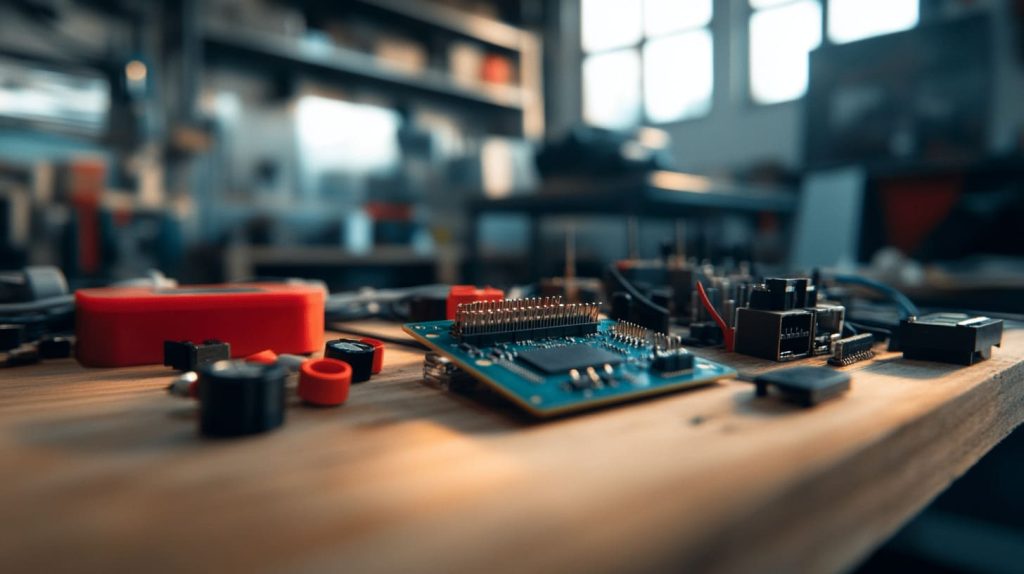
The first time I saw a pile of tiny Raspberry Pi boards stacked on top of each other. I had no idea a credit-card-sized computer could pull off some serious computing power when merged in a cluster. My name is Vincent Li, and I'm from MaidaTech in China. I've spent years tinkering with these boards for both professional projects and personal curiosity. I love how they bridge my nerdy side with my business life, and I’m excited to share my experience and perspectives on whether you can create a Raspberry Pi cluster that runs Windows 10.
Overview of Raspberry Pi Clusters
A Raspberry Pi cluster means connecting multiple Raspberry Pis into a single networked unit. Each board serves as a node that works together with the others. When people talk about "clusters," they usually envision big data centers, but Raspberry Pi changed that view by making it possible on a small scale. Clusters can help balance workloads, distribute tasks, or handle parallel computing. They can also be a fun project if you enjoy pushing technology in new directions.
I used to think building a cluster would be too complicated, but I realized it’s no more daunting than assembling a bunch of LEGO bricks. You link each piece together and see how far you can go.
Why Windows 10?
Windows 10 is often chosen by folks who want a familiar interface and certain proprietary applications. It feels comfortable if you’re used to the typical Windows environment. I've met clients who ask, “Is it really possible to run Windows 10 on these miniature boards?” For many of them, Linux is unfamiliar territory. So they ask about using Windows, especially if they have existing Windows-based systems at their workplace.
I once thought Windows was too heavy for a tiny board, but curiosity got the best of me. I wanted to see if there was a way. After a few attempts, I learned that Windows on Raspberry Pi is not a straight path. But it’s possible in some form. Now, let me show you how.
But hang on. Let me explain the tech side of it in the next section.
Understanding Windows 10 on Raspberry Pi

This idea of Windows 10 on a Raspberry Pi might sound magical. Yet, under the hood, it depends on which version of Windows we’re talking about. Let’s see how it all works.
Windows 10 IoT Core vs. Full Windows 10
You might have heard of Windows 10 IoT Core. It’s a simplified version for embedded and IoT devices. It supports the ARM architecture and has fewer features than full Windows 10. If you want the entire Windows experience, you have to consider some unorthodox methods, like specialized builds or hacking around with drivers.
Here is a quick table contrasting the two:
| Aspect | Windows 10 IoT Core | Full Windows 10 |
|---|---|---|
| Target Devices | IoT, Small Boards (ARM) | Desktops, Laptops (x86/x64) |
| Feature Set | Limited GUI, Focus on Apps | Full Desktop Environment |
| Official Support | Yes, from Microsoft | Not official for Raspberry Pi |
| Performance | Designed for lower resources | Needs more power |
From this table, we see Windows 10 IoT Core is the official route, but full Windows 10 is mostly community-driven.
Hardware Requirements for Running Windows on Raspberry Pi
When people say "Windows 10," I notice they often forget the Pi’s hardware limitations. Memory, CPU, and storage are crucial. The Pi uses an ARM-based processor, which can’t handle a typical Windows 10 x86 build. Also, if you want to run a cluster, you should think about how many boards you need and whether each board has enough cooling and stable power.
Performance Limitations and Expectations
I learned the hard way that performance can be a deal-breaker. Even the best Raspberry Pi can’t rival a modern desktop CPU. You have to manage your expectations. Small tasks, specialized IoT processes, or lightweight programs might run okay. But if you’re aiming to handle heavy multitasking or advanced software, it can frustrate you. Always keep an eye on how many resources your application needs.
I once tried to run a full spreadsheet app while streaming a YouTube video. Let’s just say I had time to make coffee before the Pi responded again. Those moments taught me the necessity of realistic goals.
Feasibility and Limitations

I’ve experimented with official builds and community-driven images. Each has its own quirks. Let’s look at the main hurdles.
ARM Architecture Constraints
The Raspberry Pi’s ARM architecture is built for efficiency, not raw power. Full Windows 10 usually expects x86 or x64 chips. Some creative souls have ported it to ARM devices, but stability can be hit or miss. If you’re hoping for official full Windows support, that’s still not here.
Licensing and Legal Considerations
Windows 10 licensing can get complicated. You’ll need to confirm the usage rights if you somehow manage to run the full OS. In business settings, you risk compliance issues if you bypass official channels. Sometimes I get questions about Microsoft licensing rules. It's important to check, because ignoring it may lead to unplanned surprises.
Community Support and Official Guidelines
If you focus on Windows 10 IoT Core, you’ll see official documentation from Microsoft. For full Windows 10, you mostly rely on forums or user-driven instructions. That means if you get stuck, you might only have community experts to guide you. One user told me they learned a lot but spent many nights combing through forum threads.
This is exactly why I started looking for alternative solutions. I got tired of scrolling through endless posts. Now, if that resonates with you, keep reading.
Building a Raspberry Pi Cluster

I once built a small cluster for a client who wanted to run data analytics. They wanted it quick, flexible, and able to handle short bursts of computation. We spent time thinking through hardware details before we even touched any software.
Essential Hardware Components
A typical cluster involves several Raspberry Pis, Ethernet cables, a quality switch, and a stable power supply. You’ll also need a sturdy case setup, especially if you don’t want a messy desk. At MaidaTech, we focus on designing custom cases, which help with branding and cooling. Of course, if you prefer to skip that step, it’s still possible to run the cluster with bare boards.
Raspberry Pi Models and Compatibility
Different Pi models have varying RAM and CPU speeds. The Raspberry Pi 4 is the top choice for cluster building, but older models can still work. You just get slower performance. Here’s a short table:
| Model | CPU Speed | RAM Options | Recommended Use |
|---|---|---|---|
| Pi 4 (4GB) | ~1.5GHz | Up to 8GB | Serious tasks, cluster node |
| Pi 3 Model B+ | ~1.4GHz | 1GB | Light tasks, smaller scale |
| Pi Zero | ~1GHz | 512MB | Minimal tasks, very small |
Pick what matches your needs. If you want Windows 10 IoT Core, you’ll want at least a Pi 3 or Pi 4.
Power Supply and Cooling Solutions
Clusters can get hot, and they can draw power. I’ve seen a cluster draw more current than expected, leading to random reboots. Good cooling matters, especially with multiple boards running side by side. Invest in heat sinks and fans.
Networking Setup and Cluster Communication
You need a switch or router to tie your nodes together. Each Pi uses Ethernet or Wi-Fi, but Ethernet is more stable for clusters. Configure static IP addresses or a DHCP reservation for easier management. This is the backbone of your cluster.
Software and Tools for Clustering
Software shapes how your cluster acts. Whether it’s for parallel computing, load balancing, or data tasks, you’ll need to set up the right tools.
Cluster Management Software
There are plenty of solutions out there. You might try Kubernetes or Docker Swarm if containerization is your focus. Some folks look for smaller tools or scripting solutions. I like to reference cluster management software, because it helps you track node health, deploy tasks, and manage logs. It’s vital when you have multiple boards.
Monitoring and Maintenance Tools
Keeping an eye on CPU usage, memory, and temperatures can prevent headaches. Tools like Nagios or simple shell scripts can help. You can gather metrics from each node and see if any is failing or lagging behind.
I met someone who used a cluster for a media server. At first, everything ran fine. Then one node overheated. They only noticed after several episodes froze midstream. A monitoring tool could have warned them sooner.
Attempting to Run Windows 10 on the Cluster

I tried Windows 10 on a single Pi, and then I dreamed about a cluster. Let’s see how it might work.
Possible Methods and Workarounds
You can install Windows 10 IoT Core on each node, or you can try custom builds for full Windows 10 if you’re up for a challenge. If you want a cluster that runs Windows-friendly processes, you might also consider virtualization. Each method has pros and cons, so weigh them carefully.
Using Windows 10 IoT Core
Windows 10 IoT Core is Microsoft’s official solution for ARM-based devices. It’s limited in features, but it's stable enough for many IoT tasks. If you want a headless environment or a single app interface, IoT Core can work.
Exploring Emulation or Virtualization Options
Some folks experiment with QEMU or other emulators to run a full Windows environment. But performance is often sluggish. If you only need certain Windows apps, maybe you can run them in the cloud or remote in from your Pi nodes.
Step-by-Step Configuration Guide
Here’s a broad overview if you try Windows 10 IoT Core:
- Download the Windows 10 IoT Core image for Raspberry Pi from Microsoft.
- Flash it onto a microSD card.
- Configure your Pi with a stable power supply and network.
- Boot the Pi and connect to the IoT Core dashboard for setup.
- Link each Pi node by Ethernet and set up cluster management if needed.
Installing Windows on Each Node
Make sure every node has the same OS version. That way, your cluster remains consistent. You can replicate the SD card image to all nodes. Keep track of each Pi's IP address.
Network and Remote Access Setup
Enable SSH or remote management so you can control your Pi cluster without hooking up multiple keyboards and monitors. This makes updates and troubleshooting much simpler.
Common Errors and Troubleshooting Tips
Sometimes Pi boards fail to boot Windows 10 IoT Core. Check power, check microSD card quality, or re-image if necessary. If you see random lockups, it might be a heat issue. If performance is poor, try lightening your workload.
I remember a time when I used cheap no-name SD cards. Let’s just say I’ve never trusted them again after an entire cluster refused to boot.
Performance and Use Cases

Let’s explore how well a Pi cluster can handle real-world tasks. It’s not a supercomputer, but it can handle interesting projects.
Benefits of Windows 10 on Raspberry Pi
You get a Windows-like environment if you go the IoT Core route. That means built-in support for UWP apps, easy integration with some Microsoft services, and a familiar ecosystem. If you prefer Windows tools, you might be more efficient on an OS you already know.
Familiar Windows Environment
Many offices run Windows. Having a cluster that syncs with your usual workflow can boost productivity. It also makes it simpler if you have staff who aren’t used to Linux.
Integration with Existing Windows Ecosystems
If you rely on Microsoft Azure or other cloud services, IoT Core can plug in neatly. That synergy saves time when you want quick solutions.
Potential Bottlenecks
Of course, a Pi cluster is not a miracle machine. The hardware is less powerful than standard PCs. Keep your expectations realistic. If you run Windows 10, resource usage goes up.
CPU, RAM, and Storage Limitations
Each Pi has a modest CPU and limited RAM. The cluster can combine resources, but each node is still an ARM-based board. Heavy apps might overwhelm your cluster easily.
Network Latency and Bandwidth Constraints
In a cluster, you need quick communication between nodes. If your network is slow or if you have poor-quality cables, you’ll see sluggish performance. This often matters more than raw CPU speed in distributed tasks.
Practical Use Cases and Real-Life Scenarios
I’ve seen Pi clusters handle small data analytics, IoT dashboards, or educational projects. They’re also popular for code compiling if each node shares the workload.
Education and Prototyping
Schools love Pi clusters because they teach parallel computing in a hands-on way. Students can see how multiple nodes split a big job. IoT Core provides an interface for building universal apps.
Industrial and Commercial Applications
Some factories use Pi clusters for local data collection before sending it to the cloud. If you only need simple tasks, a Pi cluster might be enough. Just remember, thorough testing is essential before you rely on it for critical operations.
One business client used a Pi cluster to monitor production lines. They wanted low cost, easy management, and a simple user interface for their staff. The result was surprisingly stable.
Alternative OS Options for Raspberry Pi Clusters

Sometimes I suggest people try Linux-based systems instead of Windows. Let’s see why.
Linux-Based Distributions
Linux is popular on the Pi. It’s lightweight, flexible, and well-documented.
Popular Choices (Ubuntu, Raspberry Pi OS)
Ubuntu Server and Raspberry Pi OS are common picks. They’re stable and have huge communities. They also have lower hardware requirements. If you’re comfortable with the command line, they often outperform Windows 10 on a Pi.
Cluster-Focused Distros (e.g., Kubernetes on Raspberry Pi)
Some specialized distros simplify cluster setup. For instance, you can run Kubernetes or Docker containers across multiple Pis. This approach is great if you deal with microservices or container-based apps.
Other Lightweight Operating Systems
There are also smaller OSs like FreeBSD or DietPi. They can run with minimal resources, which might help if you have older Pi models or want maximum efficiency.
FreeBSD, DietPi, and More
FreeBSD is known for its stability, while DietPi focuses on minimal footprints. Each OS has a different philosophy and feature set. Try one or two and see which fits your project.
Pros and Cons of Non-Windows Solutions
Linux and others are flexible, open-source, and resource-efficient. But if you rely on Windows-specific apps, you might not have direct compatibility. Dual-booting or using virtualization might be an option, but that adds complexity.
Best Practices and Tips

Over the years, I’ve learned a few best practices that save time and frustration.
Overclocking and Cooling
Pushing the Pi’s CPU frequency might improve performance slightly, but it also raises heat. Monitor your cluster’s temperature carefully.
Heat Sink and Fan Recommendations
A good heat sink can reduce CPU temps by several degrees. An active fan pushes that down even more. In clusters, cumulative heat can spike, so plan a cooling strategy.
Monitoring Temperature and Stability
I recommend tools that log CPU frequency, temperature, and load over time. You can catch early signs of trouble. Low-level crashes often relate to heat or undervoltage.
Maintenance and Updates
Keep your OS current. Patches fix bugs and security holes. If you’re using Windows 10 IoT Core, you can do updates through the official dashboard or command line.
Keeping OS and Cluster Software Current
Automate updates if possible, especially if you deploy many nodes. A single compromised node can hurt the whole cluster.
Backup and Restore Procedures
I learned the importance of backups when a single node's SD card died. Now I always clone my SD cards or maintain image backups. This step is crucial for business operations.
Communication and Collaboration
Clear communication is vital if you work with a supplier or developer community. For custom cases, custom logos, or specialized hardware, you want a partner who understands your needs.
Working with Supplier or Developer Communities
I often talk about my experiences at trade shows or on forums. People bring different perspectives that spark creative solutions. A single conversation can open new doors.
Leveraging Support Channels
If you use Windows 10 IoT Core, check official Microsoft documentation. If you’re dabbling in custom builds, lean on community forums. Ask specific questions so people can give targeted answers.
I recall a moment when a tiny forum post saved me days of trial and error. Simple guidance can truly change your project’s course.
Potential for Customization and Re-brand

Now, I'd like to share how Raspberry Pi clusters and Windows 10 come into play in our B2B or ODM/OEM context. Some of my customers, such as Davide from Belgium, want re-branded Raspberry Pi cases with their logo. Others, like Lasle from Hungary, need a redesigned case that suits a new product idea.
Relevance for B2B Buyers and ODM/OEM Requests
If you need large volumes or want your own branding, a factory like ours can help. We can add custom logos or engravings. We can also change the physical design to fit your cluster layout. Some folks want extra vents or spots for fans. It’s possible if you have a clear vision.
Branding with Company Logos or Engraved Cases
Imagine your cluster in a sleek case that proudly displays your company name. It’s a conversation starter if you show it at events. It also sets your brand apart if you retail them.
Custom Packaging and Labeling
If you’re selling to Amazon or using your own channels, it helps to have custom packaging. We can do labeling, instructions, or even batch codes if you distribute in different regions.
Long-Term Scalability and Expansion
If your project expands, you might add more Pi nodes or shift to more robust hardware. Either way, plan for growth. A good design can accommodate changes without forcing you to rebuild from scratch.
Adding More Nodes
A cluster’s beauty is that you can add nodes as needed. If you see performance issues or heavier workloads, you attach extra boards. That’s one reason I enjoy cluster setups.
Upgrading to More Powerful Hardware
If you ever move beyond Pi boards, you can keep the cluster concept. Many businesses start small with Raspberry Pis, then migrate to bigger servers. The knowledge gained carries over.
Conclusion
It is possible to create a Raspberry Pi cluster that runs Windows 10, though most people use Windows 10 IoT Core or rely on community builds for full Windows. I personally suggest considering the limitations, especially around performance and licensing. If you want to explore this route, plan carefully and keep your goals modest. Alternatively, Linux-based distros might suit you better if you need more power and flexibility. No matter which path you choose, remember to manage your expectations and keep an open mind.




