

I get asked this question a lot—Can a Raspberry Pi really replace your desktop computer? As someone who’s used it for both work and fun, I totally get the curiosity. After all, this little board promises a lot for its price tag. But does it stack up to a full desktop experience? In this post, I’ll dig into the pros, cons, and everything in between, so you’ll know if the Raspberry Pi can be your new daily driver.
The Raspberry Pi can replace your desktop for certain tasks, but it won’t fully replace a high-powered machine for everything. It's fantastic for light productivity, media consumption, and simple coding projects.
But is it practical for daily use? What are the things to keep in mind? Let’s dive deeper into what sets the Raspberry Pi apart from a traditional desktop setup.
What is the difference between a Raspberry Pi and a desktop computer?
When you compare a Raspberry Pi to a desktop computer, the differences are huge—both in performance and capability. But does that mean the Pi is useless for desktop work?
The Raspberry Pi is a single-board computer with limited processing power, while a desktop PC is a full-fledged machine with a stronger CPU, more RAM, and far better storage options.

Processing Power and Hardware
A Raspberry Pi may pack a punch for its size, but desktops have an edge when it comes to raw performance. With multi-core processors, high RAM, and faster storage options, desktops are built for heavy multitasking.
Cost Efficiency
However, the Raspberry Pi is a budget-friendly option. It’s easy to see why so many people use it as a cost-effective replacement for simpler tasks.
Portability vs. Customization
A Raspberry Pi wins for portability, while desktops offer endless customization possibilities.
Can you build a computer with a Raspberry Pi?
Yes, you absolutely can. While it won’t be a traditional desktop experience, you can build a functional workstation with a Raspberry Pi and a few accessories.
Building a computer with a Raspberry Pi involves pairing it with a screen, keyboard, mouse, and storage. It won’t feel like your usual desktop but can handle basic tasks like web browsing and document editing.
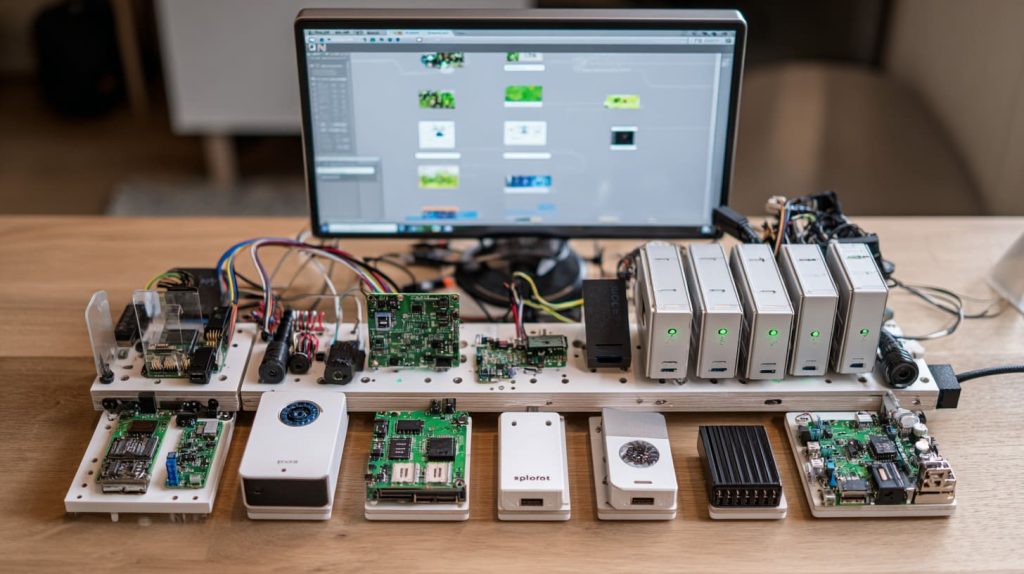
With a Raspberry Pi, you’ll need to get creative with your setup. You can use external drives or SSDs to store files, and even set up a custom case with a fan for cooling. While it may not be the fastest option, you can easily create a low-cost, functional machine for light tasks.
Can you use Raspberry Pi 5 as a server?
Yes, Raspberry Pi 5 can be used as a server. Its new features like improved processing power make it viable for small-scale server tasks.
Raspberry Pi 5 is capable of running small server applications like web hosting or a media server. It won’t handle high-traffic websites, but it’s great for personal or small business use.

Setting up Raspberry Pi as a server is pretty straightforward. With the right operating system, like Raspberry Pi OS or Ubuntu, you can run web servers, file servers, or even a home automation system. It’s a great low-power, budget-friendly option for personal use.
How powerful is a Raspberry Pi computer?
The power of a Raspberry Pi is a hot topic. While it’s no powerhouse compared to a desktop, it can handle a surprising amount for its size.
The Raspberry Pi is surprisingly capable for everyday tasks like browsing, document editing, and media consumption. But it's not designed for heavy workloads like gaming or video editing.

The latest models, like Raspberry Pi 4 and 5, have significantly improved processing speeds. You can even run light versions of popular operating systems like Ubuntu. Still, for tasks that require lots of memory or heavy processing, a desktop is much better suited.
Can Raspberry Pi Handle Multiple Monitors for Productivity Tasks?
Yes, Raspberry Pi can handle multiple monitors, but there are limitations.
With Raspberry Pi 4 or 5, you can connect two monitors, but performance might drop for more intensive productivity tasks like video editing or running multiple applications at once.

Raspberry Pi supports dual monitor setups through its HDMI ports, and you can use the two monitors for simple productivity tasks like spreadsheets, email, or browsing. But don’t expect smooth multitasking when you’re running resource-hungry applications.
What Are the Best Operating Systems for Raspberry Pi as a Desktop Replacement?
Choosing the right operating system can make or break your Raspberry Pi desktop experience.
Raspberry Pi OS is the most popular choice, but there are others like Ubuntu or Manjaro Linux that can offer a more desktop-like experience.

Raspberry Pi OS is optimized for the board, offering stability and performance. If you want a more full-fledged desktop experience, Ubuntu or Manjaro might be your best bet, providing familiar interfaces and better support for a wider range of apps.
How Can I Improve Raspberry Pi's Performance for Desktop Applications?
There are ways to boost the Raspberry Pi’s performance, especially if you’re planning to use it as a daily desktop.
To enhance performance, use a faster SD card, add more RAM (if possible), or consider overclocking the Pi for a speed boost. You can also reduce the number of background tasks to free up resources.

Upgrading to a high-speed SD card will significantly improve the Pi’s performance, as it depends on this for its main storage. You can also overclock the CPU, but this requires careful monitoring of heat levels to avoid damage. Lastly, consider using lightweight applications to reduce the load on the system.
What Are the Limitations of Using Raspberry Pi as a Desktop Computer?
Raspberry Pi is a great little computer, but it’s not without its limitations when used as a desktop replacement.
The biggest limitations are its processing power, limited memory, and storage options. It’s fine for light tasks but struggles with anything requiring heavy processing or multitasking.

While Raspberry Pi is an incredible tool for learning, experimenting, or casual work, it’s just not equipped to handle intensive tasks like high-end gaming or video editing. Additionally, the lack of internal storage and limited RAM can be restrictive.
Can Raspberry Pi Run Popular Office Software Like Microsoft Office or LibreOffice?
Yes, Raspberry Pi can run office software, but there are some trade-offs in terms of performance.
LibreOffice works great on Raspberry Pi, but Microsoft Office doesn’t have a native version for the Pi. However, you can use alternatives like Office 365 through the web browser.

LibreOffice runs smoothly on Raspberry Pi, so you can easily write documents or create spreadsheets. However, Microsoft Office doesn’t support the Pi, so you’d need to use a browser-based solution like Office 365, which works but may not offer the same experience.
Conclusion
Raspberry Pi can indeed serve as a desktop replacement for lighter tasks. But if you need more power, a traditional desktop might be a better choice.




