Skip to content

If you’ve ever thought about diving into the world of technology, you've probably heard about the Raspberry Pi. But what exactly is it? In simple terms, it’s a compact, affordable, and powerful single-board computer that has taken the world by storm. Whether you’re a tech newbie or a seasoned developer, the Raspberry Pi is something you should definitely check out.
Created with accessibility in mind, the Raspberry Pi was designed to make computing affordable and available to everyone, especially in the realm of education. It’s a tool that has grown to become a central figure in hobbyist projects and even professional development. From building your own home automation system to learning programming, the Raspberry Pi is as versatile as it is fun.
Today, we’re diving deep into the world of Raspberry Pi to explore what it is, how it’s used, and the exciting projects you can build with it.

What is Raspberry Pi?
At its core, the Raspberry Pi is a single-board computer, meaning everything you need for computing is packed into one small, credit-card-sized board. It’s an incredibly cost-effective tool that you can use for anything from simple tasks like browsing the web to building more complex systems such as robots or home automation projects.
Raspberry Pi 4 vs Raspberry Pi 3
If you're wondering whether you should go for the latest model or stick with an older one, let's break down the differences between the Raspberry Pi 4 and its predecessor, the Raspberry Pi 3. The Raspberry Pi 4 offers more processing power, supports dual-display output, and has faster USB ports. These upgrades make it a better choice for those who want to use their Raspberry Pi for more intensive tasks.
But, the Raspberry Pi 3 still holds its ground. It’s perfect for those starting with basic projects or who don’t need the additional performance. So, your choice depends on the kind of project you're looking to work on.
The evolution of Raspberry Pi hardware over the years
The Raspberry Pi has evolved quite a bit since its first release in 2012. Over the years, we’ve seen improvements in processing speed, memory capacity, and connectivity options. The early models were limited in what they could do, but as the hardware has improved, the range of projects you can use it for has expanded dramatically.
Key features of Raspberry Pi
What makes the Raspberry Pi so attractive to developers and hobbyists alike is its features. From a powerful processor to its expansive connectivity options, the Raspberry Pi is capable of handling a wide variety of projects.
Processor, RAM, and storage
The Raspberry Pi 4 features a quad-core ARM Cortex-A72 processor, which makes it significantly faster than previous models. When it comes to memory, the Pi 4 comes in various RAM configurations—ranging from 2GB to 8GB—so you can choose the right amount of power for your projects. As for storage, it uses a microSD card to store its operating system and files, but it also has USB ports that support external storage for larger projects.
Ports and connectivity (USB, HDMI, GPIO, etc.)
What really makes the Raspberry Pi stand out is its connectivity. With HDMI, USB, Ethernet, and GPIO pins, you can connect it to almost any device or sensor you need. The GPIO pins, for example, are a goldmine for anyone interested in building hardware-based projects, like home automation systems or robotics.

How Raspberry Pi is Used in Various Fields
The Raspberry Pi isn’t just for hobbyists—its uses span across different fields, from education to industry. Let’s take a look at some of the ways people are making use of this powerful little device.
Education and learning tool
When the Raspberry Pi was first introduced, its primary goal was to get young people interested in computer science and programming. It’s a fantastic tool for teaching kids (and adults) the basics of coding and hardware. With its low price, it makes computing accessible to everyone, from schools to individuals wanting to learn at home.
Teaching programming and coding with Raspberry Pi
Learning to code can seem like a daunting task, but Raspberry Pi makes it easier. You can start with Scratch, a visual programming language perfect for beginners, and progress to more advanced languages like Python. The Pi’s user-friendly interface and wide array of tutorials make it a great choice for anyone eager to learn.
Raspberry Pi in STEM education
Raspberry Pi has become a mainstay in STEM (Science, Technology, Engineering, and Mathematics) education. Schools and universities across the world have adopted it to teach students about coding, robotics, and electronics. Whether it’s building a simple circuit or creating an AI project, the Raspberry Pi serves as an affordable and versatile tool for students.
DIY projects and hobbyist use
One of the most exciting things about the Raspberry Pi is its potential for DIY projects. From home automation to robotics, the possibilities are endless.
Home automation projects
With the right sensors and components, you can use the Raspberry Pi to automate your home. Imagine controlling your lights, thermostat, and even your coffee machine with just a few clicks. Projects like these not only introduce you to programming but also to the world of IoT (Internet of Things).
Robotics and AI applications
The Raspberry Pi is also a great platform for building robots or diving into artificial intelligence projects. You can use it to control motors, sensors, and cameras, and even incorporate machine learning models for tasks like object recognition.
Industry applications
It’s not just hobbyists and students who benefit from the Raspberry Pi. Businesses are leveraging its power for practical uses in areas like IoT, product development, and digital signage.
IoT and smart devices
Many companies use Raspberry Pi in IoT devices. Its small size, low cost, and powerful processing capabilities make it ideal for connecting everyday objects to the internet, from smart home devices to wearable technology.
Prototyping and product development
If you're an inventor or entrepreneur, the Raspberry Pi is perfect for prototyping new ideas. It can quickly help you build a proof of concept for a new product, whether it’s a home security system, a weather station, or even a drone.
Raspberry Pi in commercial products (e.g., Raspberry Pi-powered digital signage)
Many companies are also using Raspberry Pi in commercial products, such as digital signage displays. Its low cost and easy integration make it a fantastic solution for businesses looking to implement screens and interactive kiosks.

Projects You Can Do with Raspberry Pi
Now that we’ve covered the basics of what Raspberry Pi is and how it’s used, let’s dive into some cool projects you can create with it. Whether you're just starting or you’re a seasoned pro, there’s always something new and exciting to try with your Raspberry Pi.
Setting up a media center with Raspberry Pi
Turn your Raspberry Pi into a home theater system with Kodi or Plex. By installing the right software, you can stream videos, music, and more, all while controlling it from your phone or computer.
Installing Kodi or Plex
Kodi and Plex are both excellent media center options that run smoothly on Raspberry Pi. These programs allow you to stream movies, TV shows, and music from local storage or online sources, making your Pi a true entertainment hub.
Connecting Raspberry Pi to a TV and controlling media
You can easily connect your Raspberry Pi to your TV via HDMI. Once set up, you can control the media center through a smartphone or a Bluetooth remote.
Building a personal web server
With a Raspberry Pi, you can host your own website or local server. It’s a perfect project for learning about web hosting and server management without the high costs of traditional hosting.
Hosting a website or a local server
By installing software like Apache or Nginx, you can turn your Raspberry Pi into a web server. It’s a great way to learn about server-side technologies and experiment with website development.
Security and maintenance of the web server
Just because the Raspberry Pi is small doesn’t mean it can’t handle big responsibilities. You’ll need to consider security measures and regular maintenance to ensure your server runs smoothly.
Raspberry Pi for home automation
Whether it’s controlling the lights or securing your home, Raspberry Pi can help automate your space. With the right sensors and programming, you can control everything in your house from your smartphone or computer.
Controlling smart home devices
By integrating Raspberry Pi with smart devices like lights, thermostats, and even door locks, you can create a truly connected home.
Automating daily tasks (lighting, security, etc.)
From setting up automatic lighting schedules to building a home security system, Raspberry Pi gives you the power to automate your daily tasks and make life a little easier.
Gaming with Raspberry Pi
For those who love gaming, Raspberry Pi can take you back in time with retro gaming emulation. It’s easy to turn your Raspberry Pi into a vintage gaming console and relive the classics.
Retro gaming emulation
You can emulate games from consoles like the NES, SNES, and Sega Genesis with programs like RetroPie. This is one of the most popular uses of Raspberry Pi among hobbyists.
Building a Raspberry Pi arcade machine
If you’re feeling ambitious, you can even build your own arcade machine with Raspberry Pi and RetroPie. It’s a fun project that combines hardware and software skills.

How to Start Using Raspberry Pi
Getting started with Raspberry Pi is easier than you might think. With the right components and a little bit of setup, you can be up and running in no time.
Necessary components and accessories
When you buy a Raspberry Pi, you'll need a few basic accessories to get started. Here’s a quick list of essentials:
- Raspberry Pi board
- Power supply
- microSD card (with at least 8GB of space)
- HDMI cable
- Keyboard and mouse
- Display (monitor or TV)
Raspberry Pi kit essentials
If you’re just starting, you can buy a starter kit that includes all the necessary components. These kits often come with the Raspberry Pi, power supply, microSD card, and cables—all the essentials to get you started.
Power supplies and storage options
Make sure to use a good-quality power supply for your Raspberry Pi to ensure it runs smoothly. For storage, you’ll need a microSD card, but you can also use USB drives for additional storage.
Software setup and installation
Once you have your Raspberry Pi set up with the hardware, the next step is installing an operating system. The most common OS for Raspberry Pi is Raspberry Pi OS, but you can also try other systems like Ubuntu or even Windows 10 IoT.
Operating systems for Raspberry Pi
Raspberry Pi OS is a great starting point, especially if you’re new to Raspberry Pi. It's free to download, and it’s optimized for the Pi's hardware.
Programming environments and tools
Once your OS is set up, you can start programming. Raspberry Pi supports a wide variety of programming languages, including Python, Java, and C++. You can also use tools like Node-RED for visual programming.

Troubleshooting and Common Issues with Raspberry Pi
Even though the Raspberry Pi is a fantastic piece of technology, you might run into some issues along the way. Don’t worry, though—most problems are easy to fix with a little know-how.
Power supply and overheating issues
One common problem is power-related. If the Raspberry Pi doesn’t get enough power, it can crash or behave unpredictably. Make sure you're using the proper power supply.
How to manage power and cooling for Raspberry Pi
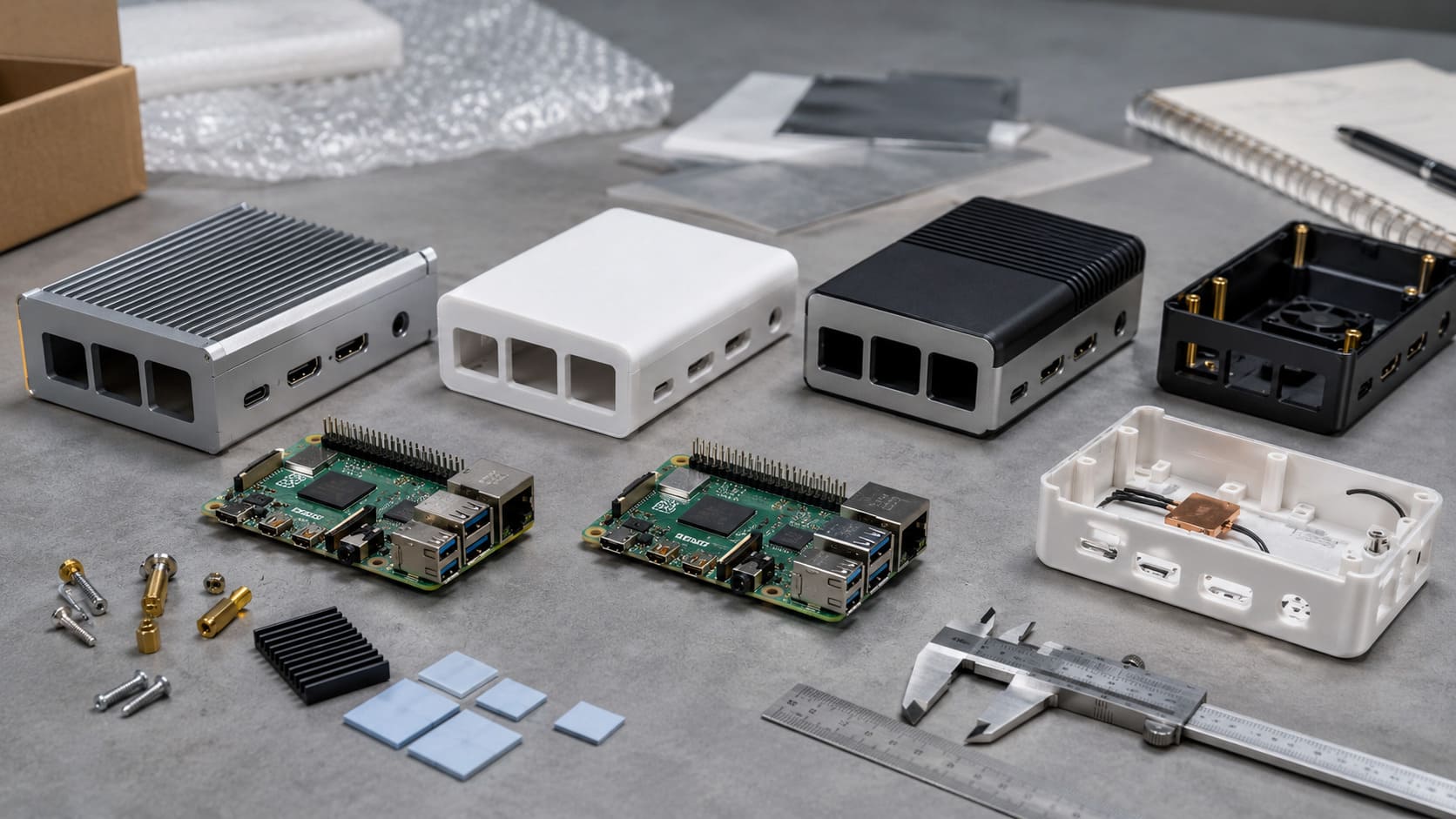
To avoid overheating, you can use a heatsink or a fan. These simple cooling solutions will ensure your Raspberry Pi runs at its best.
Effective heatsinks and cooling solutions
Heatsinks are small devices that help dissipate heat from the Raspberry Pi’s processor. If you're running demanding applications, a good heatsink or fan can prevent your Pi from overheating.
Connectivity problems (Wi-Fi, Ethernet)
If you're having trouble with Wi-Fi or Ethernet, the issue might be with your network settings or the Raspberry Pi’s configuration.
How to troubleshoot network issues on Raspberry Pi
Check your Wi-Fi settings, make sure you’ve entered the correct credentials, and verify that your network connection is working. If you're using Ethernet, try swapping cables or rebooting your router.
Sometimes the Raspberry Pi’s operating system or software might freeze or crash. If this happens, don't panic!
How to handle OS and software crashes
The simplest solution is to reboot the Raspberry Pi. If the issue persists, consider reinstalling the operating system or checking for updates.
Conclusion
In conclusion, Raspberry Pi is more than just a hobbyist tool—it's a versatile platform that can be used for everything from education to industrial applications. Whether you're looking to learn programming, build a smart home, or prototype a product, the Raspberry Pi has something to offer.
So, why not give it a try? Start with a simple project and explore the world of Raspberry Pi. With endless possibilities, who knows what you'll create next!