Skip to content

At a bustling tech expo in Shenzhen back in 2015, I came face-to-face with a small yet powerful Raspberry Pi. Amid the crowd of innovative gadgets, its simple design and potential for endless creation sparked my passion for connected devices. Conversations with fellow enthusiasts and hands-on demos drove me to explore deeper into IoT possibilities. Today, I run MaidaTech—a factory that ships custom Pi cases worldwide. Yet the same question that ignited my interest still resonates: Can a Raspberry Pi truly live inside a serious IoT device?
In this article I walk you through the practical, sometimes messy answers I give to buyers like Davide in Belgium or the imaginative Lasle in Hungary. We will weigh specs, costs, supply chains, and the headaches no brochure ever mentions.
What the Article Will Cover
- A clear picture of what “IoT‑ready” really means
- Where Raspberry Pi boards shine and where they stumble
- Stories from the factory floor—prototypes, failures, and fixes
- A toolbox of best practices for scaling fleets
Why the “Raspberry Pi ⇆ IoT” Question Matters for Businesses and Makers
Whether you sell 5,000 smart kiosks or one custom sensor node, your profit lives or dies on reliability, cost, and time‑to‑market. The Pi looks perfect on paper—until a shipment delay or a sudden power draw torpedoes your budget. Knowing the trade‑offs early keeps you in the black and your reputation intact.
Ready? Let’s strip the buzzwords and see what an IoT device is made of.
Understanding IoT Devices
Definition and Core Requirements of an IoT Node
When I say “IoT device,” I picture three pillars: sense, think, talk. The node must read data from the physical world, process or pre‑process it, then send it somewhere safe. Under the hood that means:
- Sensors/actuators with clear signal paths
- Compute element that can run deterministic code
- Connectivity—Wi‑Fi, Ethernet, LTE, or LoRa, depending on range and power budget
- Security anchor to stop strangers from hijacking the node
- Power strategy—plugged, battery, or energy‑harvested
If one pillar is weak, the entire project wobbles.
Typical Hardware Architectures (MCU vs. SBC vs. SOM)
Different projects pick different cores. A quick comparison helps:
| Feature | MCU (e.g., STM32) | SBC (e.g., Raspberry Pi 4) | SOM (e.g., Raspberry Pi Compute Module) |
|---|---|---|---|
| OS | Bare‑metal / RTOS | Full Linux | Linux or Android |
| RAM | 64 KB–2 MB | 1–8 GB | 1–8 GB |
| Power | µA–mA (sleep) | 500 mA–1 A | 200–800 mA |
| Cost (1k qty) | \$1–\$5 | \$35–\$55 | \$30–\$45 |
| Expansion | Limited GPIO | 40‑pin GPIO + USB | Custom carrier board |
| Ideal Use | Wearables, sensors | Edge compute, gateway | Industrial embedded |
The table shows why MCUs win on power but lose on horsepower, and why SOMs sit between worlds.
Performance, Power‑Efficiency, and Cost Trade‑offs
No free lunch. Higher clock speed means more heat and bigger batteries. Lower BOM cost can mean weeks of extra firmware work. I often ask clients: “Would you rather pay an extra \$5 per board now or \$50 k later debugging field failures?”
Those trade‑offs set the stage; next, let’s peek inside the Pi itself.
Raspberry Pi Hardware Overview
Evolution of Models (Pi Zero → Pi 5 & Compute Modules)
I keep an old Pi Zero taped above my desk as a reminder of humble beginnings: single‑core, 512 MB RAM, cost less than a pizza. Fast‑forward to the Pi 5—quad‑core Cortex‑A76 at 2.4 GHz, PCIe lane, dual 4K HDMI. The Compute Module line adds eMMC and board‑to‑board connectors, perfect for rugged enclosures.
Key Specs: CPU, RAM, Connectivity, GPIO, Camera, Display
A snapshot of today’s mainstream models:
| Model | CPU | RAM | Wireless | GPIO | Special I/O |
|---|---|---|---|---|---|
| Pi Zero 2 W | Quad A53 1 GHz | 512 MB | Wi‑Fi 4, BT 4.2 | 40‑pin | CSI‑2 |
| Pi 4 B | Quad A72 1.5 GHz | 2‑8 GB | Wi‑Fi 5, BT 5 | 40‑pin | 2×CSI, 2×HDMI |
| Pi 5 | Quad A76 2.4 GHz | 4‑8 GB | Wi‑Fi 6, BT 5.3 | 40‑pin | PCIe 2.0, MIPI DSI |
| CM 4 | Quad A72 1.5 GHz | 1‑8 GB | Optional | 2×100 pins | PCIe, dual HDMI |
Power Consumption Profiles and Thermal Behavior
A Pi Zero 2 idles at ~150 mA, spikes to 400 mA under load. Pi 4 can gulp 700 mA idle, 1.2 A when decoding 4K video. I have scorched my fingers on a bare Pi 4 running headless—without a heatsink the SoC throttles at 80 °C. In battery projects that heat turns into lost uptime.
Specs are only half the tale; the magic appears when the Pi meets real‑world tasks.
Why Raspberry Pi Fits Many IoT Use Cases
Versatile GPIO + Broad Peripheral Support
Need SPI for an e‑paper display? I2C for a temperature probe? UART for an old PLC? The 40‑pin header gives you all three plus PWM and CAN (with overlay). One Belgian brewer wired a Pi to eight thermocouples and a relay board, automating his entire micro‑brewery in a weekend.
Full Linux OS & Rich Software Ecosystem
With Debian under the hood, you apt‑install Node‑RED, Docker, or TensorFlow Lite in minutes. No arcane toolchains, no vendor lock‑in. That freedom speeds prototypes and lets teams reuse cloud libraries without rewriting everything in C.
Community, Documentation, and Rapid‑Prototyping Speed
When Davide’s first batch of 500 units failed to boot because of a missing dtoverlay, a quick forum search gave the fix in ten minutes. That collective brainpower is priceless—especially at 3 a.m. before a ship date.
Yet every rose has thorns. Let’s look at the prickly parts before you bet your business on the Pi.
Limitations When Moving to Production IoT
Energy Draw vs. Battery‑Powered Deployments
Running a Pi 4 on a 10 Ah Li‑ion pack yields about 12 hours under moderate load. Compare that to an ESP32 sipping 80 µA in deep sleep and you see why wildlife trackers rarely use a Pi.
Reliability, Industrial Temperature, and EMI Concerns
Most Pi boards are rated 0–50 °C. Stick one in a rooftop enclosure in Dubai and watch the SoC bake. Plus, unshielded HDMI lines can spew EMI that upsets nearby sensors. Industrial Pi variants exist, but costs climb quickly.
Long‑Term Supply Chain & Lifecycle Management
Ask any integrator about 2022: Pi shortages turned project timelines to dust. OEMs must forecast demand 12–18 months out or design drop‑in alternatives. I now keep a buffer stock equal to three months of our largest client’s orders—expensive but cheaper than factory downtime.
If the Pi is not a silver bullet, how does it stack against classic microcontrollers? Keep reading.
Raspberry Pi vs. Microcontroller Boards (ESP32, Arduino, Pico W)
Cost‑per‑Unit and Bill‑of‑Materials Comparison
| Item | Pi Zero 2 W | ESP32‑C3 DevKit | Arduino Nano Every |
|---|---|---|---|
| Unit Cost (1 k) | \$15 | \$4 | \$6 |
| Power Regulator | \$0.70 | \$0.30 | \$0.30 |
| Enclosure | \$2.50 | \$1.20 | \$1.20 |
| Total | \$18.20 | \$5.50 | \$7.50 |
MCUs win on raw BOM, but hidden costs—longer firmware cycles, lack of rich OS—often tilt the final ROI.
Security, OTA Firmware, and Update Strategies
Pi devices can use A/B partitioning and Debian’s signed packages. ESP32 supports encrypted flash and OTA, yet storage is tight. For fleets, an IoT device management platform saves countless hours by automating rollouts.
Development Workflow & Skill‑Set Differences
Python on Pi versus C on MCU. Junior devs ramp up faster on the former. However, real‑time tasks (motor control) may demand deterministic MCU loops. Hybrid designs place an MCU beside the Pi for hard‑real‑time jobs.
Now, theories aside, let’s explore Pi projects already earning their keep.
Real‑World IoT Applications Using Raspberry Pi
Smart‑Home Hubs and Gateways
Open‑source Home Assistant runs smoothly on Pi 4, uniting Zigbee lights and Z‑Wave locks. Users love local processing—no cloud, no lag.
Edge AI / Computer Vision Nodes
Pair a Pi 5 with a Coral USB accelerator and you detect defects on a conveyor at 30 fps. Check out recent Edge AI use cases for inspiration.
Industrial Monitoring & SCADA Bridges
Factories still run Modbus over RS‑485. A Pi with a USB‑to‑RS485 dongle acts as a low‑cost protocol translator, streaming data to MQTT brokers.
Retail Kiosks, Digital Signage, and POS Terminals
With dual 4K HDMI, Pi 4 drives menu boards in cafés. Add a touchscreen and you have a self‑checkout terminal for under \$200.
Cool, right? But hardware is only half the story. Let’s talk boxes, fans, and power bricks.
Design Considerations: Housing, Cooling, and Power
Importance of Custom Enclosures and Heat Dissipation
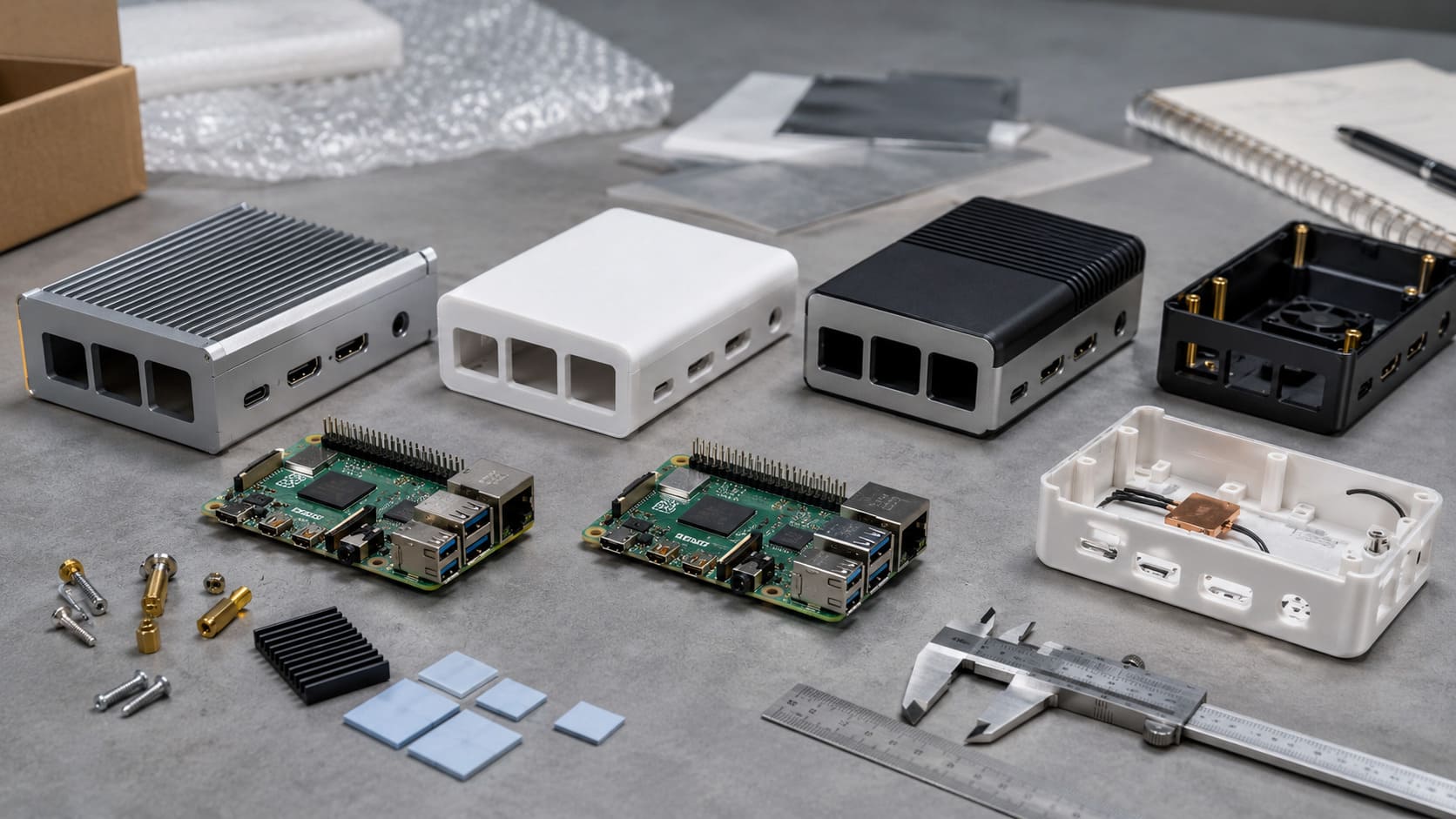
A bare board collects dust and scares non‑geeks. My team mills ABS cases with vent grids that drop core temps by 10 °C. For outdoor nodes we switch to aluminum and add thermal pads.
Selecting Power Supplies for 24 / 7 Operation
Flaky adapters are the silent killer of field units. We specify 5.1 V / 3 A supplies with ±2 % regulation. A small table I show buyers:
| Load | Voltage Sag Acceptable? | Risk |
|---|---|---|
| Idle (400 mA) | 4.9 V OK | Low |
| CPU Peak (1.2 A) | 4.85 V Max | Medium |
| USB + GPU (1.6 A) | 4.8 V Max | High—SD corruption |
Branding, Labeling, and Regulatory Compliance
Davide loves his logo embossed on matte black ABS. But CE and FCC marks must be 5 mm tall and contrast‑printed. Forgetting that means customs fines bigger than the parts bill.
You’ve seen the ingredients; now watch how we cook a full batch for a demanding client.
Case Study: Custom Raspberry Pi Case for B2B IoT Deployment
Gathering Requirements from a Re‑brand Client (Davide)
Davide sells smart‑aquarium kits. He needed 3,000 Pi 4 cases with:
- Satin finish, ocean‑blue color
- Laser‑engraved logo + QR code
- Pre‑applied anti‑slip feet
- Individual retail boxes with EU barcodes
We hopped on a video call, shared 3D models, and locked specs in two rounds—no endless email chains.
OEM / ODM Workflow: Prototyping to Mass Production
- Rapid CNC mock‑up (3 days)
- Thermal test in 45 °C chamber (passed)
- Pilot run of 100 units (0.5 % defect)
- Mass production on three lines, 4 k/day output
- Logistics—split shipment: air for launch stock, sea for replenishment
Quality Assurance, Logistics, and After‑Sales Support
Every tenth case faces a drop test. Barcodes are scanned before boxing. We keep spare lids in stock because Davide once changed his QR link mid‑campaign—life happens, we adapt.
If Davide can scale, so can you—but only with the right fleet management tricks.
Best Practices for Scaling Raspberry Pi‑Based IoT Fleets
Device Management, Provisioning, and OTA Updates
Burn an immutable OS image, inject device‑specific keys, and enroll each Pi in a fleet dashboard. Automated OTA saves on‑site truck rolls.
Security Hardening (Secure Boot, TPM, VPN)
Disable password login, enforce SSH keys, and consider a TPM chip on the carrier board. A single leaked key can sink the whole fleet.
Monitoring, Logging, and Remote Access at Scale
Lightweight agents push metrics to Prometheus. For remote consoles, use WireGuard tunnels instead of opening port 22 to the internet.
Still on the fence? Let’s look at paths beyond the Pi.
Alternatives When Raspberry Pi Is Not the Best Fit
Compute Modules & Other System‑on‑Modules
If you crave Pi familiarity but need ruggedness, the CM 4 or CM 5 (beta) on a custom carrier delivers. Other SOMs from NXP or TI add industrial temp ratings.
Ultra‑Low‑Power Microcontrollers + Cloud Offload
Battery‑powered sensors can sleep 99 % of the time and push data via LoRa to a Pi gateway. The split keeps uptime high and costs low.
Hybrid Architectures Combining Pi Gateways with Sensor Nodes
Think of a warehouse: hundreds of ESP32 tags report to a Pi cluster that runs analytics locally. Edge decisions stay fast; heavy models sync to the cloud overnight.
Time to land the plane.
Conclusion
When Raspberry Pi Makes Sense—and When It Doesn’t
A Raspberry Pi shines when you need rich OS features, fast prototyping, and community muscle. It stumbles in harsh climates, tight power budgets, or when long‑term supply is shaky. Blend it with MCUs or SOMs to cover those gaps.
Key Takeaways for Buyers, Engineers, and Project Leads
- Start with a clear spec sheet—power, thermal, lifespan.
- Prototype fast, test harder.
- Plan for supply hiccups; stock smart.
- Harden security from day one.
- Choose partners who answer at midnight and ship at dawn—I try to be that partner for my clients.