 Skip to content
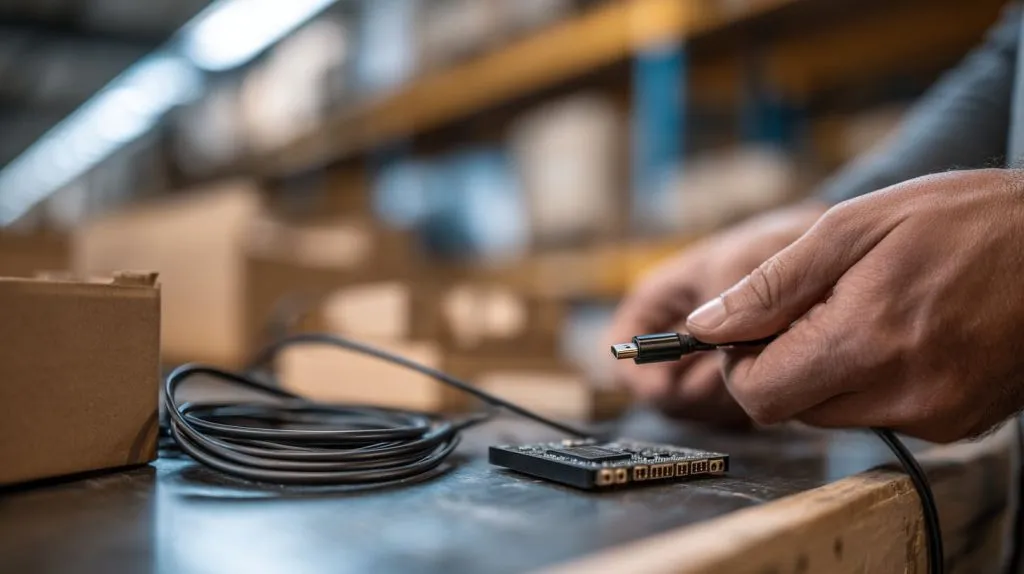
The warehouse was quiet except for the sound of cartons sliding across the table. One of my team members held up a Raspberry Pi 4 and a cable and asked, “Why doesn’t this fit?” The connector was close. It looked right at a glance. But it was wrong.
A few minutes later, my phone buzzed with almost the same question from a buyer in Belgium. He had already printed labels for his Amazon orders. The boards were ready. The cases were packed. The cable simply refused to go in.
This is why HDMI port confusion still happens in 2026. HDMI sounds universal. It feels universal. But on Raspberry Pi boards, the connector size changes between models. That small detail can turn into real business trouble:
- Re-brand sellers face returns and negative reviews.
- ODM project buyers lose time when monitors cannot connect on test day.
- Bulk kit distributors make costly bundling mistakes.
Here is the simple truth I give first:
Raspberry Pi boards mainly use three HDMI connector sizes—Standard HDMI (Type A), Mini HDMI (Type C), and Micro HDMI (Type D). The signal idea is the same. The physical size is not. If the size is wrong, it will not fit.
And when it does not fit, customers do not blame physics. They blame the seller.
That is why I never treat HDMI ports as a “small detail.” In real projects, small details are where trust is built or broken.
What HDMI Port Types Exist on Raspberry Pi Boards?
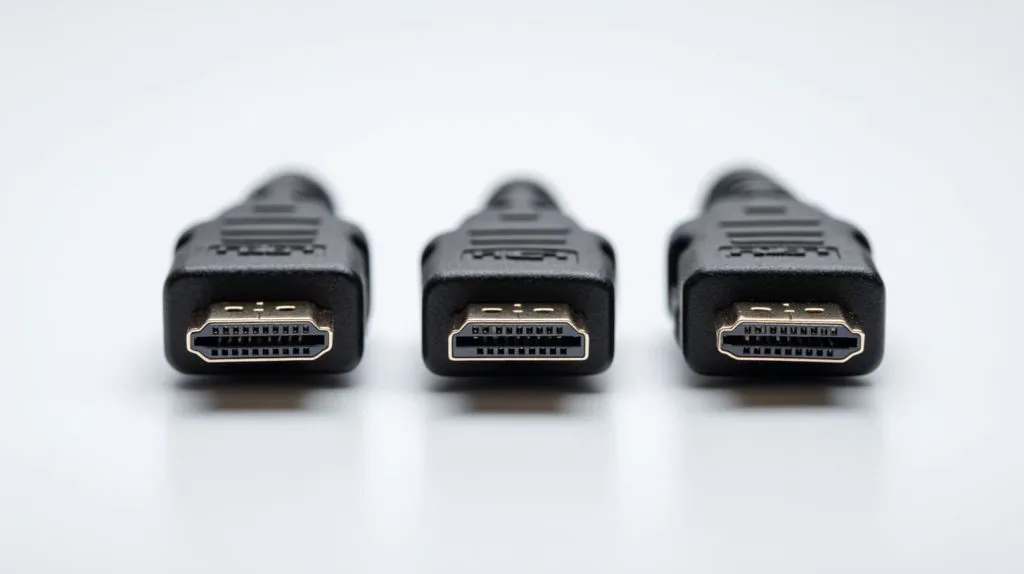
Before we talk about models, I like to name the three connector types clearly. Most confusion comes from people calling them all “HDMI” like they are the same shape. They are not.
Standard HDMI (Type A)
This is the big, common HDMI you see on TVs, monitors, and many laptops. If you’ve ever plugged an HDMI cable into a living room TV, that is almost always Type A.
What I notice in real life:
- It feels sturdy. The connector has more metal around it.
- Cables are everywhere. Cheap, long, short, angled, braided, you name it.
- It’s friendly for beginners. People already own these cables.
Critical thinking angle:
Standard HDMI is not “better” because it is bigger. It is just easier for most people. In B2B terms, it reduces support requests because customers already understand it.
Mini HDMI (Type C)
Mini HDMI is smaller than Standard HDMI, but still has the same idea: video and audio over one cable.
You’ll see Mini HDMI on compact devices where board space matters. On Raspberry Pi, it is most famous on the Pi Zero series.
Why it was chosen:
- The board is tiny, so every millimeter matters.
- It helps keep the Zero slim and simple.
Mechanical durability thought:
- Mini HDMI is less common, so buyers may not have the cable at home.
- Some low-cost Mini HDMI cables have weak strain relief, which can cause loose connections over time.
Critical thinking angle:
Mini HDMI can be the “best design choice” for the board, but it can be a “worst surprise” for a first-time customer. Design wins do not always equal user wins.
Micro HDMI (Type D)
Micro HDMI is smaller again. Raspberry Pi 4 made this famous by using two Micro HDMI ports.
Why Micro HDMI exists:
- It saves space.
- It allows dual display on a compact board.
Trade-offs I’ve seen:
- Smaller connectors can feel more fragile, especially if a heavy cable pulls sideways.
- Buyers confuse Micro HDMI with other small ports, like USB-C or micro-USB.
Critical thinking angle:
Micro HDMI is a smart engineering choice for features like dual display. But it demands better cable habits. If users treat it like a TV HDMI port, they can damage it faster.
When buyers finish this section, I want them to feel one thing: these ports are not “different HDMI versions.” They are different physical connector sizes. That mindset saves projects.
Now let’s make it practical: which Raspberry Pi uses what.
Which Raspberry Pi Models Use Which HDMI Port?
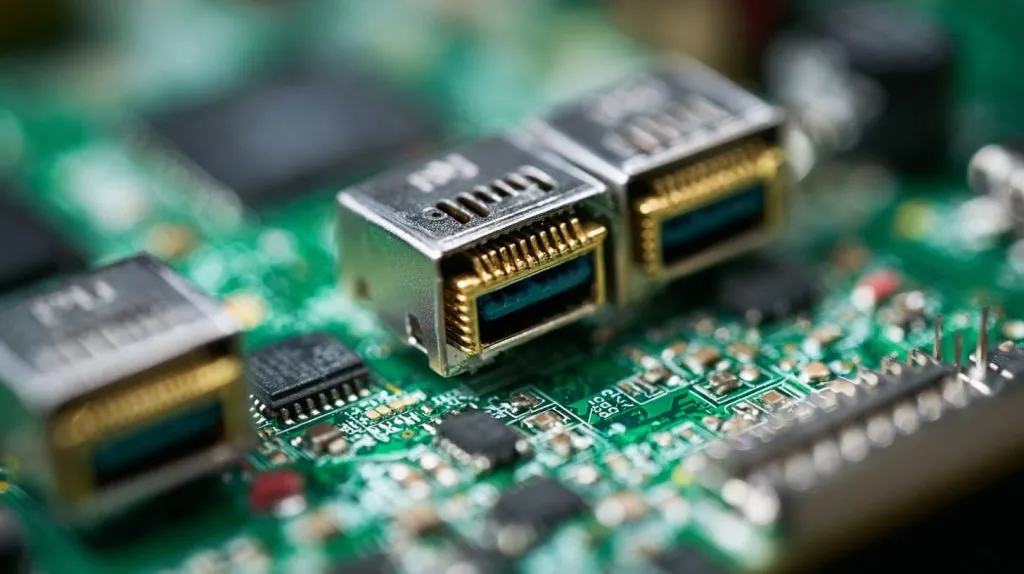
I like this part because it turns confusion into a simple lookup. And for re-brand sellers, this becomes your listing checklist.
Raspberry Pi 1 / 2 / 3 Series
Most Raspberry Pi 1, 2, and 3 boards use Standard HDMI (Type A).
What that means in practice:
- Customers can use common HDMI-to-HDMI cables.
- It supports a simple single display setup.
- It reduces accessory mistakes.
Single display limitation note:
- You can still do creative setups, but most people treat these boards as one monitor boards.
Critical thinking angle:
Older boards are not “bad” because they are older. Sometimes they are easier for education markets because the accessory ecosystem is simpler.
Raspberry Pi 4
Raspberry Pi 4 uses dual Micro HDMI (Type D) ports.
What matters to buyers:
- Two ports often labeled “HDMI0” and “HDMI1”
- Supports dual display setups, and many users aim for 4K output depending on settings and monitor support
- Customers need either:
- Micro HDMI to HDMI cable, or
- Micro HDMI adapter + regular HDMI cable
Why Raspberry Pi switched:
- Board space is limited.
- Raspberry Pi 4 pushed into “desktop-like” usage, so dual display became a real demand.
Critical thinking angle:
Dual Micro HDMI is not just “two ports.” It changes how users experience the board. It also changes how sellers must bundle accessories. If you ignore that, returns go up.
Raspberry Pi 5
Raspberry Pi 5 continues with Micro HDMI ports for display on most standard configurations.
What changed is not the connector size. It’s the performance and expectation:
- More people treat it like a compact PC.
- More people use higher resolution monitors.
- More people care about stable power, cooling, and cable quality.
Critical thinking angle:
When performance increases, accessory quality becomes more visible. A weak cable that “worked fine” on an older setup may show issues on a faster board with higher display demands.
Raspberry Pi Zero / Zero 2 W
These use Mini HDMI (Type C).
Space-saving reasoning is simple:
- The Zero is designed to be tiny.
- Standard HDMI would take too much board space.
What hurts customers:
- Many first-time buyers do not own Mini HDMI cables.
- They order “Micro HDMI” by mistake because the names sound similar.
Here is a quick table I often keep in my own notes:
| Raspberry Pi Model Group | HDMI Port Type | Typical Buyer Mistake |
|---|---|---|
| Pi 1 / 2 / 3 | Standard HDMI (Type A) | Assumes all Pi use this |
| Pi 4 | Micro HDMI (Type D) x2 | Orders standard HDMI cable |
| Pi 5 | Micro HDMI (Type D) | Confuses with USB-C |
| Pi Zero / Zero 2 W | Mini HDMI (Type C) | Orders micro instead of mini |
Once you map models to port types, the next question becomes more interesting: what is actually different physically, and why do people keep mixing them up?
What Is the Real Physical Difference Between HDMI Type A, C, and D?
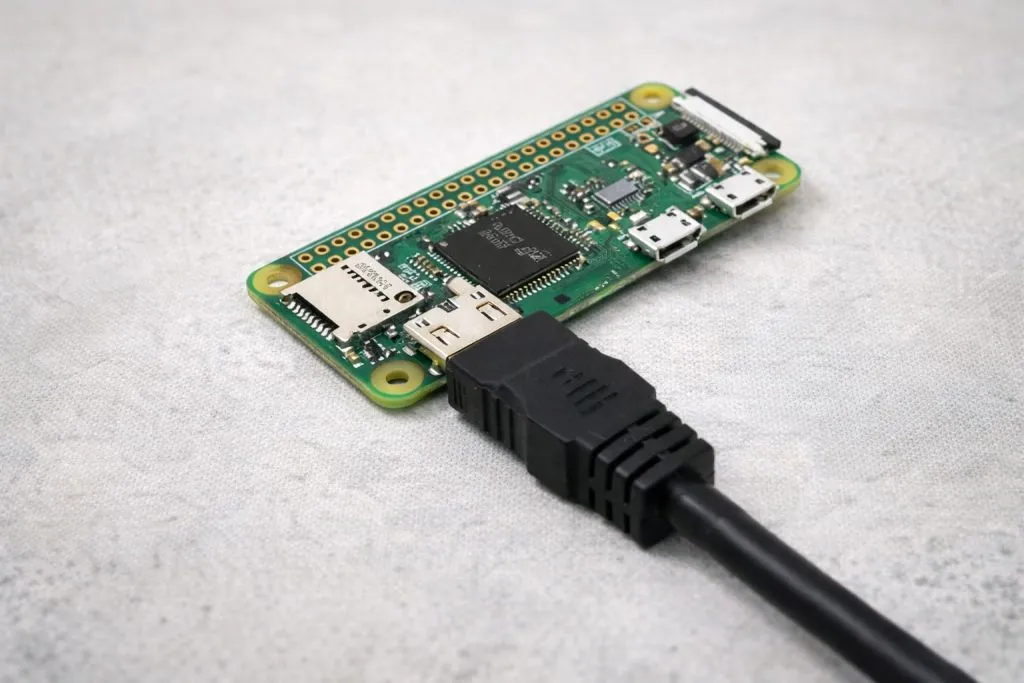
Let’s be honest. Most people do not care about “Type A/C/D.” They care about one thing: Will it fit?
So I explain it in three layers: size, pins, and cable behavior.
Size Comparison Table
All three HDMI connector types carry HDMI signals, but the physical shell is different. Here is a simple “buyer view” table:
| HDMI Connector Type | Common Name | Physical Size Feel | Typical Use Case on Raspberry Pi | Durability Feel |
|---|---|---|---|---|
| Type A | Standard HDMI | Large, easy to grip | Pi 1/2/3 series | Strongest feel |
| Type C | Mini HDMI | Medium, less common | Pi Zero / Zero 2 W | Medium |
| Type D | Micro HDMI | Smallest, easy to confuse | Pi 4 / Pi 5 | Most sensitive |
Mechanical strength comparison (real-world):
- Bigger connectors usually handle sideways pull better.
- Smaller connectors need better cable strain relief.
- The board mount also matters. A good PCB design can still fail if users yank cables.
Critical thinking angle:
A “fragile port” is sometimes a “rough user” problem. If the product will be used in classrooms or factories, you must assume rough handling. Then you design the cable plan differently.
Pin Layout Differences
Here is the funny part that surprises many people:
- Type A, C, and D have the same number of pins (19).
- The spacing and shell shape change.
- The signal concept stays HDMI.
So if someone tells you “Micro HDMI has fewer pins so it’s worse,” that’s not the right way to think.
Better way to think:
Connector size affects mechanical fit and user experience more than signal “quality” by itself.
Cable Compatibility
This is where buyer mistakes happen.
Common adapter/cable options:
- Micro HDMI to HDMI cable (best for Pi 4/Pi 5 users)
- Mini HDMI to HDMI cable (best for Pi Zero)
- HDMI adapter (works, but adds one more joint that can wiggle loose)
Common mistakes I see:
- Micro HDMI mistaken for USB-C (because both are small and modern-looking)
- Mini HDMI ordered when Micro HDMI is needed (because names sound like “mini = smaller”)
- Cheap cables with poor strain relief causing intermittent display drops
A practical checklist I share with buyers:
- If the board is Pi 4: assume Micro HDMI x2
- If the board is Pi Zero: assume Mini HDMI
- If the board is older Pi 3: assume Standard HDMI
- If you are not sure: check the product photo and compare port shape before bulk ordering
At this point, most readers start asking a deeper question: Why did Raspberry Pi change this at all? Why not keep one HDMI size forever? Good question. The answer is not only technical. It’s also business.
Why Did Raspberry Pi Change HDMI Port Types Over Time?
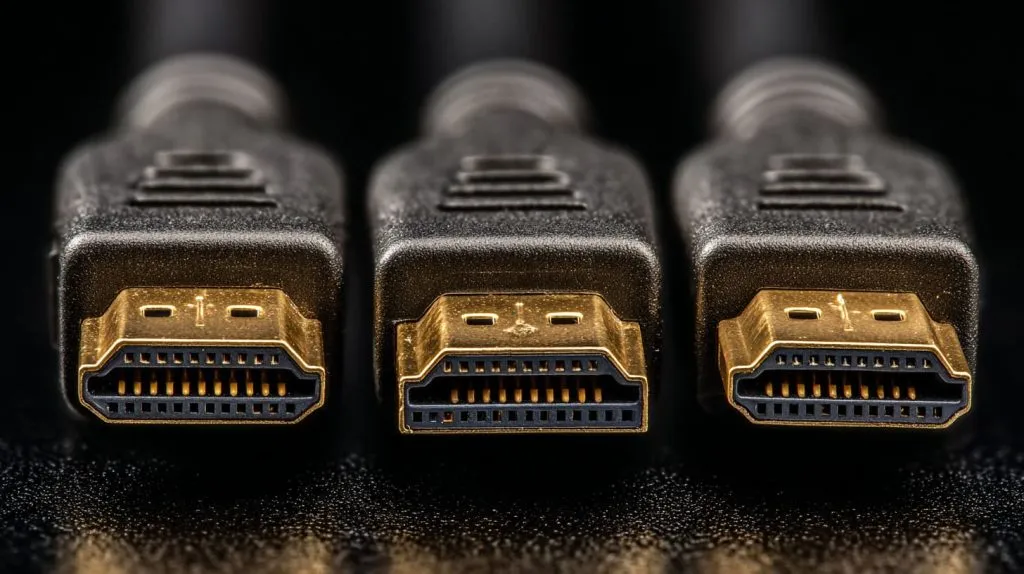
When buyers feel frustrated, they often blame “inconsistent design.” I get it. But from an engineering view, Raspberry Pi design changes follow the pressure of the board.
Space Constraints on PCB Design
PCB space is like airport runway space. Everyone wants more, but nobody wants the airport bigger.
As Raspberry Pi boards added:
- faster CPUs
- better power stages
- more ports
- better signal routing
- more cooling needs
…something had to give. HDMI connectors are large compared to many components. Shrinking the connector helps free space for other features.
Critical thinking angle:
“Smaller connector” is not a random choice. It’s a trade. If you want more performance, you often accept tighter packaging.
Multi-Display Support Demands
Raspberry Pi moved from “education board” into “real desktop-like use” for many people. And the modern desk often has:
- one main monitor
- one extra monitor
- or a monitor plus a TV
Dual display became more common, and the Pi 4 answered that with two Micro HDMI ports.
Critical thinking angle:
A feature that looks like a luxury becomes a standard once users adopt it. Then the accessory ecosystem must adapt. Sellers who don’t adapt get punished by returns.
Cost and Supply Chain Considerations
This part is uncomfortable but real: the accessory ecosystem affects cost.
- Standard HDMI cables are cheap and everywhere.
- Mini and Micro HDMI cables are less common in many local stores.
- Availability can change by region and by season.
For B2B sellers, that means bundling strategy matters. If your customer can’t find a Micro HDMI cable locally, your product feels incomplete.
Critical thinking angle:
A “cheap board” can create “expensive customer frustration” if the accessories are not planned. The board cost is not the full cost of ownership.
Now the next confusion I always hear is this:
“Okay Vincent, but does Micro HDMI give worse video quality than Standard HDMI?”
Let’s untangle that calmly.
Does HDMI Port Type Affect Video Quality?
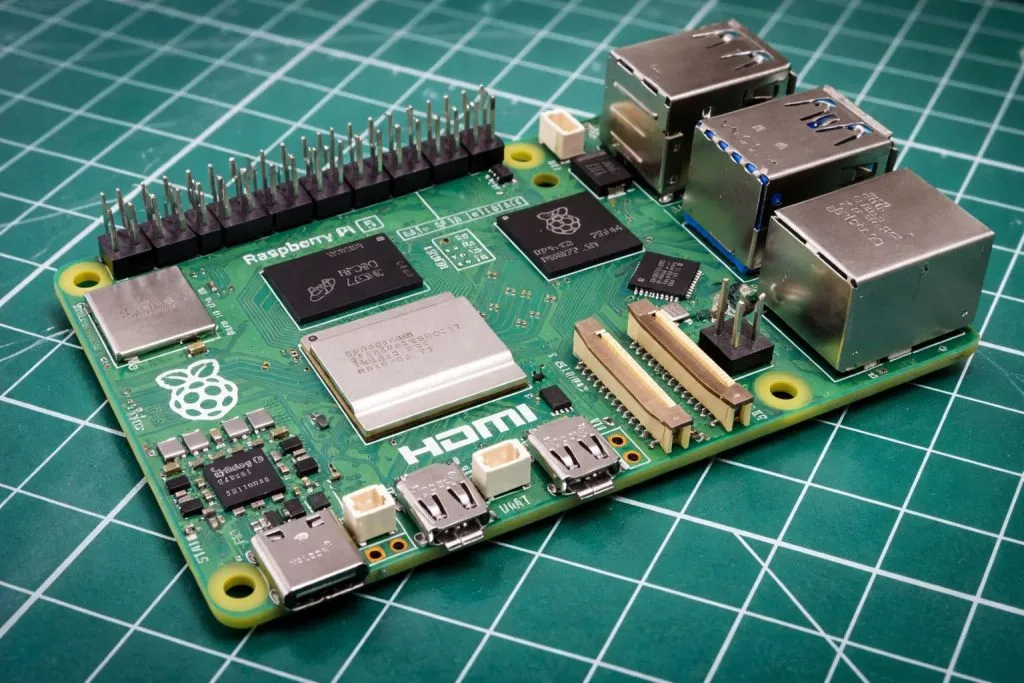
Short answer: HDMI connector type does not decide video quality by itself.
Long answer: video quality depends on the HDMI standard/version, the board hardware, settings, cables, and the real environment.
Resolution Support Differences
In daily use, people associate:
- older boards with 1080p usage
- Pi 4 and Pi 5 with higher resolution and multi-display use
But the connector size (Type A/C/D) is not the reason.
What actually affects resolution:
- the Raspberry Pi model’s display subsystem
- firmware and configuration
- monitor capability
- cable quality and length
Critical thinking angle:
People love simple causes. “Small connector = weaker signal.” It feels logical. But HDMI is digital. Signal integrity is about design and quality, not connector size alone.
HDMI Version vs HDMI Connector Type
This is the key mental switch:
- HDMI version (like 1.4 or 2.0) relates to bandwidth and features.
- HDMI connector type (A/C/D) relates to physical size.
So why does this confusion keep happening? Because both use the word “HDMI,” and the internet mixes them in casual writing.
A small clarity table:
| Term | What It Means | Example | What It Affects |
|---|---|---|---|
| HDMI Connector Type | Physical plug size | Type A / C / D | Fit, cable choice |
| HDMI Version/Standard | Signal capability level | 1.4 / 2.0 (and so on) | Bandwidth, max resolution features |
Real-World Performance Considerations
Even with the “right” cable, real life still matters.
Things that can cause display issues:
- Cable length: too long + low quality can cause flicker
- Power supply stability: undervoltage can create strange display behavior
- Thermal throttling: heat can reduce performance and sometimes cause unstable behavior in heavy workloads
- Loose connections: adapters add extra joints, joints add risk
I’ve seen buyers swap monitors and blame the board. Then they swap cables and the problem disappears in two seconds. That’s not magic. That’s reality.
This is where I like to shift the conversation toward buyers’ real problems. Because in B2B, problems are not “technical trivia.” They are cost, time, and trust.
What Problems Do Buyers Commonly Face With Raspberry Pi HDMI Ports?
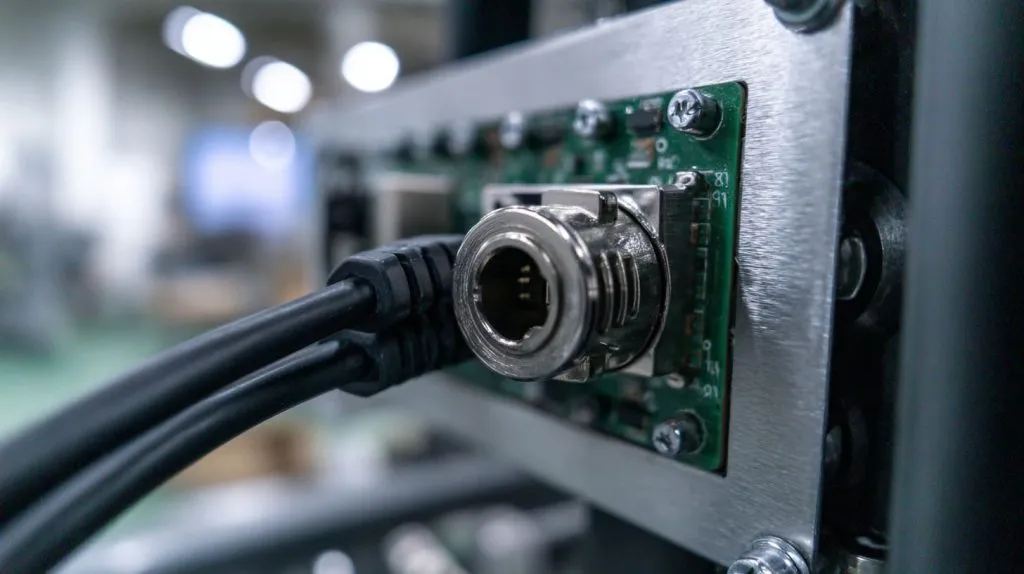
I’ll be blunt: most HDMI problems are not hard. They are just annoying. And annoying problems create bad reviews.
Ordering the Wrong Cable
This is the number one issue.
Common wrong orders:
- Buying standard HDMI for Pi 4, then realizing Pi 4 needs Micro HDMI
- Buying Micro HDMI when you actually needed Mini HDMI for Pi Zero
- Mistaking Micro HDMI for USB-C and ordering the wrong “small cable”
If you sell kits, this mistake becomes your problem, even if it was the buyer’s mistake. That is how customer psychology works.
Mechanical Damage Risks
Micro HDMI ports are small. In industrial projects, small things face big stress.
I’ve seen damage caused by:
- heavy cables pulling sideways
- cable tension in a tight cabinet
- repeated plug/unplug cycles in a test lab
- users grabbing the cable instead of the connector head
Simple fixes help a lot:
- use lighter cables
- add strain relief
- avoid sharp bends near the port
- use panel-mount extension cables in enclosures
Critical thinking angle:
If your project runs 24/7, the “weak point” is rarely the CPU. It’s often the connector and the human handling around it.
Stocking & Bundling Issues for Re-Brand Sellers
This is where my re-brand buyers like Jacky and Davide feel the pain.
If the listing is unclear:
- customers buy the wrong cable
- they blame the seller
- they leave a review like “does not work” (even if it works)
If the bundle is wrong:
- you pay for returns
- you pay for customer service time
- you lose ranking over time
A small table I use when advising re-brand sellers:
| Risk | What Triggers It | What It Costs |
|---|---|---|
| Wrong cable returns | Unclear listing / wrong bundle | Money + ranking |
| Bad reviews | Customer confusion | Trust + conversion |
| Support overload | Too many “doesn’t fit” messages | Time + stress |
After reading this section, many sellers ask me a very practical question:
“Vincent, should I just bundle HDMI cables with my Raspberry Pi cases to avoid all this?”
Let’s talk about that like business owners.
Should You Bundle HDMI Cables With Raspberry Pi Cases?
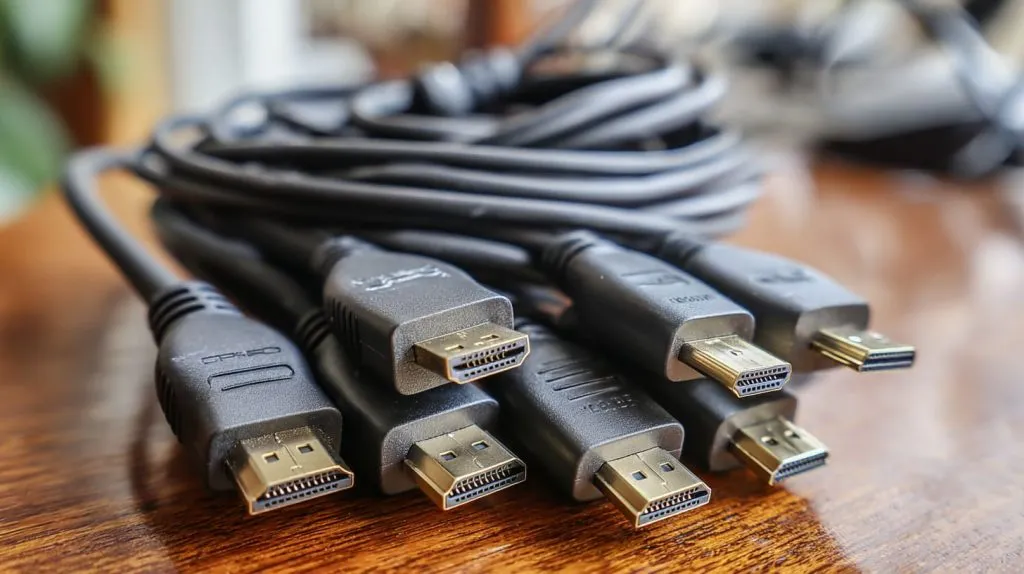
Bundling is not always “good.” It can increase cost, create more SKUs, and add packaging complexity. But it can also reduce friction and protect your brand.
So I look at it by buyer type.
For Re-Brand Sellers (Jackson Type Buyers)
If you sell on Amazon or Facebook, bundling can be a quiet weapon.
Why it helps:
- fewer “what cable do I need?” questions
- fewer returns
- better unboxing experience
- higher perceived completeness
What I recommend in real life:
- Bundle the right cable for the target model (Pi 4 vs Pi Zero is a big split)
- Add a simple label card: “This cable fits Raspberry Pi 4 / 5 Micro HDMI”
- Keep the cable decent quality. Cheap cables create more harm than no cable.
Critical thinking angle:
Bundling is not just adding value. It is removing doubt. Doubt is what kills conversion online.
For ODM Project Buyers (Lasle Type Buyers)
ODM buyers often need a different mindset.
They care about:
- exact cable length for the enclosure
- stable connection inside a cabinet
- repeatable assembly steps
In industrial settings, I often suggest:
- panel-mount HDMI extensions so the external cable doesn’t stress the Pi port
- strain relief inside the enclosure
- consistent routing so installers don’t “invent their own method”
Locking connectors can be useful in some environments, but you also need to check sourcing availability and cost. Some “perfect” solutions are hard to purchase at scale.
Critical thinking angle:
ODM work is not about one unit working. It is about 500 units working the same way, assembled by different people, under deadline pressure.
Cost vs Profit Margin Analysis
Here is a simple way I frame it:
- If bundling reduces returns by even a small amount, it can pay for itself.
- If bundling increases your SKU complexity too much, it can create new operational pain.
A quick cost-thinking table:
| Strategy | Pros | Cons | Best For |
|---|---|---|---|
| No cable | Lower cost, simpler packing | More confusion and returns | Local retail with informed buyers |
| Bundle cable | Better experience, fewer returns | Higher cost, more SKUs | Amazon/Facebook sellers |
| Bundle adapter only | Cheaper than cable | Adds a weak joint, still confusing | Some price-sensitive markets |
Now let’s bring it back to the reader’s daily problem: choosing the right HDMI solution for their project. Not for the internet. Not for a generic guide. For their real use case.
How to Choose the Right HDMI Solution for Your Raspberry Pi Project?
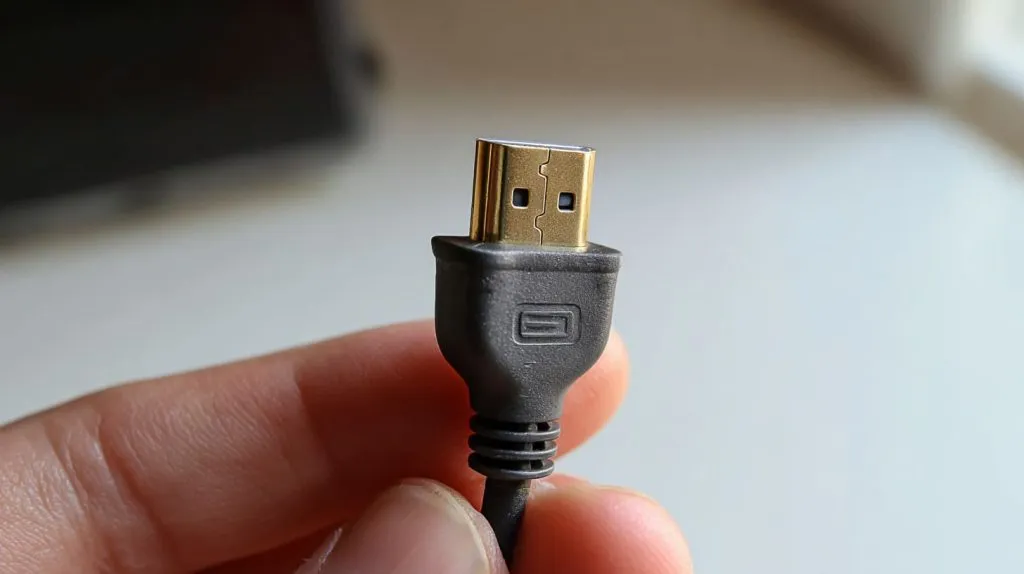
I like to split this into three worlds: home, retail, and industrial. Because the “best” solution changes with the environment.
Home & Educational Projects
For home users and classrooms, keep it simple:
- Identify the Raspberry Pi model
- Match the cable to the port type
- Avoid very long cheap cables
- If using Pi 4 or Pi 5, consider a cable with decent strain relief
Simple selection guide:
- Pi 4 / Pi 5 → Micro HDMI to HDMI cable
- Pi Zero / Zero 2 W → Mini HDMI to HDMI cable
- Pi 3 and older → Standard HDMI to HDMI cable
Critical thinking angle:
For education, the goal is not “maximum specs.” It is “minimum friction.” Kids and teachers should not lose a lesson because of a wrong connector.
Retail & Re-Brand Market
If you sell products online, clarity is money.
What I do for re-brand sellers:
- Put port type in the title: “Micro HDMI cable for Raspberry Pi 4/5”
- Use a photo that shows the connector close-up
- Add a comparison image: Standard vs Mini vs Micro (customers love visuals)
- Include one short FAQ in the description:
- “Pi 4 and Pi 5 use Micro HDMI, not standard HDMI.”
Labeling strategy that works:
- Use simple words first, technical words second:
- “Small HDMI (Micro HDMI)”
- “Medium HDMI (Mini HDMI)”
- “Normal HDMI (Standard HDMI)”
Critical thinking angle:
Customers don’t fail because they are dumb. They fail because the system is unclear. When you reduce unclear steps, you reduce returns.
Industrial & Embedded Projects
Industrial projects punish weak connections.
I usually recommend:
- strain relief so the port doesn’t take cable force
- panel-mount HDMI extension so users plug into the panel, not the board
- accurate enclosure cutouts and cable routing paths
Custom enclosure cutout accuracy matters more than people think. If the cable head is bulky and the cutout is too tight, installers start forcing it. And forced cables create damage.
A practical checklist for industrial builds:
- Is the HDMI port accessible without bending the cable sharply?
- Can the cable be secured so it won’t vibrate loose?
- Does the external user plug into a panel port instead of the Pi itself?
- Are we using consistent cable lengths to avoid messy routing?
Critical thinking angle:
Industrial reliability is often “boring discipline.” It is not glamorous. But it prevents 2 a.m. troubleshooting calls.
At this point, readers usually want one fast reference they can copy into their notes or share with their team. So I keep a quick table that makes decisions almost automatic.
HDMI Port Type Comparison Table (Quick Reference)
Here is the side-by-side summary I wish every buyer had on day one:
| Port Type | Common Name | Used on Which Raspberry Pi Models | Max Display Support (Typical) | Best Use Cases | Risk Level (Durability) |
|---|---|---|---|---|---|
| Type A | Standard HDMI | Pi 1 / 2 / 3 series | Single display typical | Education, quick setup, easy sourcing | Low |
| Type C | Mini HDMI | Pi Zero / Zero 2 W | Single display typical | Compact builds, space-limited projects | Medium |
| Type D | Micro HDMI | Pi 4 / Pi 5 | Dual display common on Pi 4 | Desktop-like setups, multi-display | Higher (needs care) |
A small reminder I always tell buyers:
Risk level is not about signal quality. It is about how easy it is to stress the connector in real handling.
If you’re a re-brand seller, this table is also a listing checklist. If you’re an ODM buyer, it’s a BOM sanity check. Simple tools save expensive mistakes.
Now I want to land this in a calm way, with a clear takeaway and a practical next step.
Conclusion
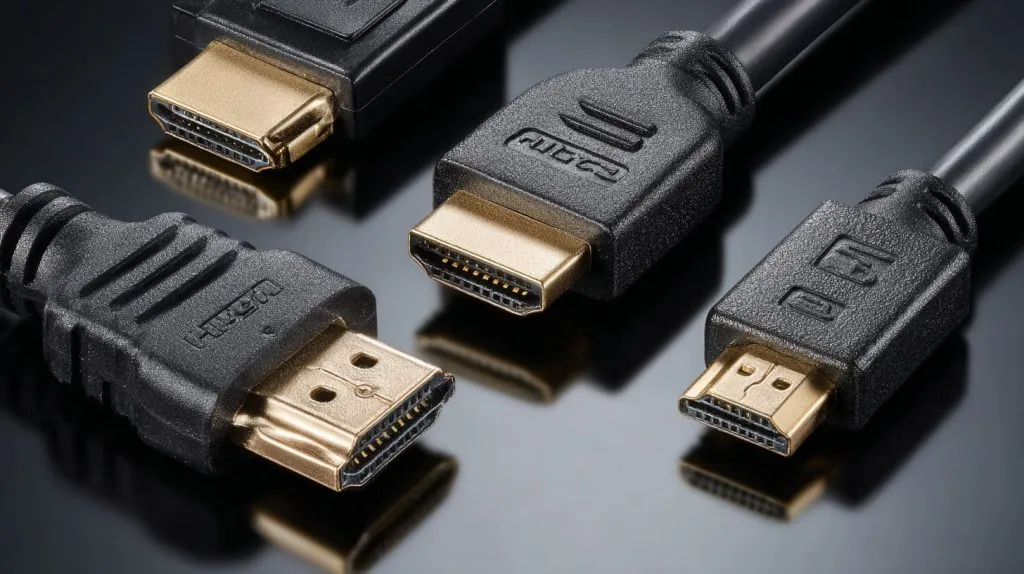
Here is what I want you to remember after all of this:
- HDMI connector type is not the same as HDMI performance. Type A, C, and D are mainly about physical size and fit.
- Know your Raspberry Pi model first. Then choose the correct cable. Guessing is what creates returns and delays.
- For B2B buyers, the cable decision is part of the product experience. A wrong cable can destroy trust faster than a slow CPU.
- Choose based on your real environment. Home users need simplicity. Re-brand sellers need clarity. Industrial projects need strain relief and panel-mount solutions.
If you are building a re-brand kit, or you want to bundle the right HDMI cable with your custom Raspberry Pi case, I’m happy to help you map the best accessory list for your target board model and market.
You can reach me through Raspberrypicase.com or email info@maidatech.com, and tell me which Raspberry Pi model you sell most. I’ll suggest a cable and packaging plan that reduces returns and keeps your buyers smiling.







